¶ Overview
Both Dealers and Consumers with the proper permissions can create and manage sub-accounts within the system. This includes updating account details, changing account statuses, and onboarding new sub-accounts.
¶ Navigating to Account Management
- Login to your account.
- From the left-side menu, select Accounts.
- Choose either Dealer or Consumer from the dropdown to view and manage sub-accounts.
¶ Managing Sub-Accounts
Managing sub-accounts follows the same process for both dealers and consumers. The top-level account (dealer or consumer) can onboard sub-accounts and manage their details.
¶ Actions You Can Perform:
- Update Account Details: You can edit account information such as name, address, and contact details.
- Update Account Status: You can change the account status to:
- Active (default)
- Inactive
- Blocked

¶ Creating Sub-Accounts
To create a new sub-account, follow these steps:
- Navigate to the Accounts section: Click on Accounts in the left-side menu.
- Add Dealer or Consumer: Choose whether to add a dealer or consumer account by clicking Add Dealer or Add Consumer.
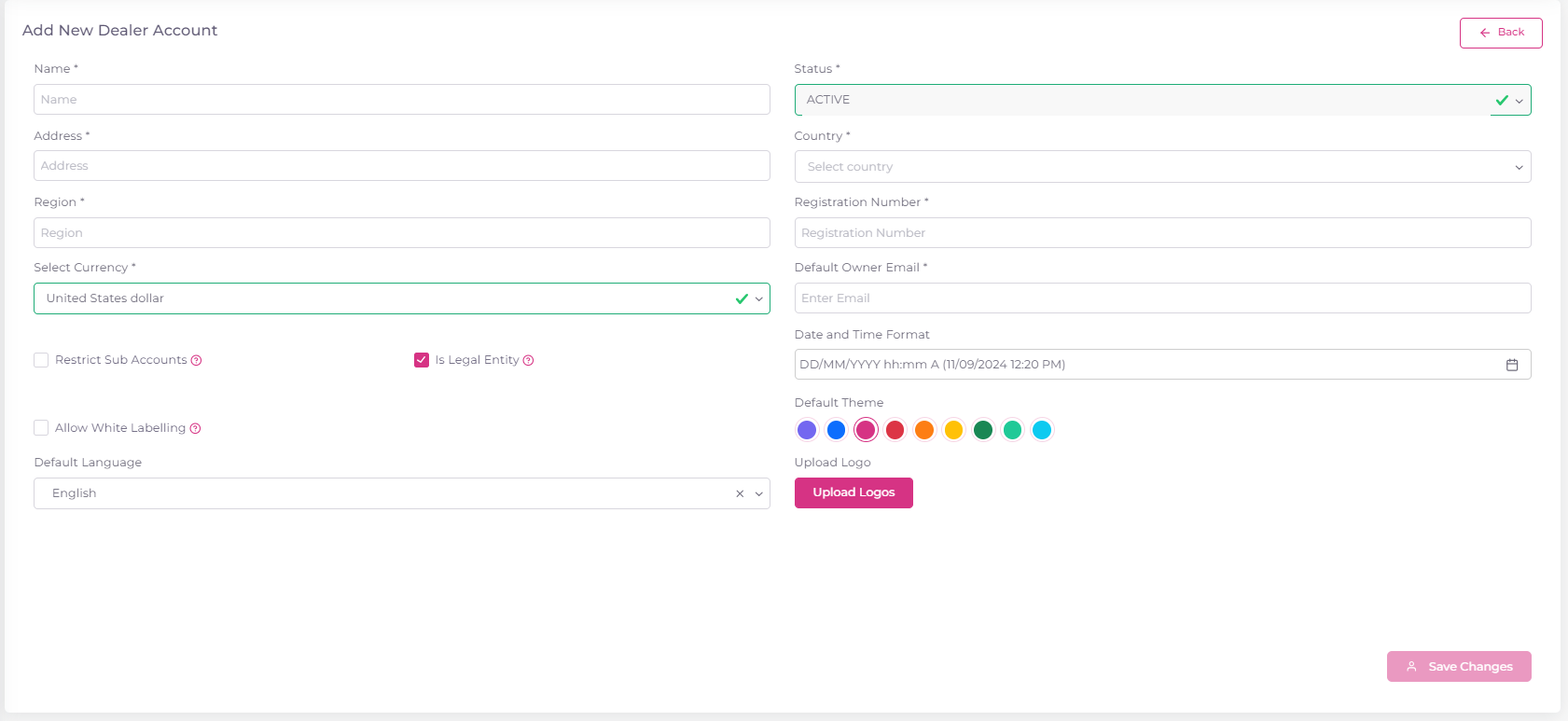
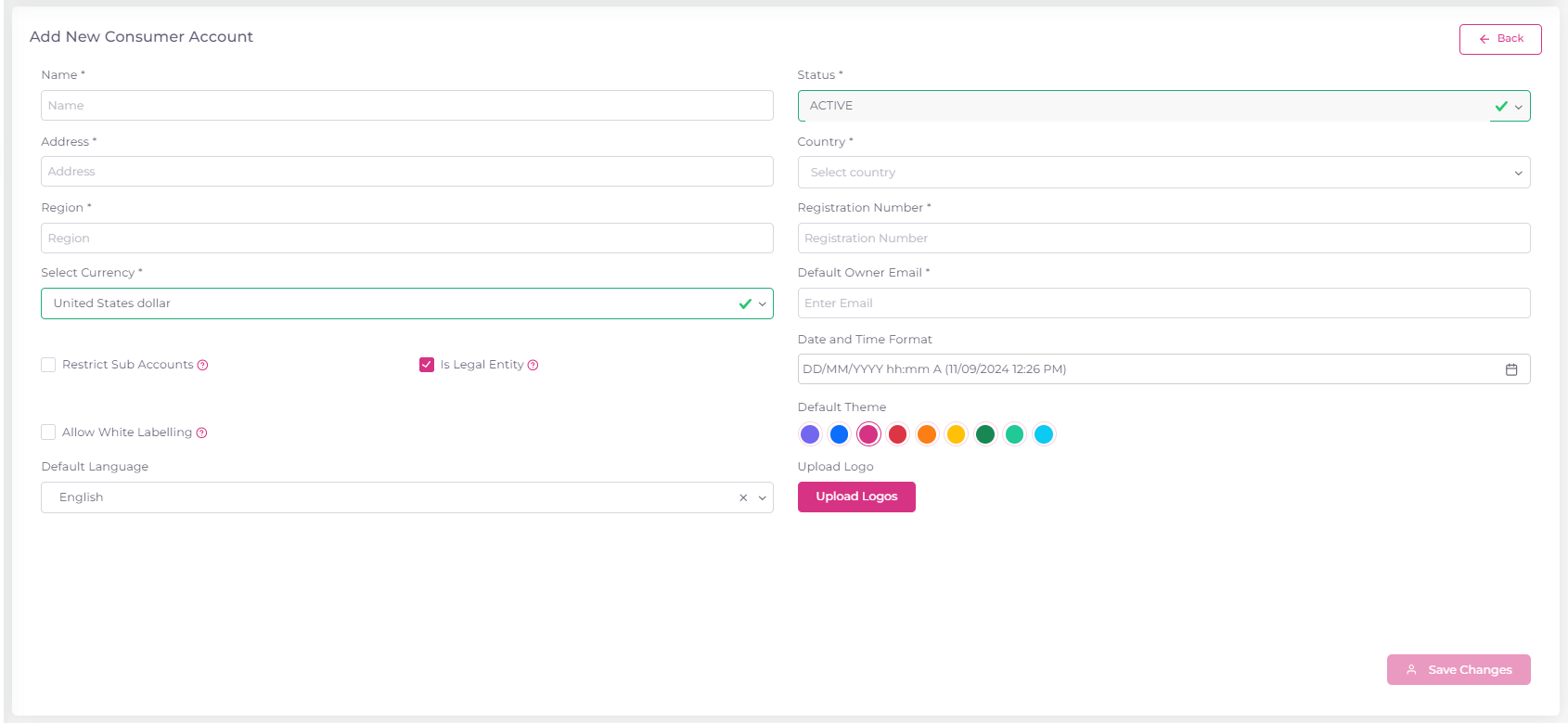
3. Fill Out the Form:
- Name: (Mandatory)(Accept min 3 and max 50 characters)
- Status: Default is Active.
- Address: (Mandatory)(Accept min 5 and max 80 characters)
- Country: (Mandatory)
- Region: (Mandatory)(Accept min 3 and max 30 characters)
- Registration Number: Mandatory if the Legal Entity checkbox is selected.(Accept min 1 and max 30 characters)
- Restrict Sub-Account Flag: If checked, this prevents the sub-account from onboarding or managing further sub-accounts.
- Allow White Labelling: If enabled, the sub-account can customize the account’s theme, language, and logo.
¶ Sending Invitations
- After creating a sub-account, an email invitation will be sent to the account owner's email address:
- New Users: They will be prompted to sign up for Polygon.
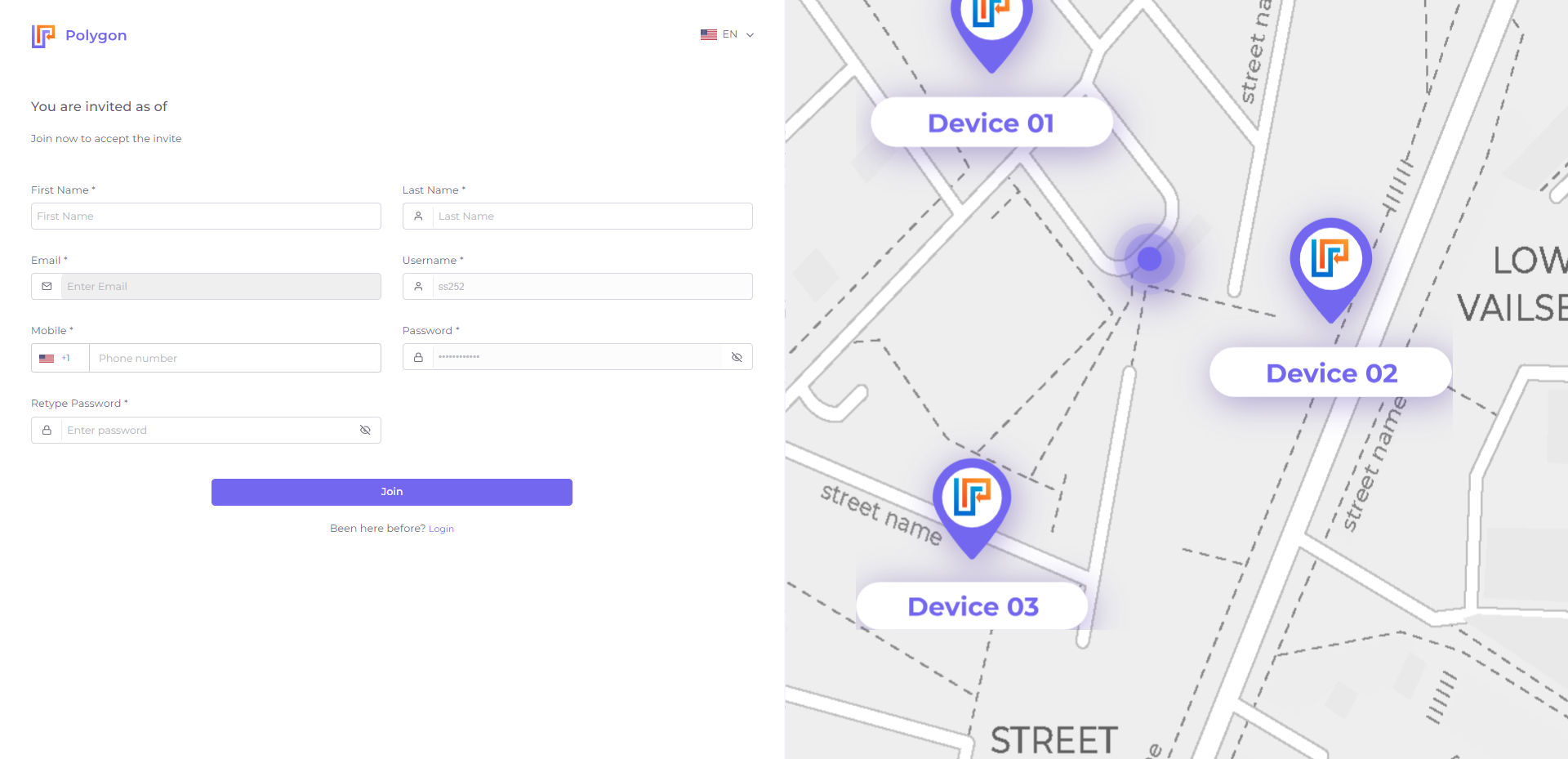
- Existing Users: They will need to accept the invitation to join the new sub-account.

- New Users: They will be prompted to sign up for Polygon.
¶ Additional Resources
For more detailed information on account creation and management, visit our Help Center or contact support.