¶ Key Features
-
Unit-Specific Cost Summary:
- Displays the cost summary based on individual units, including service expenses for parts, labor, and other related categories.
-
Cost Tracking for Units:
- Helps users monitor and analyze costs incurred for each unit, aiding in better financial and maintenance planning for the fleet.
-
Date Filters:
- Users can apply date filters to narrow down the data for specific periods, helping track the running hours of each vehicle.
-
Unit Filters:
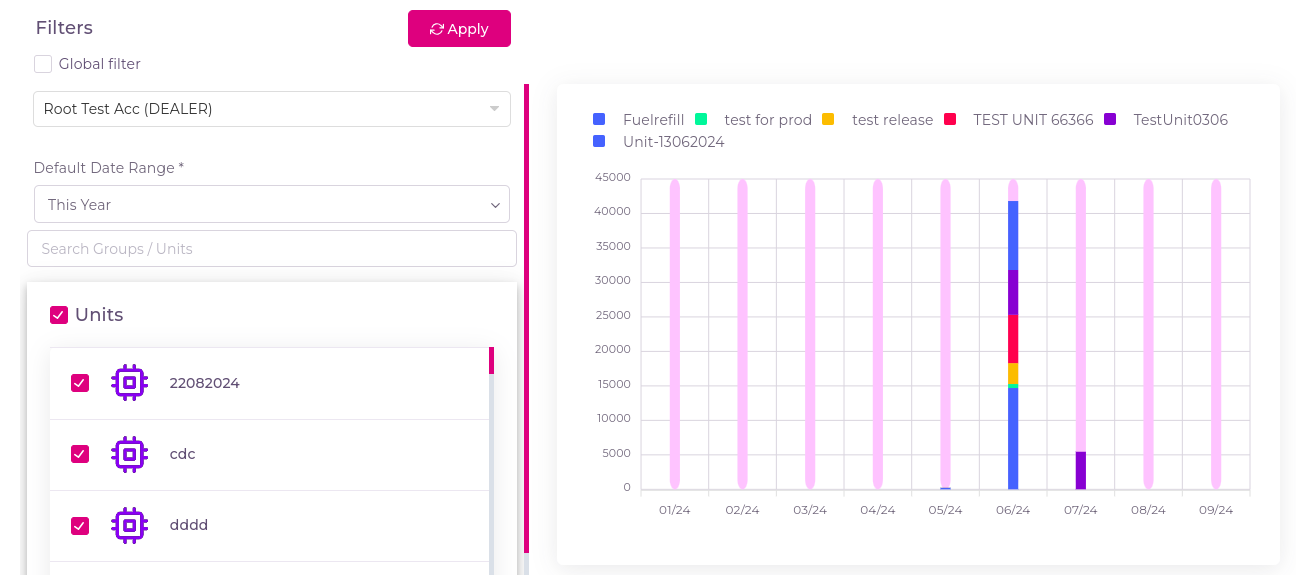
- Apply unit filters to analyze cost summary over specific units.
- If you checked the global filter then whatever units and groups are selected in the Filters tab that will be applicable.
¶ How to Use the Cost Summary By Units Page
-
Navigate to Cost Summary By Units:
- Click on the Widgets and select Cost Summary By Units.
-
View Unit-Specific Breakdown:
- The page shows a detailed cost breakdown for each unit, categorized by service expenses.
-
Filter by Date or Unit:
- Users can filter the summary based on service dates or specific units to get a clear view of past maintenance costs.
-
Understand the Chart:
- The chart uses Y-coordinate to indicate the cost and the X-coordinate to represent the date, allowing users to track daily running performance over time