¶ Key Features
-
Driver Behavior Monitoring:
- Track violations like harsh braking, harsh acceleration, and sharp turns for each unit to ensure better driving behavior.
-
Date-Based Violation Tracking:
- Users can filter driver behavior reports by specific dates to analyze driving patterns over time.
-
Date Filters:
- Users can apply date filters to narrow down the data for specific periods, helping track the running hours of each vehicle.
-
Unit Filters:
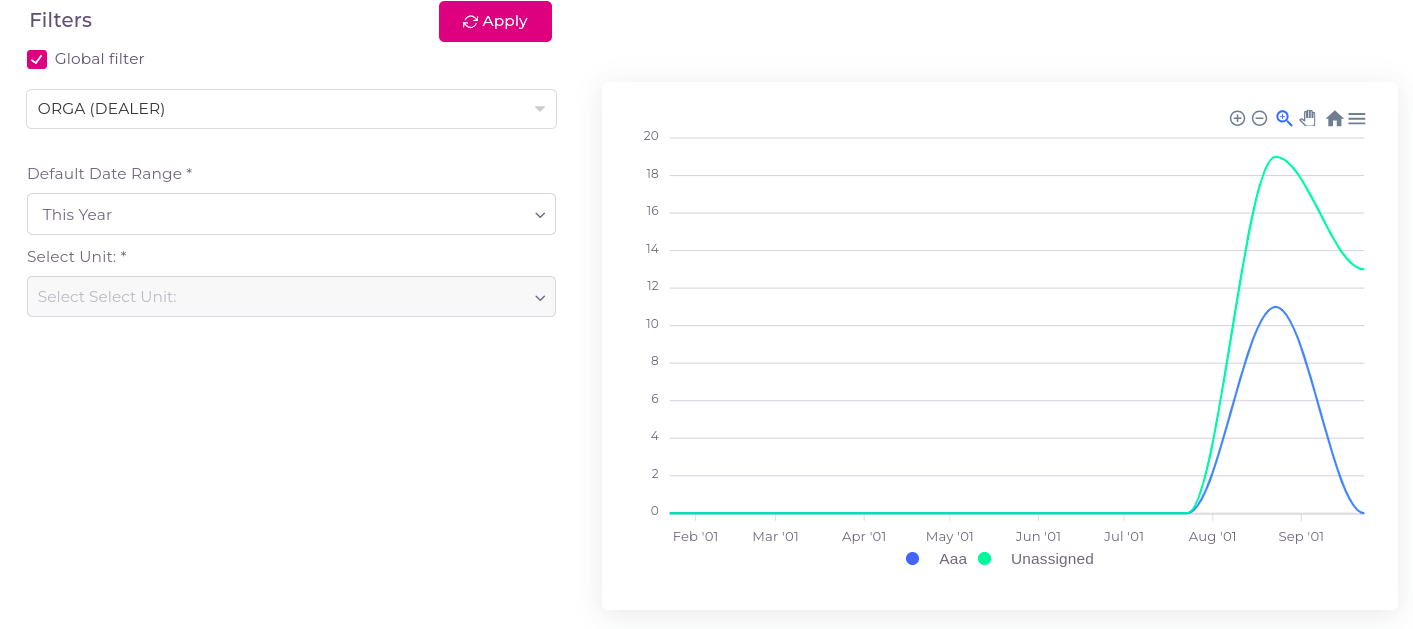
- Apply unit filters to analyze driver behaviours over specific units.
- If you checked the global filter then whatever units and groups are selected in the Filters tab that will be applicable.
¶ How to Use the Green Driving Violations Page
-
Navigate to Green Driving Violations:
- Click on the Widgets and select Green Driving Violations.
-
View Unit-Specific Violations:
- The page provides detailed reports on driver behavior for each unit, categorized by type of violation (e.g., harsh braking, harsh acceleration).
-
Filter by Date:
- Apply filters to view driving violations that occurred within a specific date range.
-
Understand the Chart:
- The chart uses Y-coordinate to indicate the drivers activities and the X-coordinate to represent the date, allowing users to track daily running performance over time.