¶ Overview
The Tyre Maintenance Reminders Report helps track and manage tyre maintenance activities and reminders for vehicles. This report provides an organized way to ensure timely maintenance and avoid potential tyre-related issues.
¶ Instructions
- Title: Tyre Maintenance Reminders Report
- Description: Tracks tyre maintenance activities and reminders for effective fleet management. The report allows you to monitor upcoming maintenance schedules and ensure timely servicing of vehicle tyres.
- Supported Files: PDF, Excel
- Sensors: GPS and Accelerometer sensors are required for generating the report.
¶ Report Creation Steps
¶ 1. Accessing the Report Creation Page
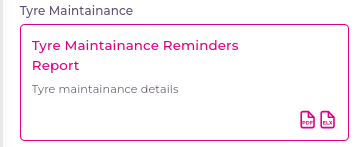
- Click on Tyre Maintenance Reminders Report to navigate to the Create New Report page.
¶ 2. Generating the Report
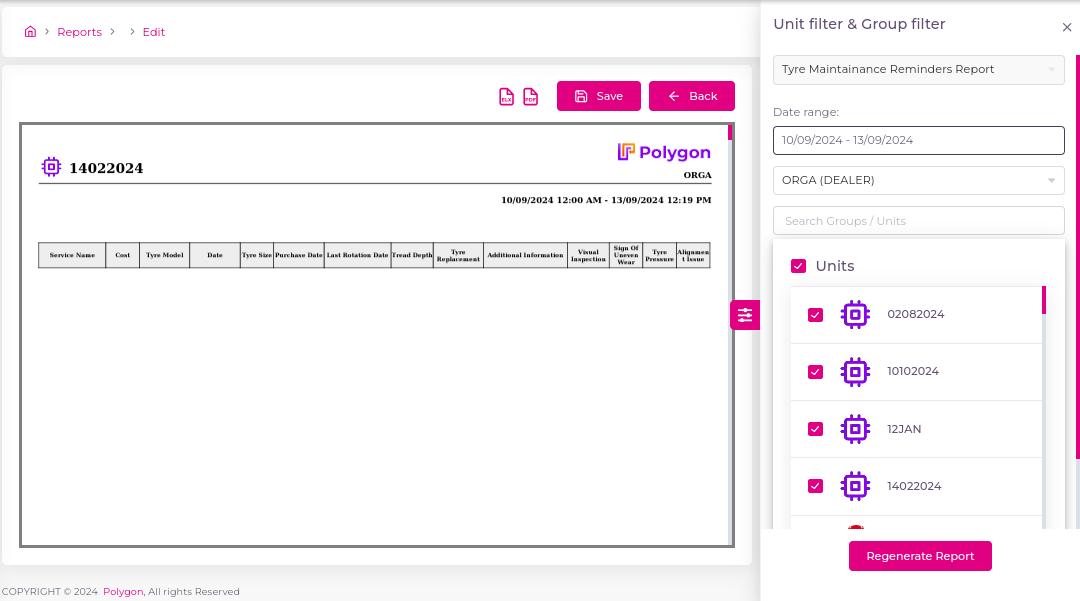
- On the right side of the page, a dynamic form will appear for creating the report.
¶ 2.1 Report Type
- From the Report Type dropdown, select Tyre Maintenance Reminders Report.
¶ 2.2 Date Range
- In the Date Range field, choose the start and end dates for the report.
¶ 2.3 Account Field
- The Account field displays all accounts available for generating the report for specific units and groups.
¶ 2.4 Unit Search
- Use the Search Field to search for units.
- Select the unit(s) needed for the report from the displayed list.
¶ 3. Generating and Viewing the Report
- After selecting all required fields, click the Generate Report button.
- A progress loader will appear while the report is being generated.
- Once ready, a preview of the report will be displayed in PDF format.
¶ 4. Downloading or Saving the Report
- You have three options at the top of the preview:
- Download PDF: Save the report as a PDF file.
- Download Excel: Save the report as an Excel file.
- Save the Report: Save the report for future reference.
¶ 4.1 Saving the Report
- When you click Save, a pop-up will appear.
- Report Name: Enter a name for your report (3 to 20 characters).
- Labels: Add multiple labels to categorize the report.
- After clicking Save, the report will be saved, and you will be redirected to the list of reports where your generated report will be visible.
¶ Troubleshooting
- No Data Displayed: Ensure that you have selected the correct date range and units. Check your account permissions if you cannot access specific units.