¶ Overview
Keep track of all upcoming service reminders for your units by following these steps:
- Access Unit Service Reminders:
- Click on the sidebar to reveal the options.
- Navigate to Units and select Map View.
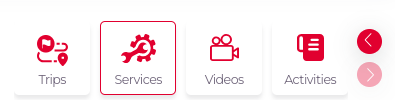
- You will see multiple tabs related to units. Click on the Services tab.
- There is another way to go the activities
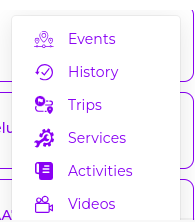
Navigate to to Units and select Map View and on unit
there are 3 dots click on that then click on Services
-
View Upcoming Service Reminders:
- After selecting the Services tab, all upcoming service reminders will be displayed.
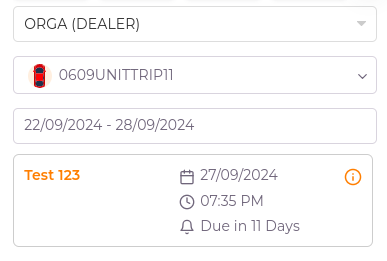
- Each service reminder is shown on a card containing the following information:
- Service Name: The name of the service due.
- Service Date: The date when the service is scheduled.
- Service Time: The time scheduled for the service.
- Due Days: The number of days until the service is due.
- Hover over the information icon (
i) on each card to view detailed information about the service.
-
Filter Reminders by Date:
- Use the calendar option to filter service reminders within a specific date range, focusing only on upcoming reminders.
- The service reminders are listed in descending order, with the most recent due dates appearing first.
-
Switch Between Units:
- You can change the unit to view service reminders for different units.
- The list of units available for selection is limited to those associated with the above-listed account.
This feature helps you ensure timely maintenance for all units by organizing and tracking upcoming service reminders effectively.