Before you trust a new limit or a new rule, replay it over data your units already sent. The test lists the incidents the rule would have opened and cleared. It sends nothing to anyone.
¶ Before you start
- You need Alert Rules with Add. The Owner role has it. A role with Read only sees Test on history but cannot run it.
- The test works for templates that check every message, such as Speeding, Geofence exit or Temperature out of range. Test on history is unavailable for templates that run on a timer, from trips and stops, from daily totals or across the fleet. It is also unavailable for service reminders and SIM records. Point at it to see why.
- The rule needs at least one unit in Applies to.
¶ Open the test
- In the side menu, select Alerts > Rules.
- In the rule's row, select More actions (⋮).
- Select Test on history.
The rule form opens with the Test on history dialog on top.
You can also select Test on history at the top of the rule form while you build or change a rule. The test always uses the rule as it is on screen, including changes you have not saved.
¶ Run it
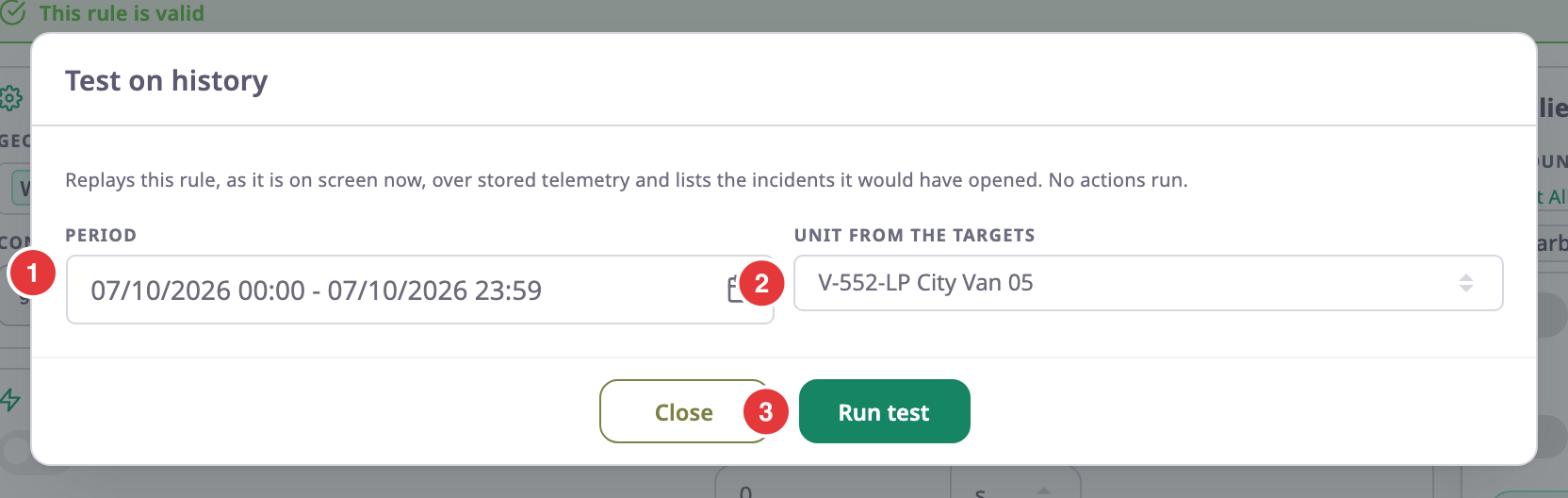
- In Period, marked 1, choose the time to replay.
The period starts as the current day. It can be at most 7 days long. - In Unit from the targets, marked 2, choose a unit the rule applies to.
For a rule with Device scope, a second list lets you choose the unit's device. - Select Run test, marked 3.
"Replaying history…" shows while the app replays the data.
¶ Read the results
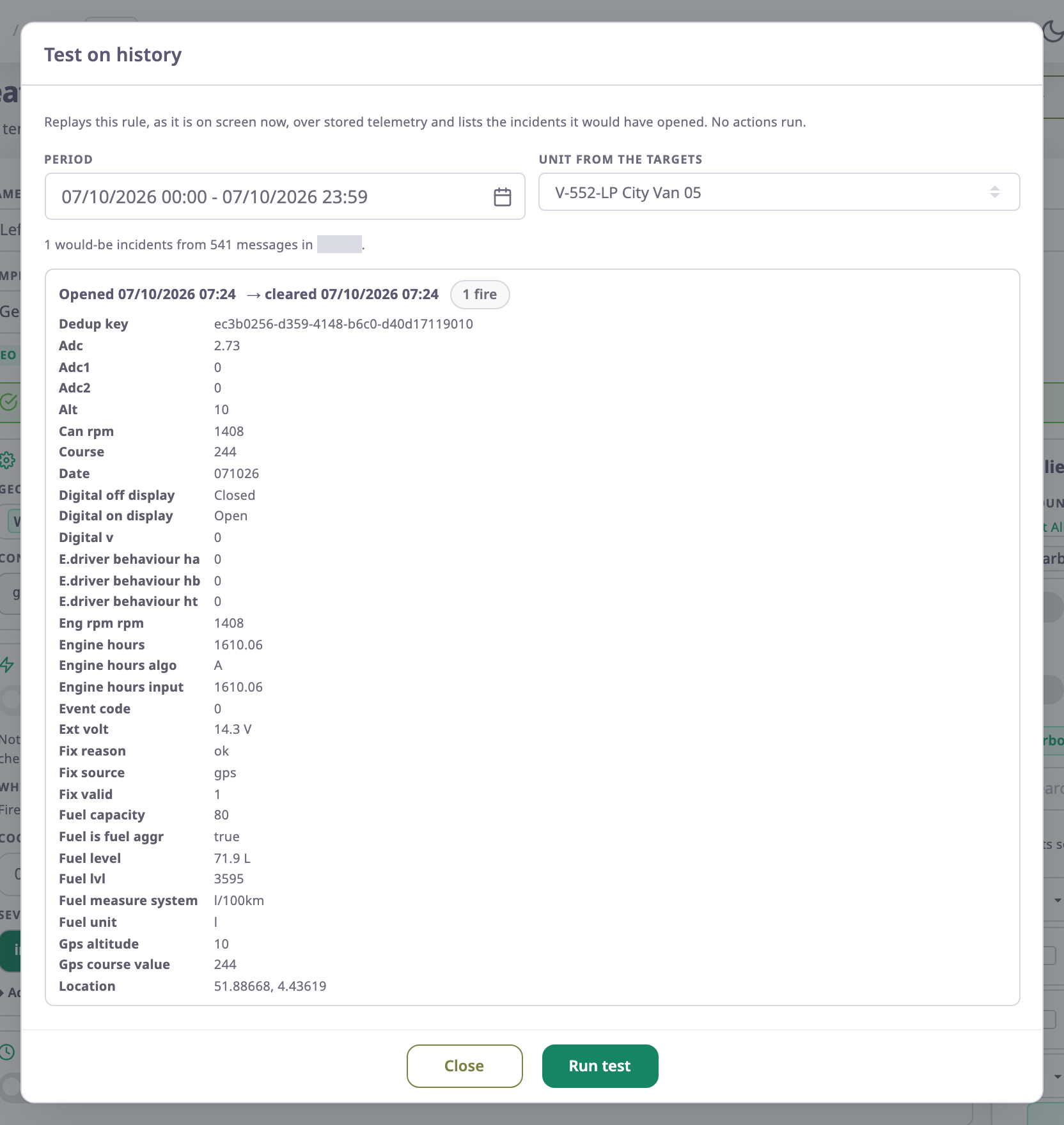
The first line counts the results, for example "1 would-be incidents from 24 messages in … ms". Each result shows:
- Opened and the time the incident would have opened.
- The time it would have cleared, or "still open at the end" if it was still open when the period ended.
- How many times it would have fired.
- The values the rule saw when it fired, such as speed and position.
"This rule would not have fired in this period." means no message met the condition. Try a longer period, another unit, or a lower limit.
¶ What happens next
The test changes nothing. Adjust the rule, run the test again, and select Save rule when the results look right.
| Message | What to do |
|---|---|
| "Choose at least one unit in Applies to first." | Close the dialog and tick units in Applies to. |
| "Test at most 7 days at a time." | Shorten the period. |
| "The period is empty." | Make the end later than the start. |