You can install the web app so it opens from an icon on your home screen or desktop, in its own window. It is the same app you use in the browser, with the same sign-in.
¶ Before you start
- Anyone can install it. You do not need a permission.
- Use Chrome or Edge on Android or a computer, or Safari on iPhone and iPad. Other browsers may not offer installation.
- The install banner appears at the bottom of the screen after you open the app. It does not appear in a browser where you closed it before.
- Your installation's licence must include the mobile apps. Without them, the app never shows the install banner.
¶ Install from the banner
This works on Android, and in Chrome or Edge on a computer.
-
Open https://polygon.getgps.ru in Chrome or Edge.
An install banner appears at the bottom of the screen.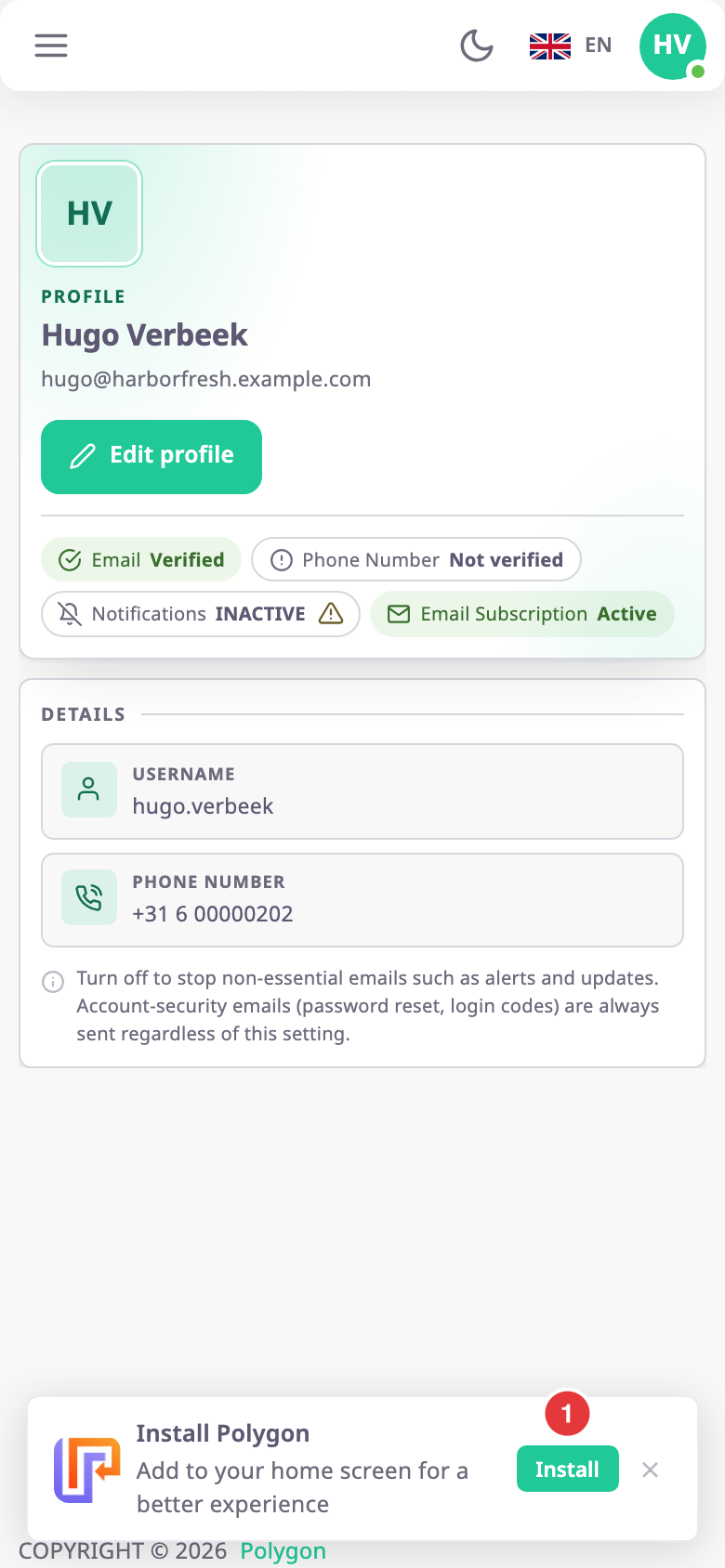
-
Select Install, marked 1.
The browser asks you to confirm. -
Confirm in the browser's dialog.
The app icon appears on your home screen or desktop, and the banner does not come back.
¶ Add the app to an Apple home screen
On iPhone and iPad, Safari does not let a website install itself, so the banner tells you which Safari controls to use.
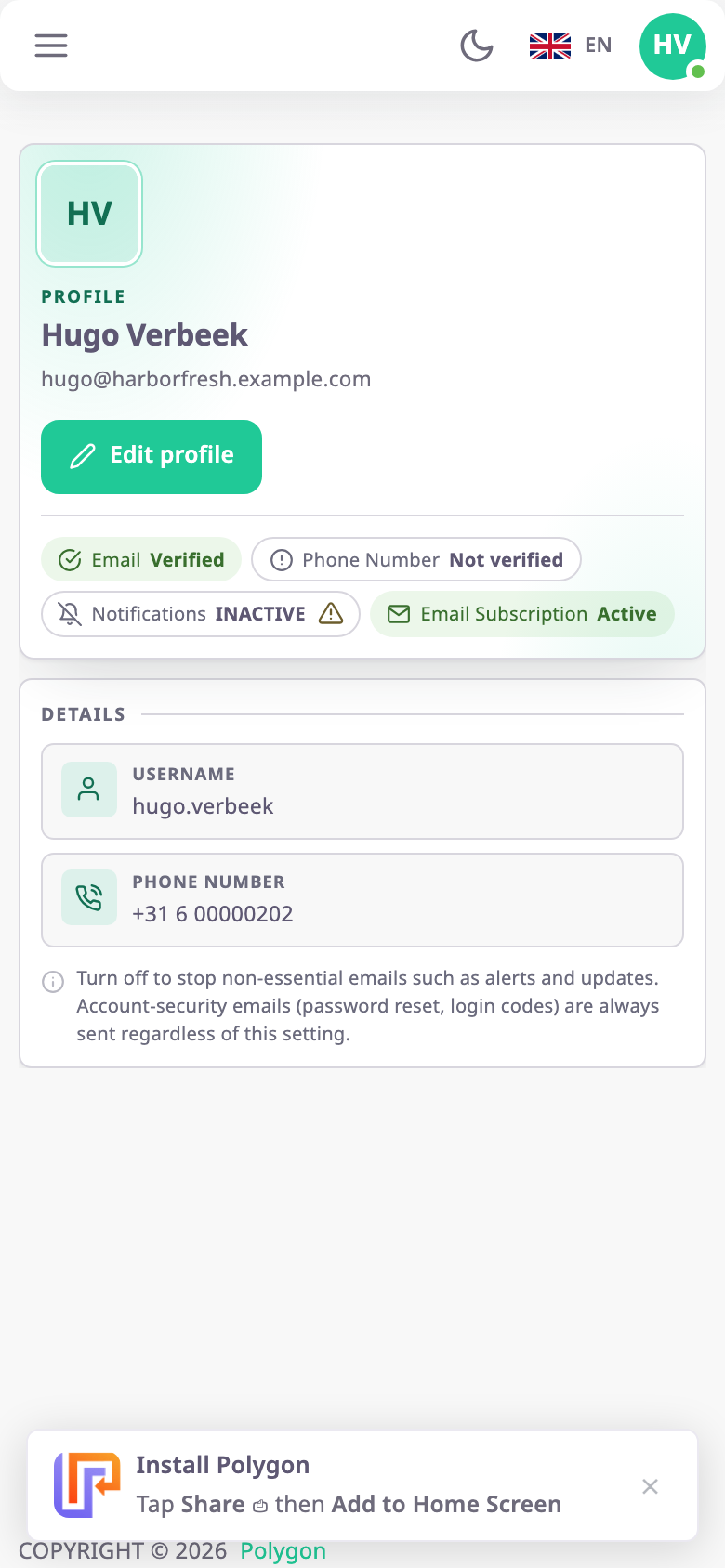
- Open https://polygon.getgps.ru in Safari.
The banner appears at the bottom of the screen. - Tap Safari's Share button.
- Tap Add to Home Screen.
- Confirm the name.
The app icon appears on your home screen.
¶ If you closed the banner
The close icon on the right of the banner hides it for good in that browser. To install the app afterwards, use your browser's own menu. Most browsers that support installation offer an install or add-to-home-screen option there.
¶ What happens next
Open the app from its new icon and sign in as usual. Everything works as it does in the browser.