When you change your email address, the app asks you to prove the new address is yours before it uses it. Your phone number also has a verification status, shown on your profile.
¶ Before you start
- Anyone with a user can do this for their own user. You do not need a permission.
- Change the address first, on the Update profile screen. See Your profile.
¶ Check your verification status
Your profile shows a status chip for each:
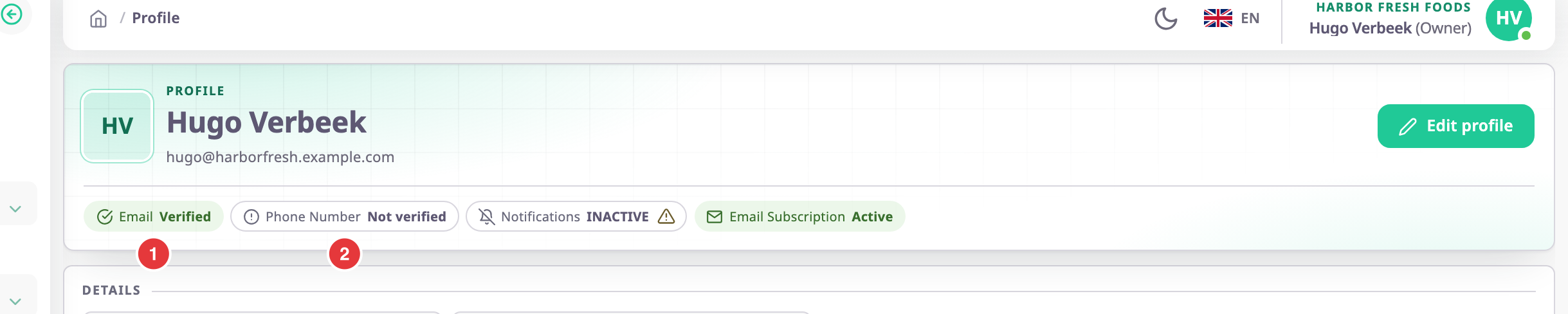
- The email chip, marked 1, shows "Not verified" while a new email address waits for you to confirm it.
- The Phone Number chip, marked 2, shows "Verified" or "Not verified".
If you joined through an invitation, your email address is already verified. The invitation reached it.
¶ Verify your email address
- Change your email address on the Update profile screen and select Save Changes.
The app sends an email with the subject "Verify Email" to the new address. - Open that email.
- Select its verification link.
The sign-in screen opens with the notice "Email Verified Sucessfully", and the app signs you out. - Sign in with your new email address, or with your username.
The app also sends a short notice to your old address to say the address changed.
Until you open the link, your old address stays your sign-in email, and the profile shows the new one as "Not verified". The link works for 14 days.
If the email did not arrive, open your profile and select Resend Link next to the new address. It shows only while the change waits for verification.
¶ Verify your phone number
The web app keeps a new or changed phone number as "Not verified". It has no screen for entering a phone verification code, so you cannot verify the number here.
If your number is already verified, you cannot replace it from the profile. Saving a different number fails with "Mobile number is already verified".
¶ If verification fails
| Message | What it means | What to do |
|---|---|---|
| "Wrong OTP" | The link is older than 14 days, or you used it already. | Open your profile and select Resend Link. |
| "Email already used by someone else" | Another user took that address while yours waited. | Choose another address. |