From the Dealers and Consumers lists you can open a child account to see the accounts below it, or its users and invitations. These screens look like the lists you came from, but show the child account's records.
¶ How you get here
| From a row in | Select | What opens |
|---|---|---|
| Dealers | Manage Sub Accounts | The sub-dealer's own accounts, on the Dealers and Consumers tabs |
| Consumers | Manage Sub Accounts | The consumer's own sub-consumers |
| Dealers or Consumers | Manage Users | The account's users, on the Users and Invitations tabs |
Manage Sub Accounts shows only for active accounts that may have accounts of their own. Manage Users shows only for active accounts.
¶ Sub-accounts tabs
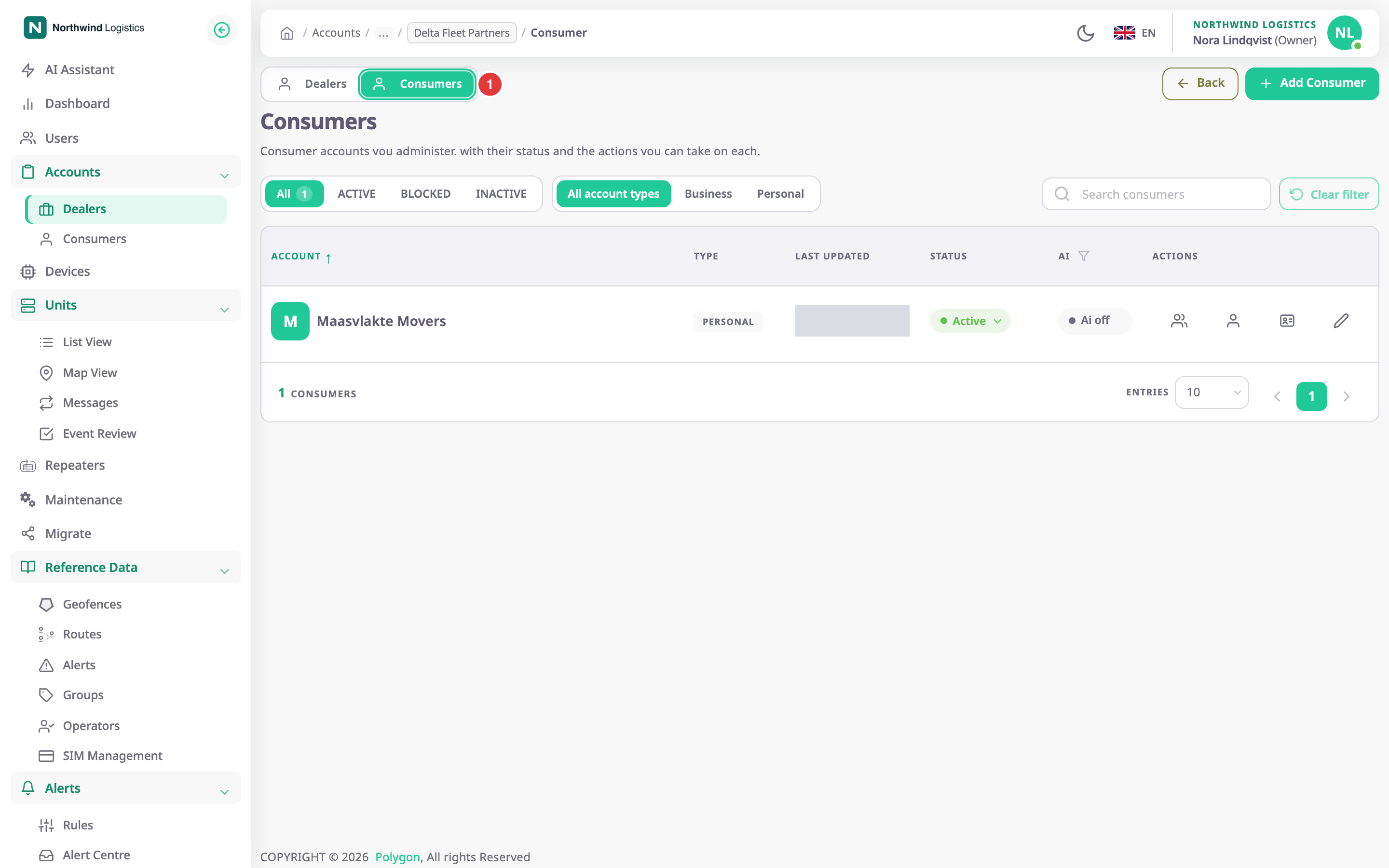
For a sub-dealer, the Dealers tab lists its sub-dealers and the Consumers tab, marked 1, its consumers. For a consumer, the screen lists its sub-consumers. Each list has the same filters, columns, status menu and row actions as the Dealers list and the Consumers list. Add Dealer and Add Consumer create the new account under this child account, not under yours.
You can keep drilling down: Manage Sub Accounts on a row here opens the next level.
¶ Users tab
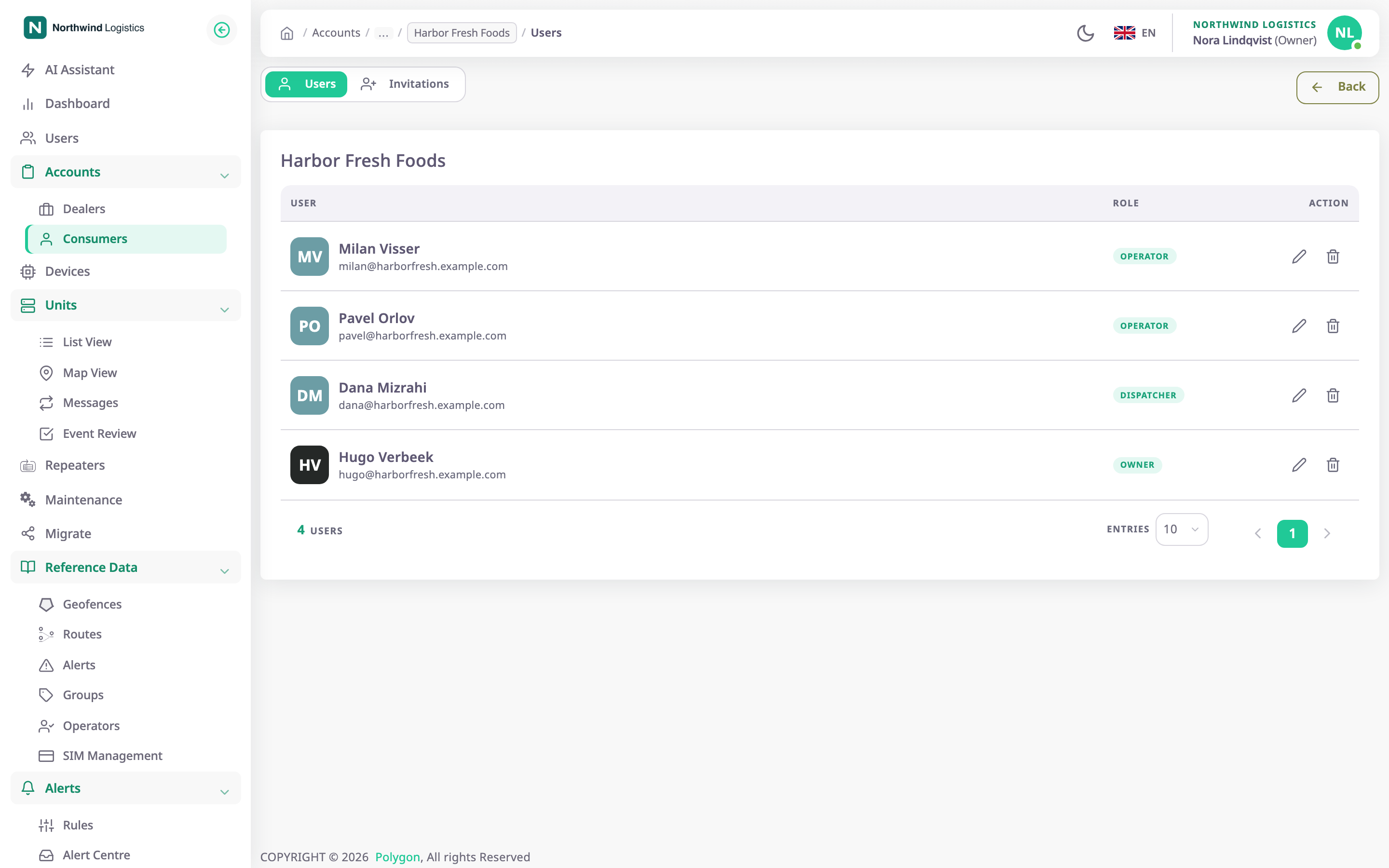
The Users tab lists who can sign in to the account, with the Role each one holds there. The row actions are the same as on your own Users screen:
- Edit opens Update User Role, to give the user another role in that account.
- Delete removes the user from that account. Their user and their other accounts stay as they are.
See Change a user's role or remove a user.
¶ Invitations tab
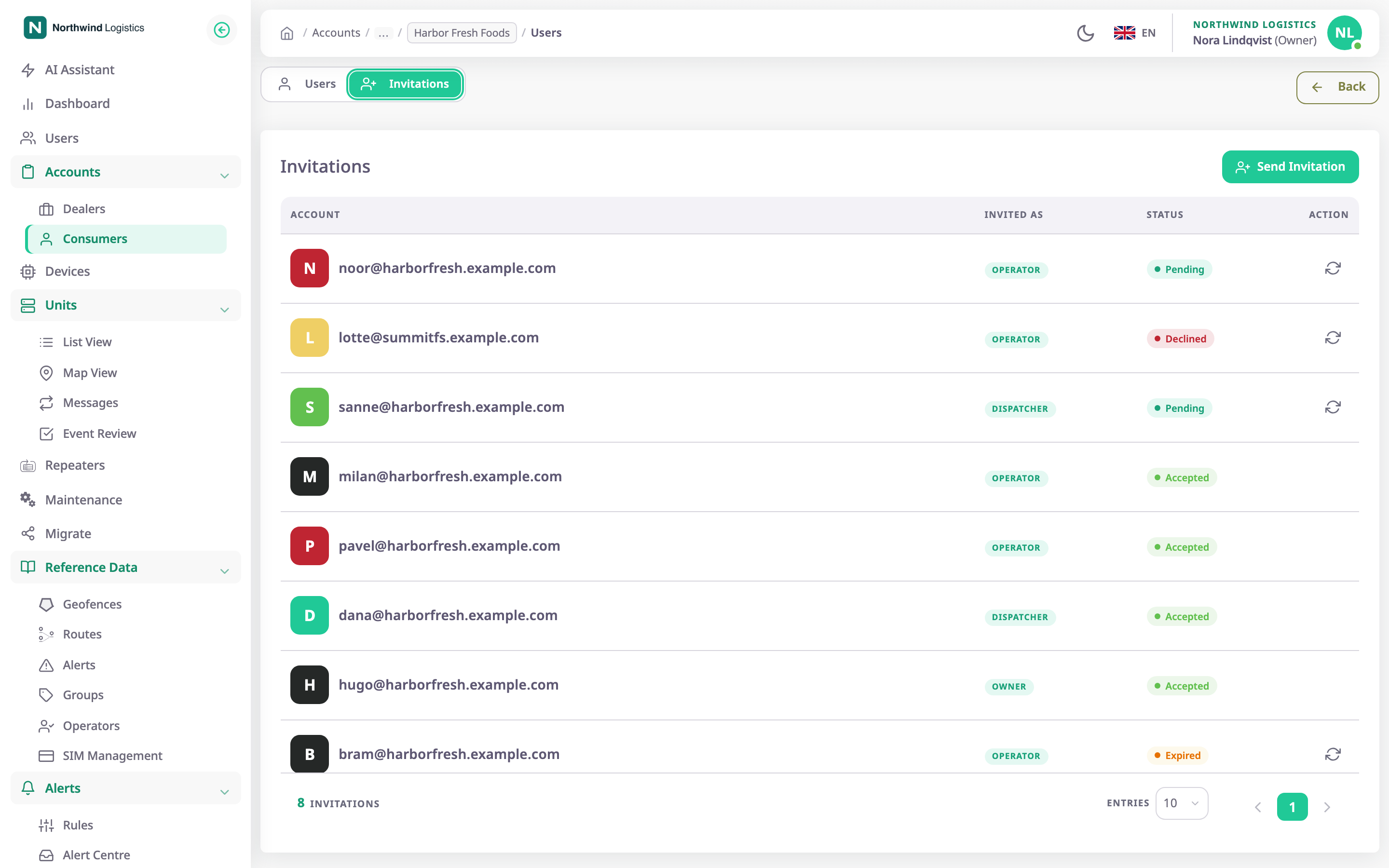
The Invitations tab lists every invitation the account has sent, with the address, the role (Invited as) and the status: Pending, Accepted, Declined or Expired. Send Invitation invites someone to that account. Resend sends a pending, declined or expired invitation again.
See Manage the users of a customer account.
¶ Moving back up
The breadcrumb at the top shows the path from your account down to the one you are looking at. Select a name in it to go back up to that level. Back returns to the previous screen.
¶ Permissions
| To | In a sub-dealer you need | In a consumer you need |
|---|---|---|
| See the account's sub-accounts | Read Dealer Sub Accounts | Read Consumer Sub Accounts |
| See the Users tab | Dealer Account User > Read | Consumer Account User > Read |
| See the Invitations tab | Dealer Account User Invite > Read | Consumer Account User Invite > Read |
| Send an invitation | Dealer Account User Invite > Send | Consumer Account User Invite > Send |
The built-in Owner role has all of them.