Create a dashboard to group the widgets you check together. A personal dashboard is yours. An account dashboard is for everyone in the account.
¶ Before you start
- You need the Add action of Dashboard Widgets. The Owner role has it.
- To make an account dashboard, you need the Owner role. For other users, the Account button is grey.
- You can open the screen only if your role has Show Dashboard. See Dashboard screen.
¶ Start a new dashboard
-
In the side menu, select Dashboard.
The Dashboard screen opens. -
Select Dashboard actions, the three dots at the top right.
-
Choose New dashboard, marked 1.
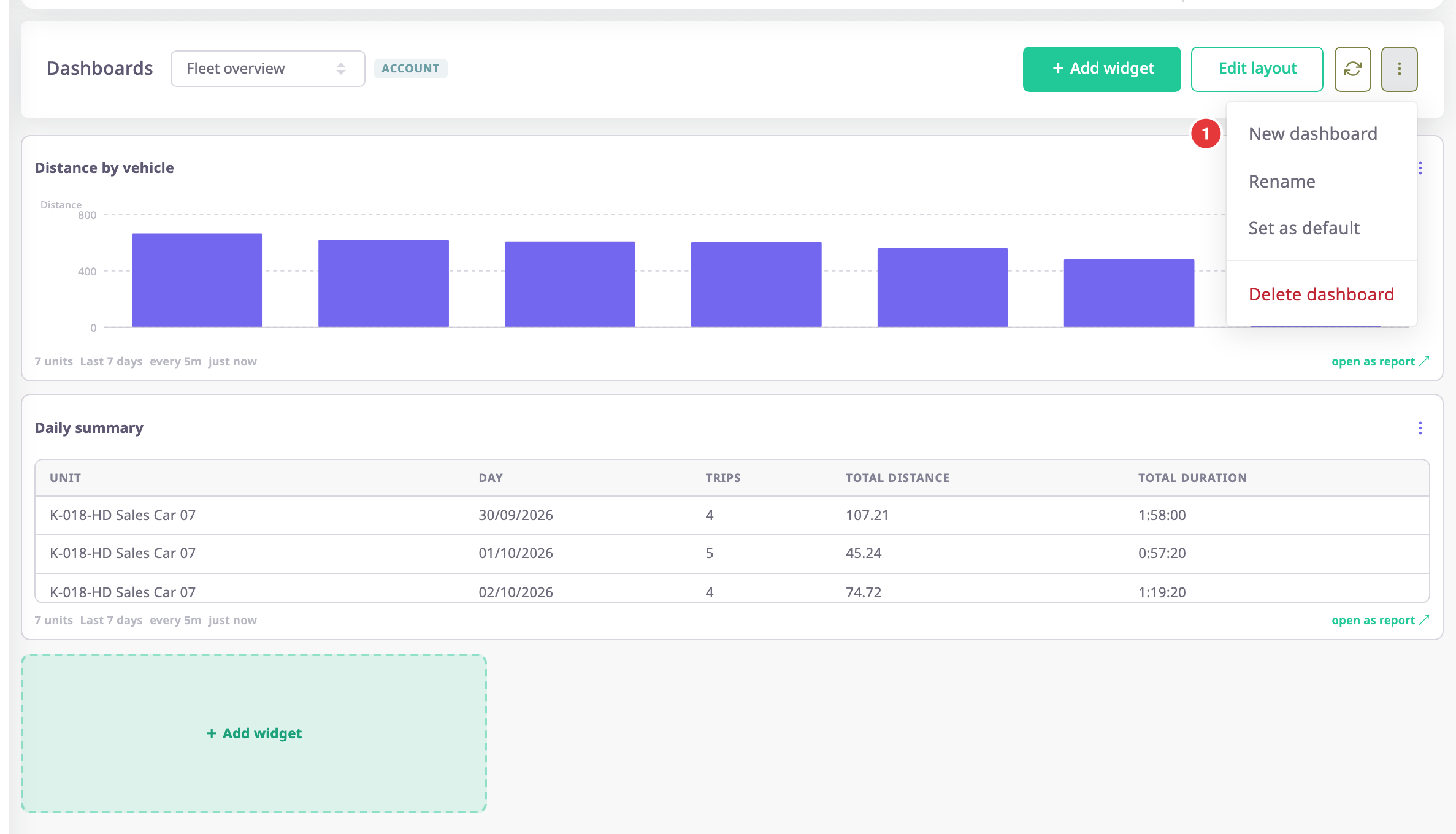
A name row opens in place of the widgets.
¶ Name it and choose who sees it

- In the name field, marked 1, check the name.
The app fills in My dashboard, or My dashboard 2 if you already have that name. Names run from 1 to 120 characters. - Optional: enter another name.
- In the scope buttons, marked 2, choose who sees the dashboard.
My templates keeps it personal. Account shares it with the account. - Select Save, marked 3.
The new dashboard opens, empty, with the message "This dashboard is empty".
The app labels the first scope button My templates. It means a personal dashboard, not a template.
To stop, select Cancel instead of Save. The app creates nothing.
¶ Your first dashboard
If you have no dashboard in this account, the screen shows "No dashboards yet" and the button Create my first dashboard.
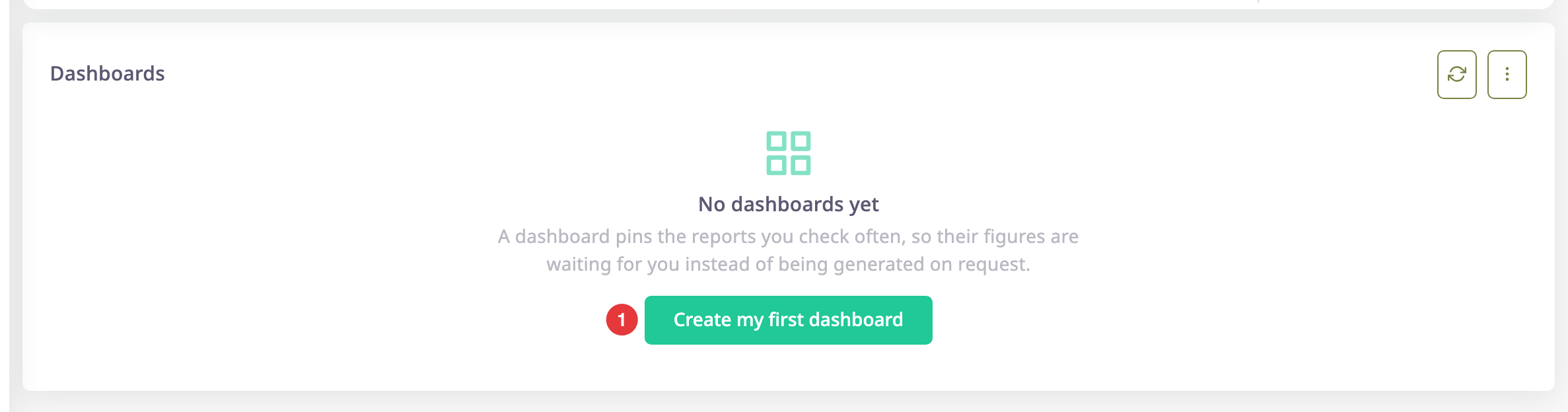
- Select Create my first dashboard, marked 1.
The app makes a personal dashboard named My dashboard and opens the Add widget dialog on top of it. - Choose a template and set it up. See Add a widget to a dashboard.
- Select Save.
The widget loads on the new dashboard.
You can rename the dashboard later. The first-run path always makes a personal dashboard, because sharing with the whole account is a deliberate choice.
¶ What happens next
Add widgets to the empty dashboard. When you have more than one dashboard, the list at the top of the screen lets you switch between them. The account dashboards and your personal ones sit in separate groups.