A widget is a small standing report. Add one to see a figure you check often without building the report each time.
¶ Before you start
- You need the Add action of Dashboard Widgets. The Owner role has it.
- To add a widget to an account dashboard, you need the Owner role. On other users' screens the Add widget button is missing.
- Have a dashboard to add to. See Create a dashboard.
¶ Open the dialog
-
In the side menu, select Dashboard.
-
In the dashboard list, choose the dashboard.
-
If the dashboard already has widgets, select Edit layout.
Add widget appears. On an empty dashboard, or a newly created one, it shows without this step. -
Select Add widget, marked 1.
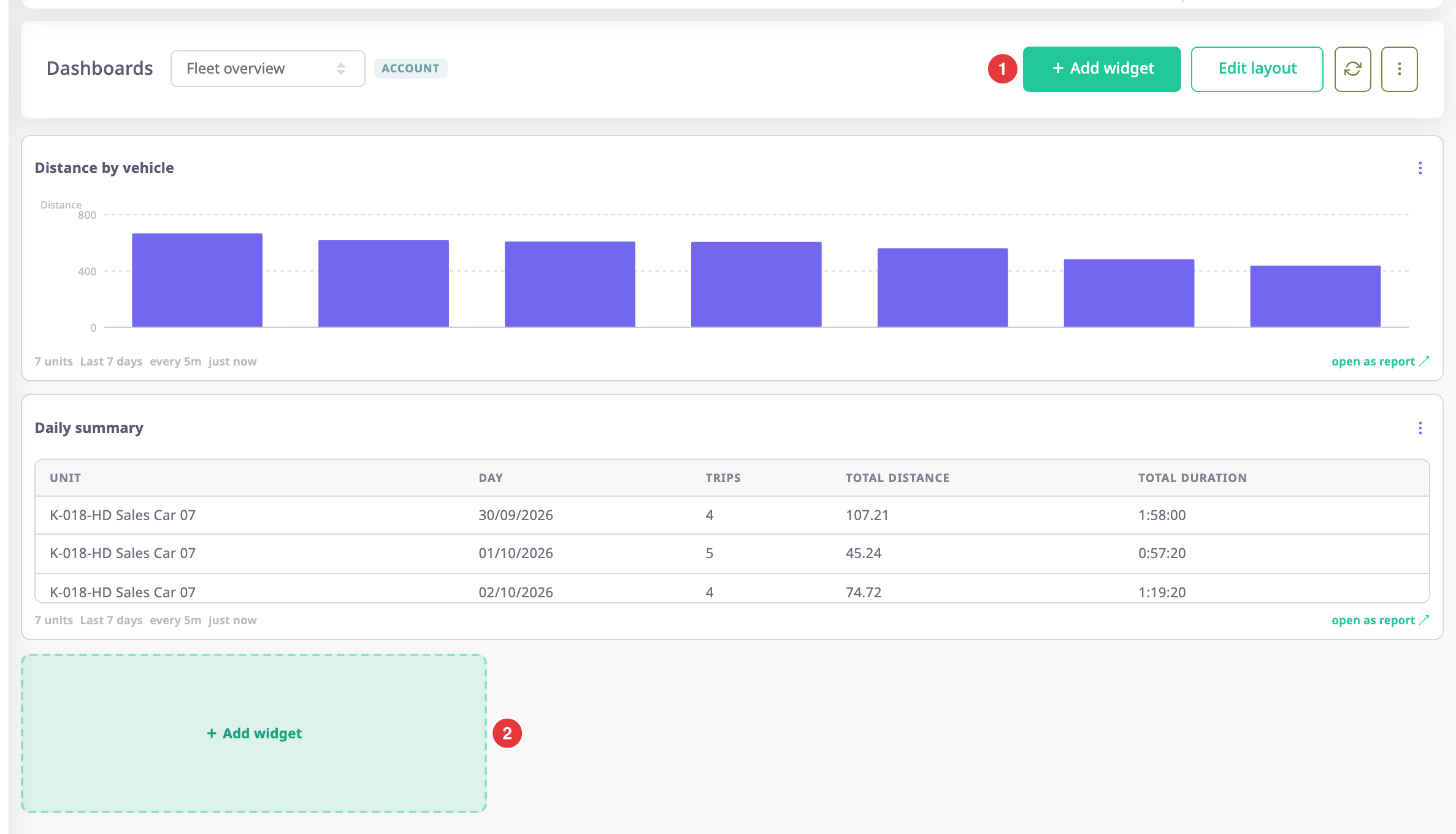
The Add widget dialog opens. The tile marked 2 at the end of the widgets does the same.
¶ Fill in the widget
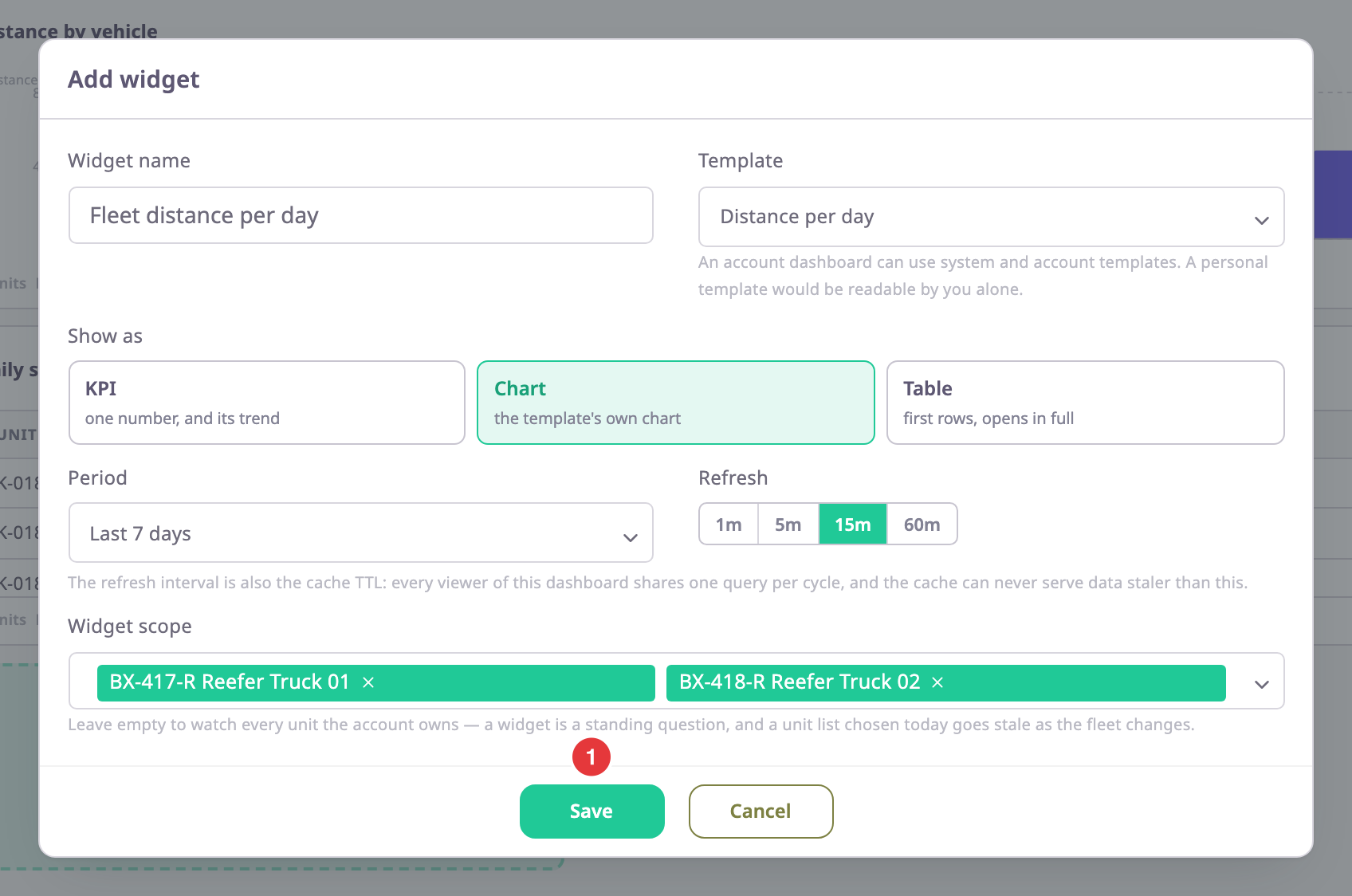
- Optional: in Widget name, enter Fleet distance per day.
Left empty, the widget takes the template's name. - In Template, choose Distance per day.
The list offers only the templates this dashboard can use. A grey template cannot show the way you chose. - In Show as, select Chart.
The other cards are KPI, one number and its trend, and Table, the first rows. - If Which chart shows, choose the chart.
It shows only for a template with more than one chart. Left empty, the widget draws the first. - In Period, choose Last 7 days.
- In Refresh, select "15m".
This is also how long the server keeps the result for all viewers. - Optional: in Widget scope, choose Reefer Truck 01 and Reefer Truck 02.
Left empty, the widget covers every unit the account owns. - Select Save, marked 1.
The dialog closes and the widget appears in the first free place on the dashboard.
Widget settings describes every field.
¶ Check the new widget
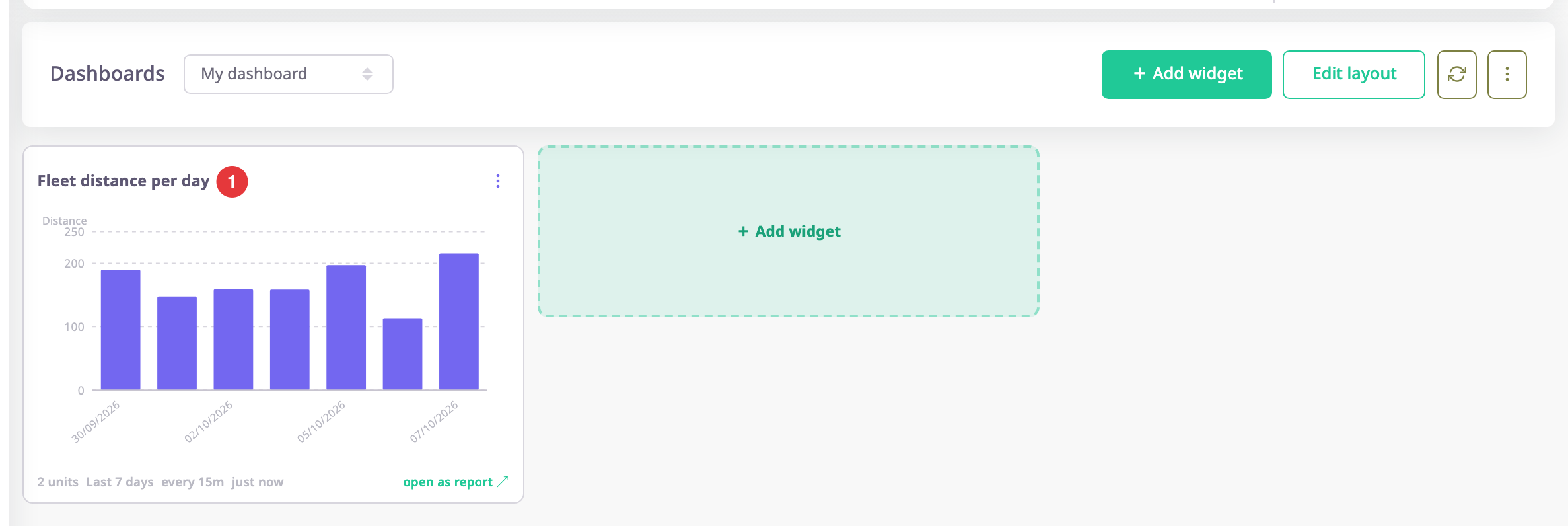
The widget loads its data and shows a spinner first. The footer shows the scope, period, refresh interval and age. If the widget shows red text, the server could not load it. See Dashboard screen.
¶ Change a widget later
- Open the Widget actions menu of the widget.
- Choose Configure.
The dialog opens with the widget's settings. - Change the fields and select Save.
To move, resize or remove it, see Arrange and remove widgets.
¶ What happens next
The widget refreshes by itself at its interval. Select the refresh icon in the header to load every widget now.