A dashboard is a page of widgets. Each widget is a small standing report, so the figures you check every day wait for you. You do not build the report each time. To open it, select Dashboard in the side menu.
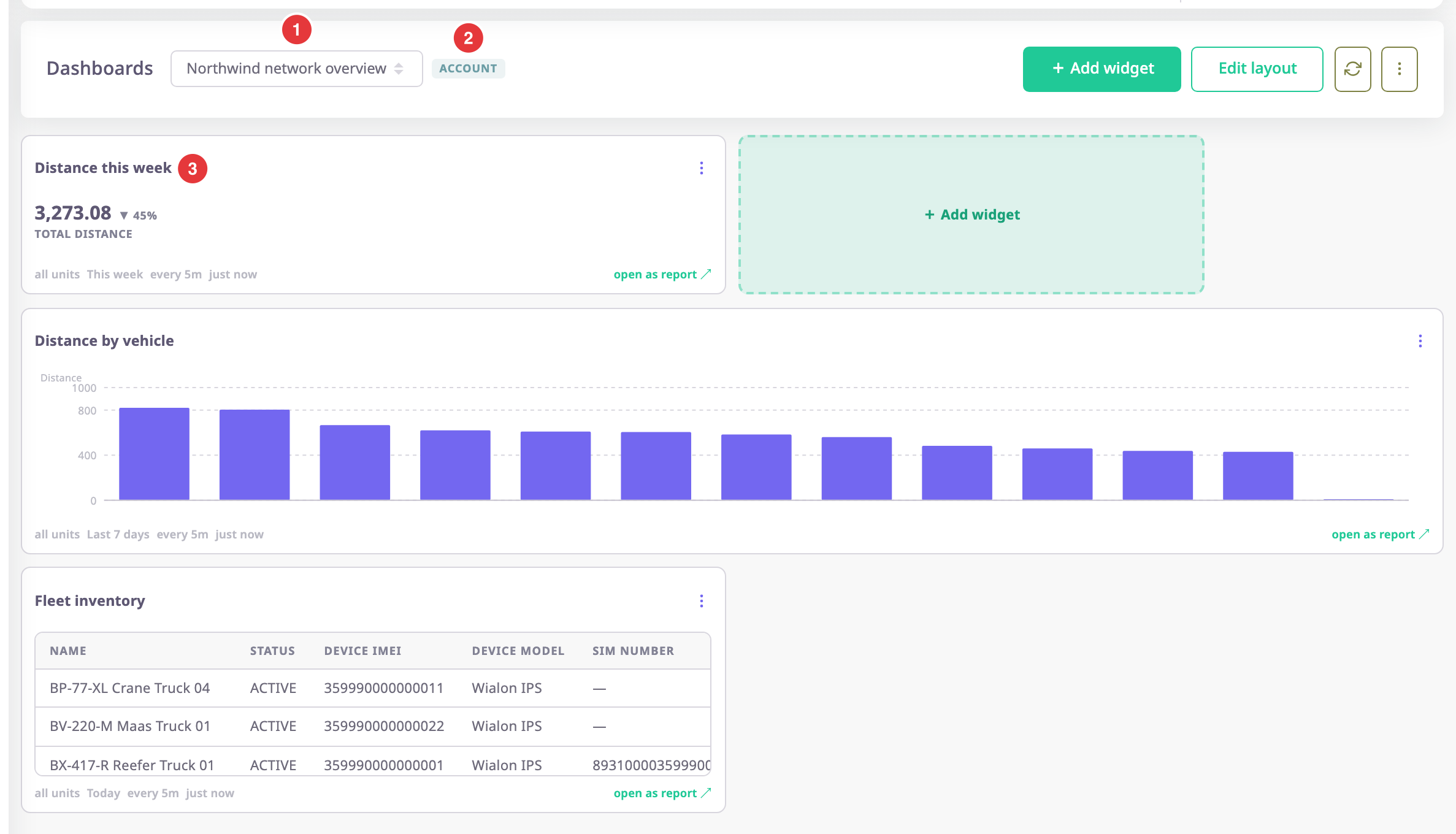
The dashboard list, marked 1, holds every dashboard you can open. The badge, marked 2, says the dashboard belongs to the account. The KPI widget marked 3 shows one number and its trend. A chart and a table sit under it.
¶ Personal and account dashboards
A dashboard is either personal or account-wide. You choose when you create it.
| Personal | Account | |
|---|---|---|
| Who sees it | You, in the account where you made it | Everyone in the account |
| Who can change it | You | Users with the Owner role |
| Templates it can use | System templates and your own | System templates and the account's |
| Badge | None | account |
If you work in more than one account, a personal dashboard shows only in the account where you made it. Account dashboards stay with their account.
¶ The default dashboard
One dashboard opens first. You can mark one personal and one account dashboard as the default. If you have set a personal default, it wins. Otherwise the account's default opens, and if there is none, the first dashboard in alphabetical order.
¶ Widgets and report templates
Every widget runs a report template and shows the result as a number, a chart or a table. It uses the same templates as the reports, so a widget can show anything a report can. The widget's period, such as Today or Last 7 days, moves with the clock. It never freezes on the day you made the widget.
To see which templates exist, read Report templates.
¶ Refresh and shared cache
Each widget has a refresh interval of 1, 5, 15 or 60 minutes. The same interval is how long the server keeps the result. Everyone who opens the dashboard shares one result per interval. A busy dashboard does not run a query for each viewer, and the figures are never older than the interval.
¶ What you can do
- Look up the Dashboard screen
- Create a dashboard
- Rename, set default or delete a dashboard
- Add a widget to a dashboard
- Arrange and remove widgets
- Pin a report to a dashboard
- Widget settings