Once one device has a sensor set that works, you can give the same set to another device of the same kind. You download the sensors as a JSON file from the first device and upload the file to the second. The upload replaces every sensor the second device had.
¶ Before you start
- You need Devices > Edit on both devices. The built-in Owner role of a dealer account has it.
- Copy between devices that speak the same protocol. The sensors read the protocol's parameters by name, and the upload fails for a parameter the other device's protocol does not have.
- The upload deletes the target device's current sensors. If you might want them back, download them first.
¶ Download the sensors
-
In the side menu, select Devices.
-
Select Edit on the row of the device to copy from.
-
Select the Sensors tab.
-
Optional: To copy only some sensors, enter text in the search box, for example temperature. The download contains only the sensors the list shows.
-
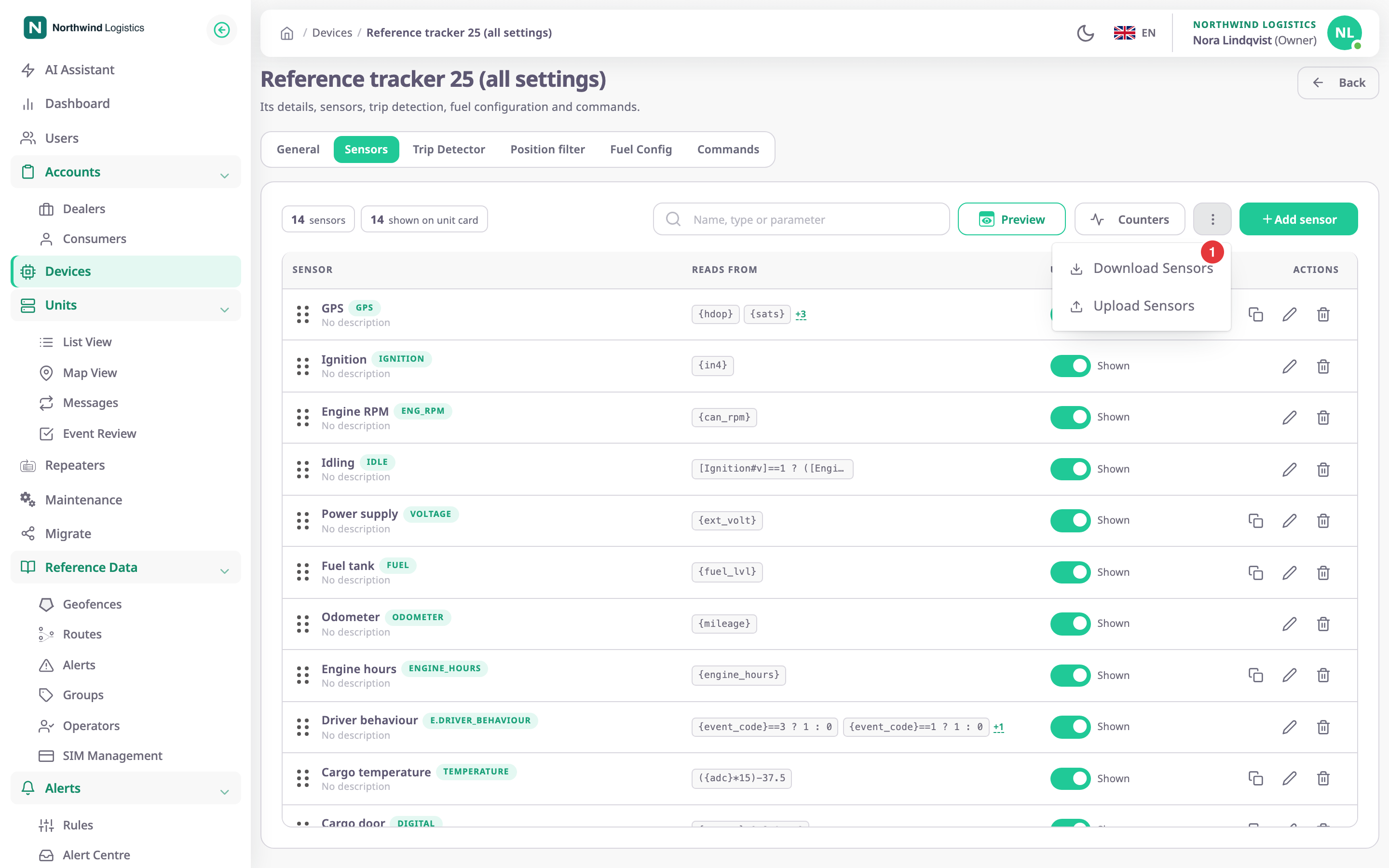
Select Import / export, the menu button marked 1.
-
Select Download Sensors.
Your browser saves a file named likesensor_1759830000000.json.
¶ Upload them to another device
-
Open the Sensors tab of the device to copy to, as in steps 1 to 3 above.
-
Select Import / export.
-
Select Upload Sensors.
-
Choose the JSON file.
The app checks the file and asks for confirmation.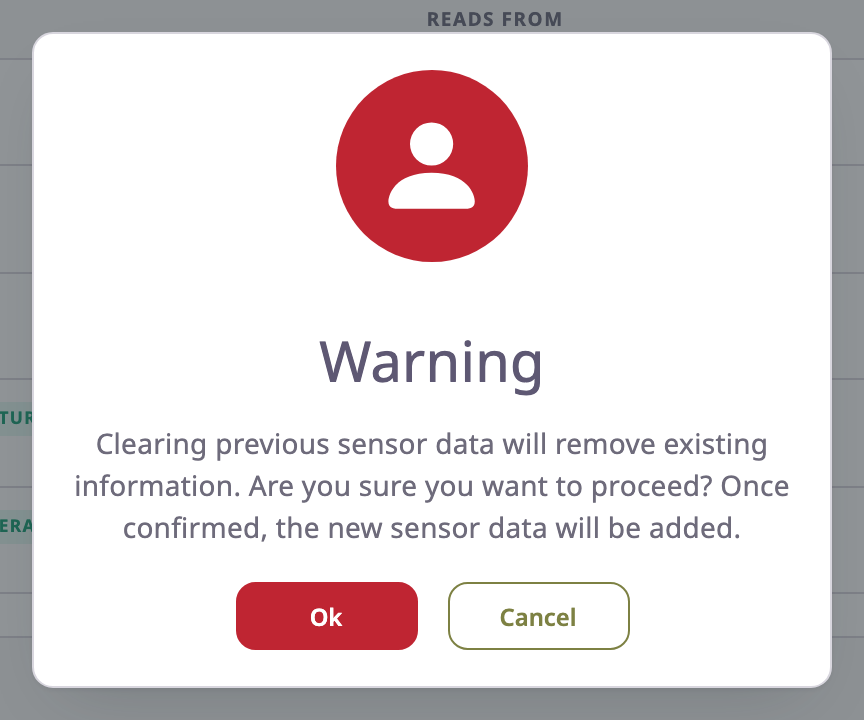
-
Read the warning. It says that clearing the previous sensor data removes the existing information.
-
Select Ok to replace the sensors, or Cancel to keep them.
After Ok, the app shows "Sensor updated successfully." and the list shows the file's sensors.
The app ignores a file whose name does not end in .json. To copy only one sensor, open Add sensor and use Upload Sensor in the dialog instead. It fills the dialog from the first sensor in the file and replaces nothing.
¶ Fix upload errors
The app checks the file twice. Errors from the first check appear before the warning, and nothing changes. Errors from the server appear after Ok, and the device keeps its old sensors.
| Message | Cause and fix |
|---|---|
| "Please upload valid sensor data" | The file holds no sensors. Download it again from the source device. |
| "Sensor type is not available" | A sensor has a type this installation does not have. Remove it from the file. |
| "The sensor name is required", "The sensor name must be at least 2 characters long." | A sensor in the file has no name, or a one-letter name. |
| "Please ensure … sensor names are unique and not duplicated." | Two sensors in the file share a name. Rename one. |
| "Required Field" | A sensor lacks a field its type requires. Add the field, or download the sensor again. |
| "Multiple sensors are not allowed for this type of …" | The file has two sensors of a type that allows only one per device. |
| "The temp (unknown protocol parameter: probe_2) filed datatype or value is invalid in Second probe (invalid)" | An expression reads a parameter, here probe_2, that the target device's protocol does not have. Change the expression in the file, or copy to a device of the same protocol. |
If the file came from another tool, compare it with a file you downloaded. Each sensor needs a name, a type, visible as true or false, and its fields.
¶ Related
- Sensors tab
- Add a sensor
- Import devices, which can copy a whole configuration to many new devices at once