Create a group to gather units, drivers, geofences or SIMs that belong together, such as one depot's fleet or a night shift. You can then select the whole group at once on the map, in reports and in alert rules.
¶ Before you start
- Your role needs Add on Labels. The Owner role has it.
- The group belongs to the account you are working in. To create it in another account, switch to that account first. See Switch accounts.
¶ Add the group
-
In the side menu, select Reference Data > Groups.
The Groups list opens. -
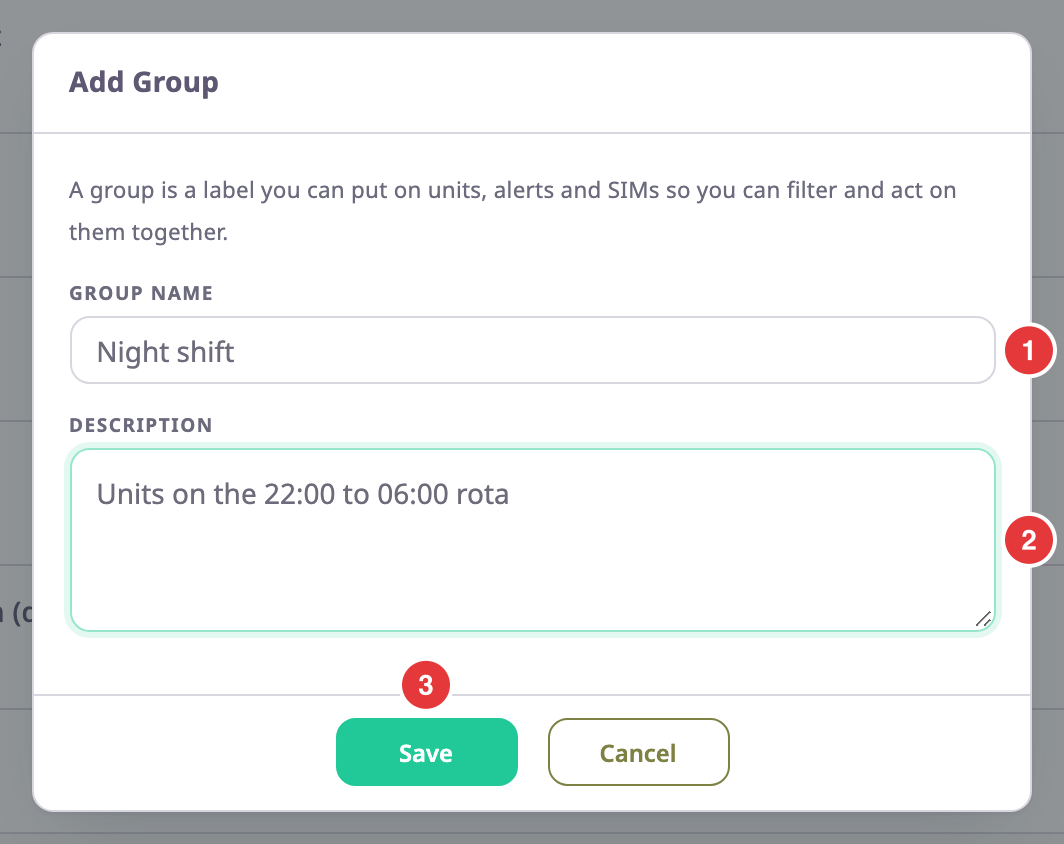
Select Add Group, marked 1.

The Add Group dialog opens.
-
In Group Name, enter a name of up to 30 characters, for example Night shift.
-
Optional: in Description, enter what the group is for, for example Units on the 22:00 to 06:00 rota.
-
Select Save.
The message "Group Created" appears, and the new group joins the list.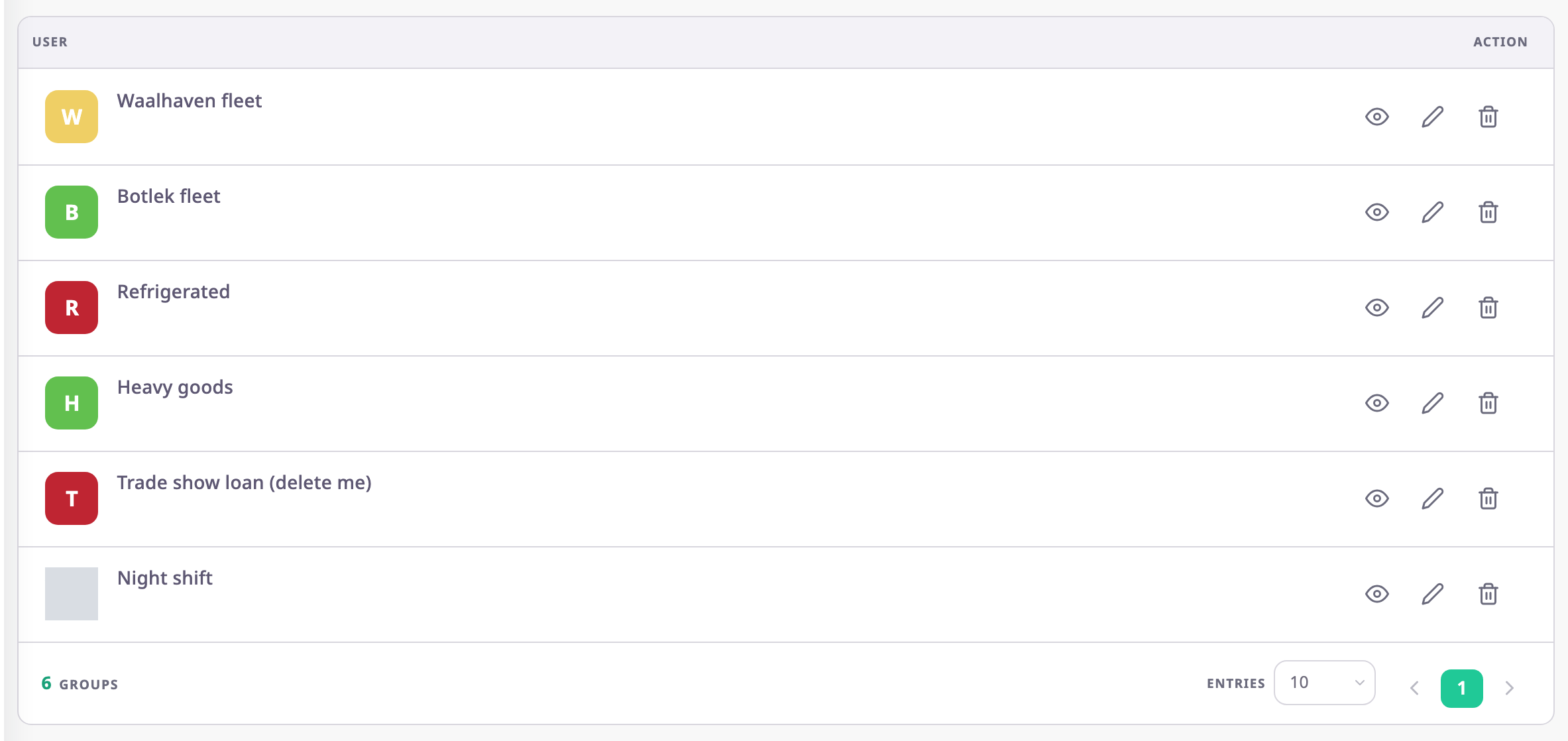
Save stays unavailable until Group Name has a value. If the account already has a group with that name, in any mix of upper and lower case, the app shows "Tag already exists". Choose another name.
¶ Create a group while you label an item
You can also create a group from the Labels field of a unit, device, operator, maintenance reminder or SIM. Geofences and routes call the field Label.
- In the Labels field, enter the new group's name.
The list under the field shows the name followed by "(New Label)". - Press Enter.
The app creates the group and puts the item in it.
From a list row, the app saves at once. From a form, it saves when you save the form. See Add units and other items to a group.
¶ What happens next
The new group is empty. Its page shows a count of zero for every item type until you add items. Everyone in the account who can see groups can now pick it in Labels fields and in pickers that select by group.