The Service history screen lists every service recorded for one reminder, oldest first. To open it, select Maintenance in the side menu. Select the History icon on a reminder's row.
The screen is about one reminder, not one unit. A unit with two reminders has two histories.
¶ Screen
The header names the unit and the reminder, with Export and Back at its right. The date filter, labelled Search, sits below it.
¶ Date filter
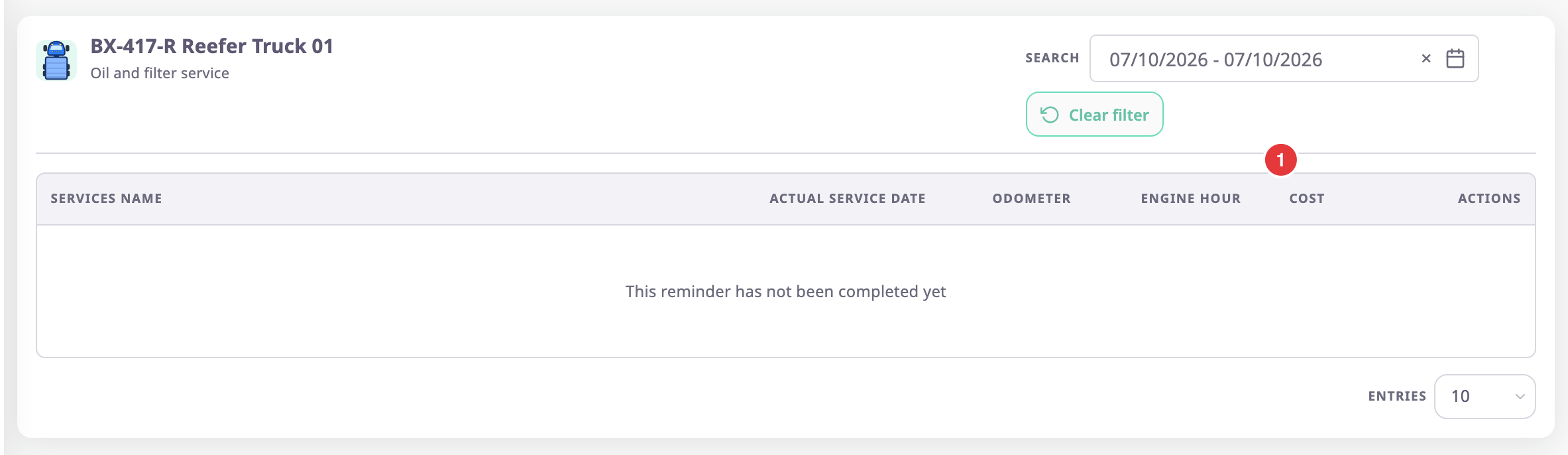
The date filter, marked 1, starts on today. A reminder serviced earlier shows "This reminder has not been completed yet", even though it has history. Widen the range to see it.
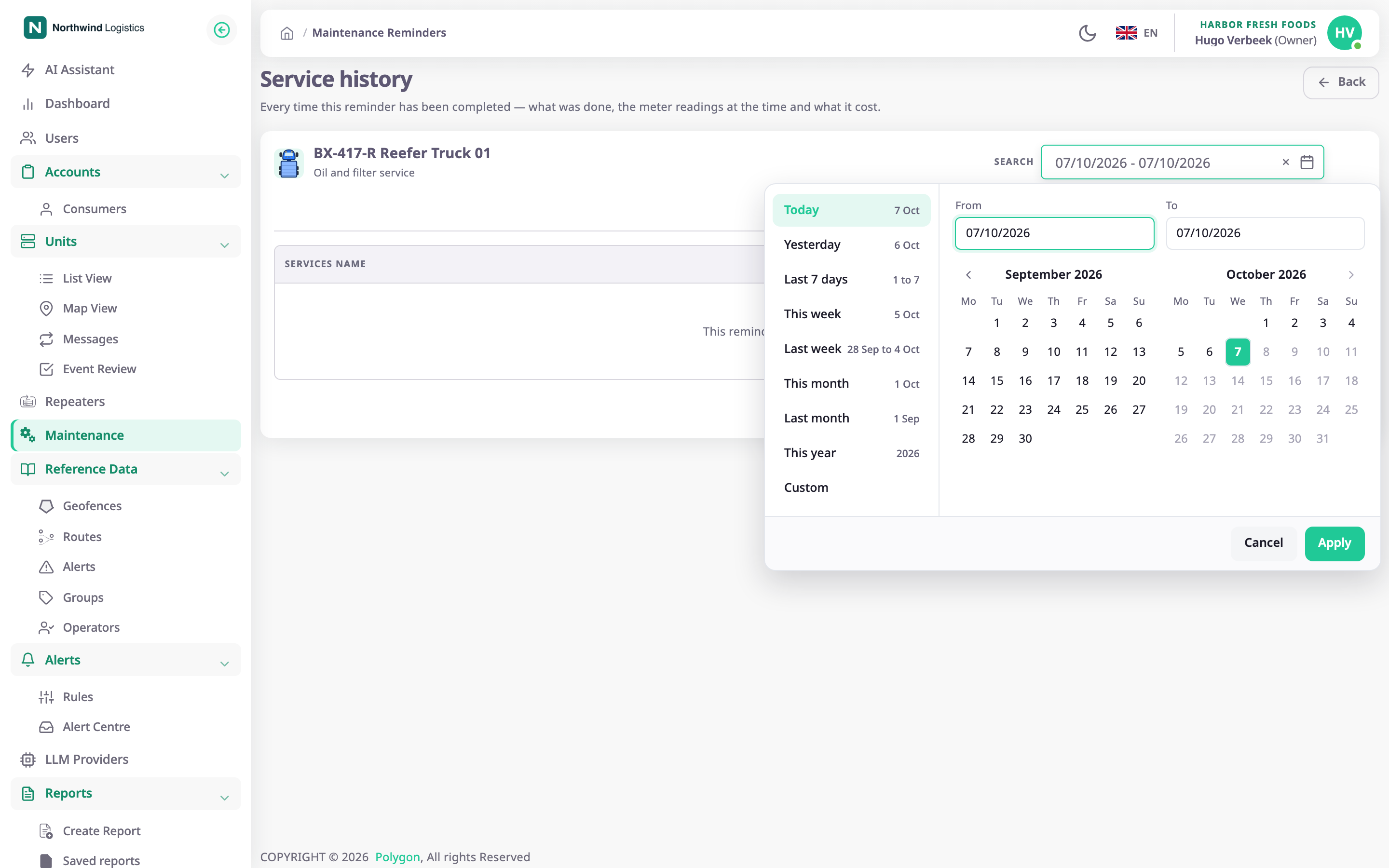
- Select the date filter.
The picker opens. - Choose a shortcut, or select a first day and a last day in the calendars.
The picker closes and the list updates.
The picker cannot go past today. Select the cross in the filter to clear it.
¶ Columns
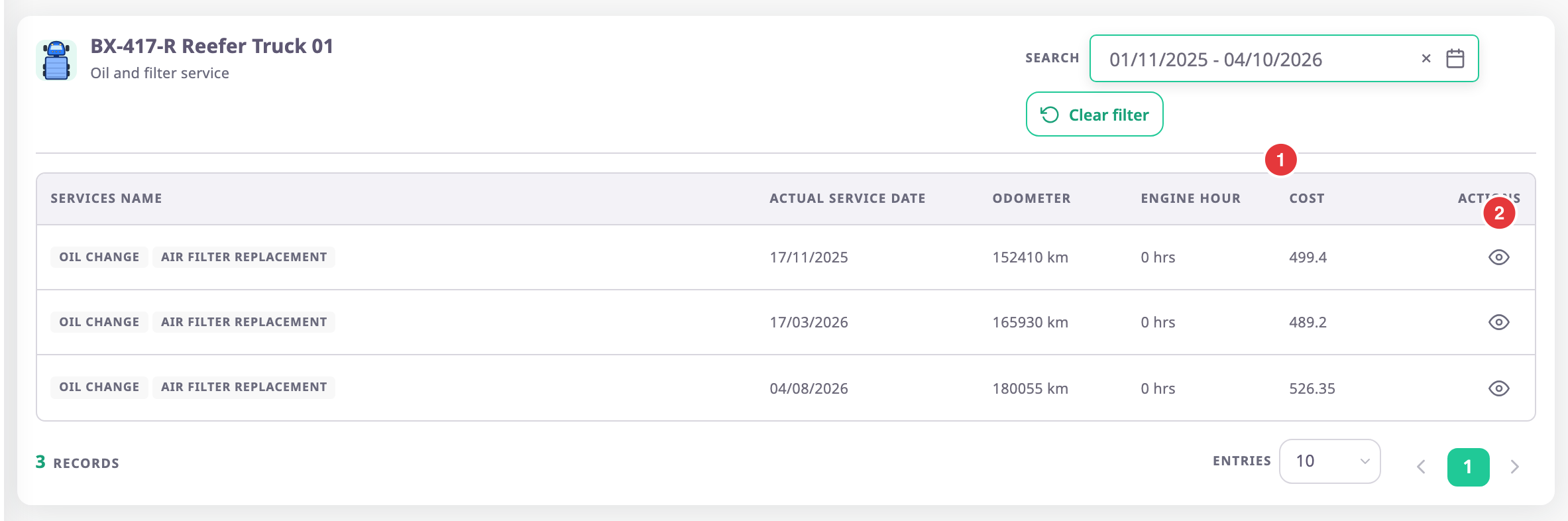
| Column | What it shows |
|---|---|
| Services | The service types of that service. |
| Actual service date | The date and time the service was done. |
| Odometer | The odometer reading you recorded, in km. |
| Engine hours | The engine-hours reading you recorded, in hours. |
| Cost | The total of all cost lines, with no currency. |
| Actions | The View icon, marked 2. |
Below the table, the count shows the number of Records. Entries sets the page size: 10, 20 or 30.
¶ Export the history
Export saves the services that match the date filter as a file:
- Excel (.xlsx): a spreadsheet with one row per service.
- PDF: opens the browser's print dialog. Choose to save as PDF there.
The file has the columns Services, Actual service date, Odometer, Engine hours and Cost. An Excel file holds at most 10,000 rows and a PDF at most 2,000.
¶ Open a service record
Select the View icon of a row. The record opens with its cost lines and documents. See Service record details.
¶ Permissions
- The screen needs Read on Maintainance. The History icon in the reminders list appears only with Edit.
- Back returns to the reminders list.