Playback replays where a unit went as a marker that moves along its track. Use it to see the order of events on a trip, or to find where a unit slowed down or stopped.
¶ Before you start
- To play a trip, you need Show Trips on Units. To play a day, you need Show History.
- The unit must have messages in the range. See Trips tab and History tab.
¶ Play a trip
- In the side menu, select Units > Tracking.
The map opens. - In the dock, select Trips.
- Add a set for the unit. See Review a unit's trips.
- Select a trip row. Or open the three-dot menu of the row and select Play this trip.
The map zooms to the trip and draws it. The playback strip opens at the bottom of the map, with the marker at the start of the trip. - In the strip, select Play.
The marker moves along the track and the time in the strip counts up. The button changes to Pause.
To play a trip that is already drawn, select its line on the map, then select Play trip on the trip card. Playback starts at once.
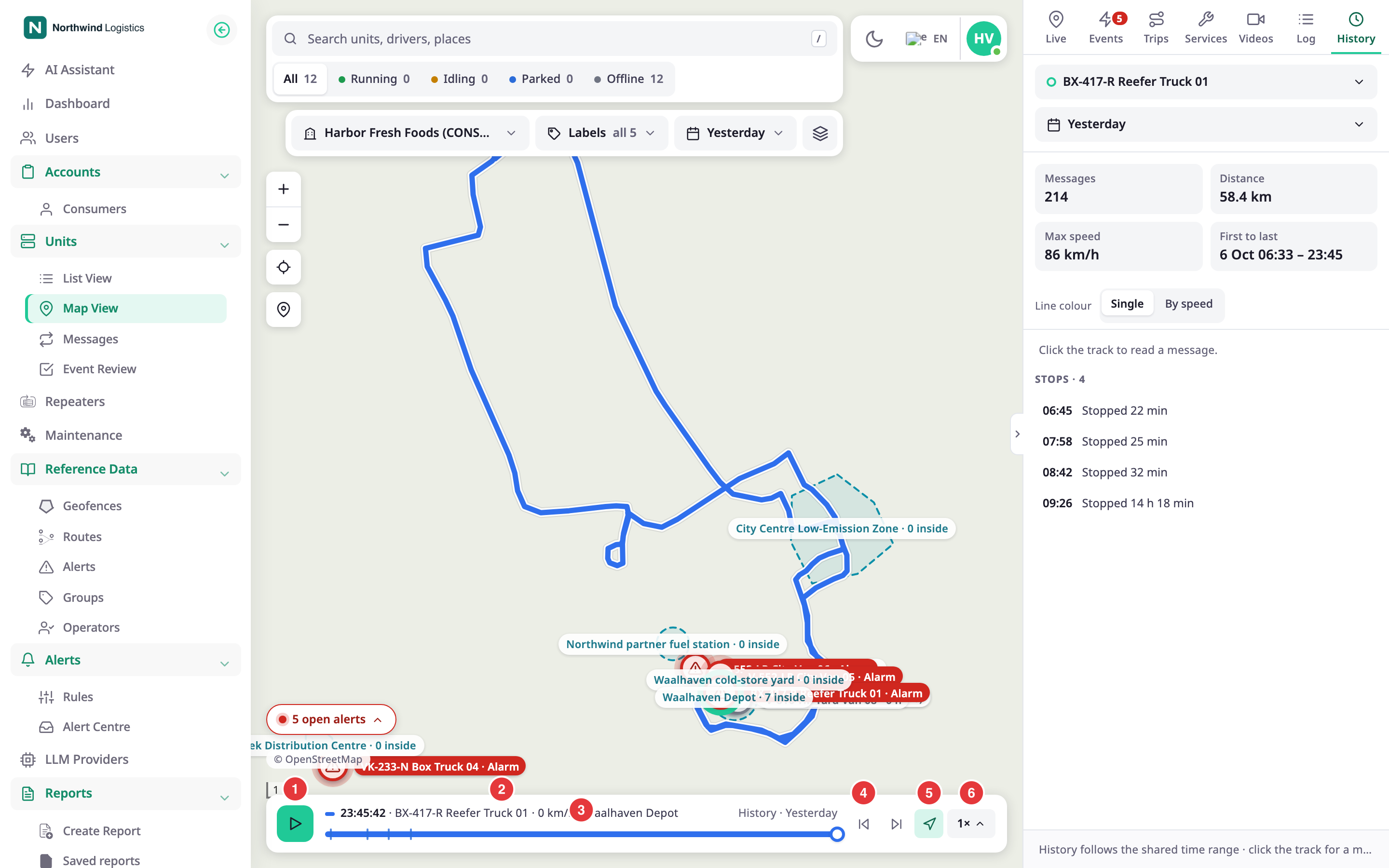
On the left of the strip, you see the time, the unit name and the speed of the marker. When the marker stands still, you also see the place.
¶ Play a day from History
- Open History for a unit. See History tab.
The strip opens for the whole range, with the marker at the end. - Select Play.
The marker replays every message of the range.
To start at a stop, select it in the Stops list. The strip jumps to the start of the stop.
¶ Play from a point
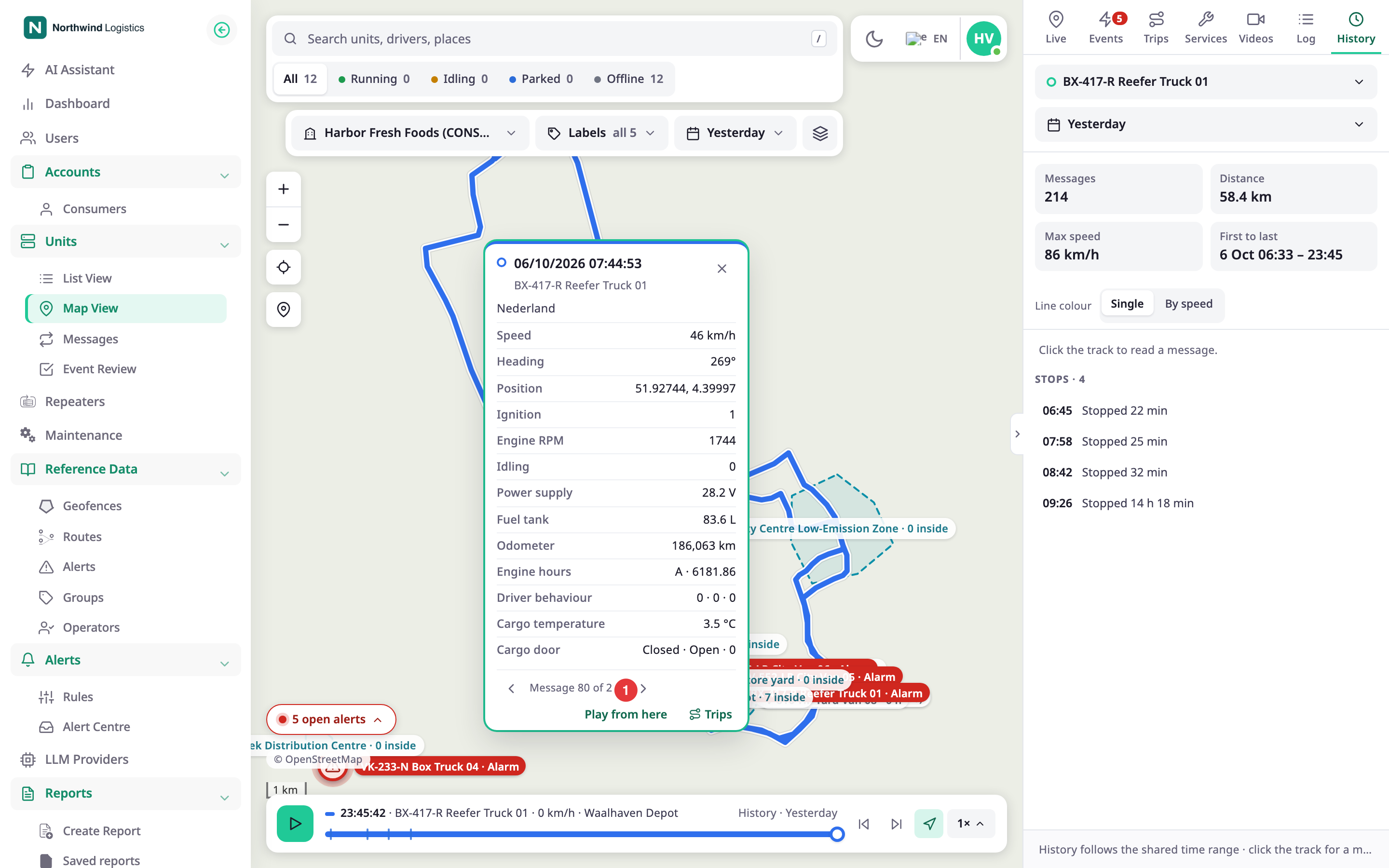
- In History, select the line on the map. On a drawn trip, right-click the line, or select Point details on the trip card.
The message card opens. See History tab. - Select Play from here.
The marker jumps to that message and plays from there.
¶ Change the speed
- In the strip, select the speed button, for example Auto.
A list opens. - Choose Auto, 1×, 2×, 4×, 8×, 16× or Real time.
The marker plays at that speed.
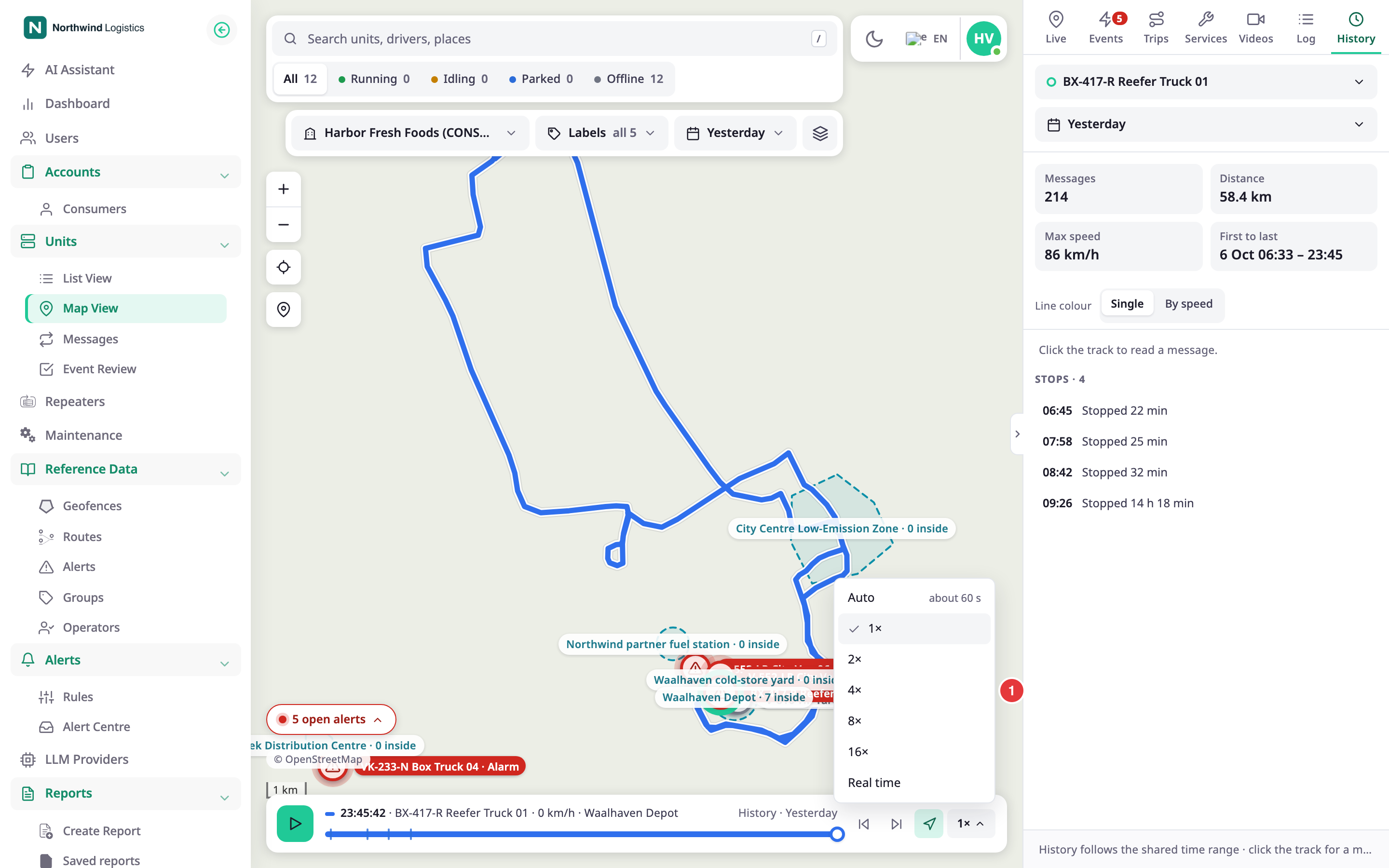
A trip plays at Auto unless you choose another speed. Auto plays any trip in 25 to 60 seconds, longer for a longer distance. The list shows how long it takes next to Auto, for example "about 32 s". History plays at 1×.
At 1×, a track longer than 45 seconds takes about 45 seconds to play, however long it is. A shorter track plays in its real time. Each step multiplies that. Real time plays at the speed the unit moved. At every speed except Real time, a stop, or a stretch where the unit barely moves, plays 10 times faster so the replay does not stall.
¶ Jump between stops and events
Marks on the slider show the stops and, on a trip, the events. Select Previous stop or event or Next stop or event to jump to the next mark. These buttons show only when the track has marks.
¶ Follow during playback
Follow during playback keeps the map on the marker. It is on at first. Dragging the map turns it off. Select it again to turn it back on.
¶ Slider and keyboard
Drag the slider, or click it, to move to a time. With the slider focused:
| Key | What it does |
|---|---|
Space |
Plays or pauses. |
← and → |
Move 1 percent of the track. |
Page Up and Page Down |
Move 10 percent. |
Home and End |
Go to the start or the end. |
¶ What happens next
While the strip is open, the live counter at the bottom of the map disappears.