History draws every message one unit sent in the time range as a line on the map. Use it to see exactly where a unit went, how fast, and where it stopped, including moments that are not in a trip.
¶ Open the tab
History has no tab in the dock. Open it from one of these places:
- The History button on a unit row in the unit list. Point at the row to see it.
- The History button on the unit card.
- History in the unit menu.
- Track around on an event. See Events tab.
While History is open, a History tab appears at the right of the tab strip. On a phone, History is one of the chips under the sheet header.
You need Show History on Units. A role without it never sees these buttons.
¶ Choose a unit and range
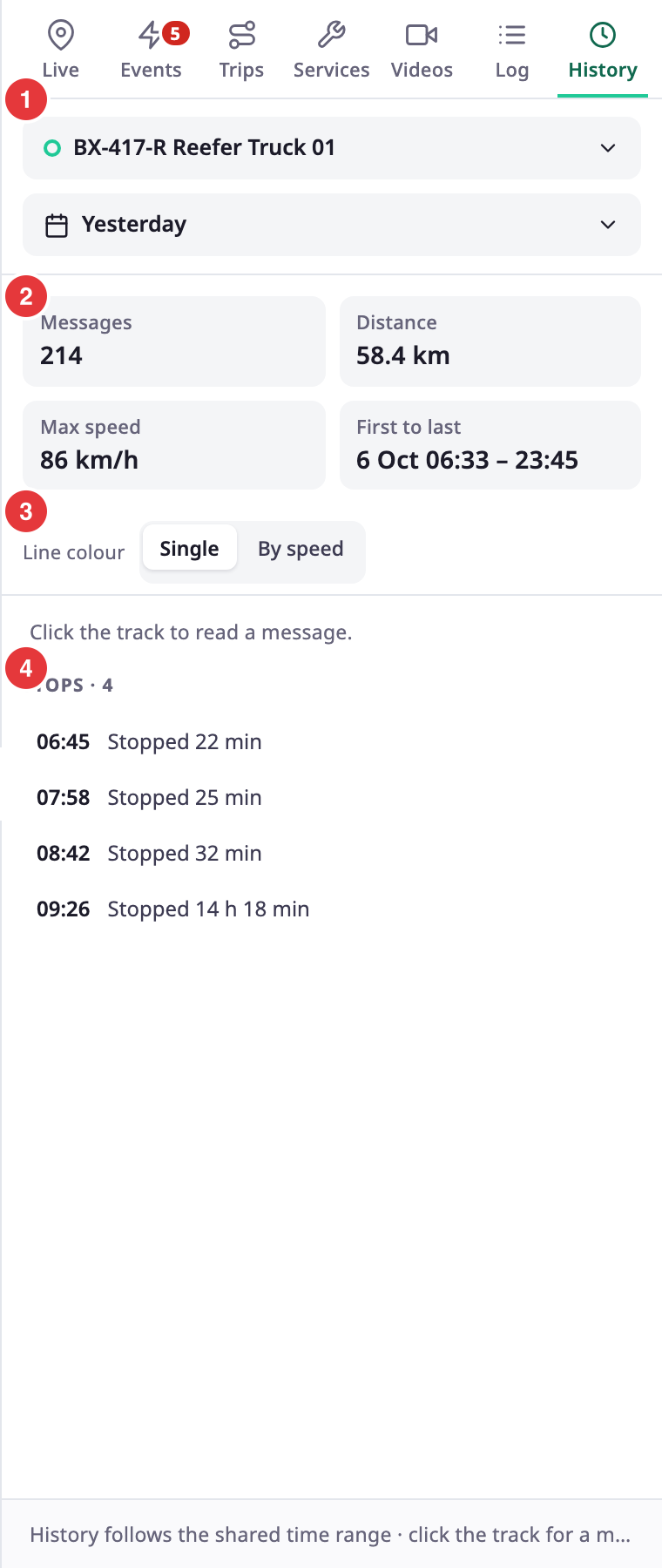
The top of the tab has the unit list and the range button.
- Choose another unit in the unit list at the top of the tab. Without a unit the tab reads "Choose a unit".
- Select the range button to change the range. History uses the shared range. See Time range.
- A Live badge appears when the range reaches now.
History shows at most 31 days. If your range is longer, the tab says "History shows at most 31 days, so this starts" and a date, and loads from that date.
¶ Summary figures
Four tiles sum up the range.
| Tile | What it shows |
|---|---|
| Messages | How many messages the unit sent. |
| Distance | The distance along the line, in your account's unit. |
| Max speed | The highest speed in the messages. |
| First to last | The time of the first and the last message. |
¶ Line colour
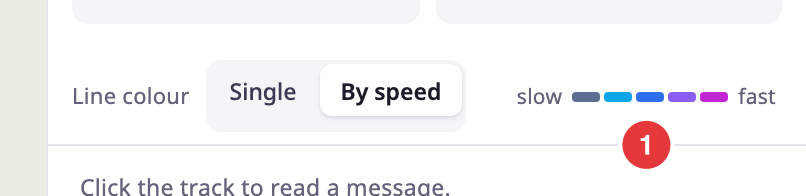
Line colour has two choices.
| Choice | What the line shows |
|---|---|
| Single | One colour for the whole line. |
| By speed | A colour from slow to fast. A ramp, marked "slow" and "fast", explains the colours. |
¶ Stops
Under the figures, "Stops" and a count list the times the unit stood still. A stop is 5 minutes or longer at 1 km/h or less. Each row shows the start time and "Stopped" with the length. The list shows up to 200 stops.
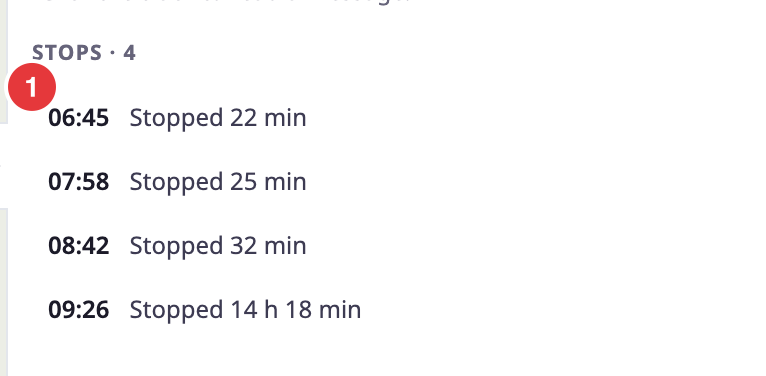
Select a stop. The map jumps to it and the playback strip opens at that time. See Play back a track.
¶ Message card
Click the line on the map to open the card of the message nearest to your click.
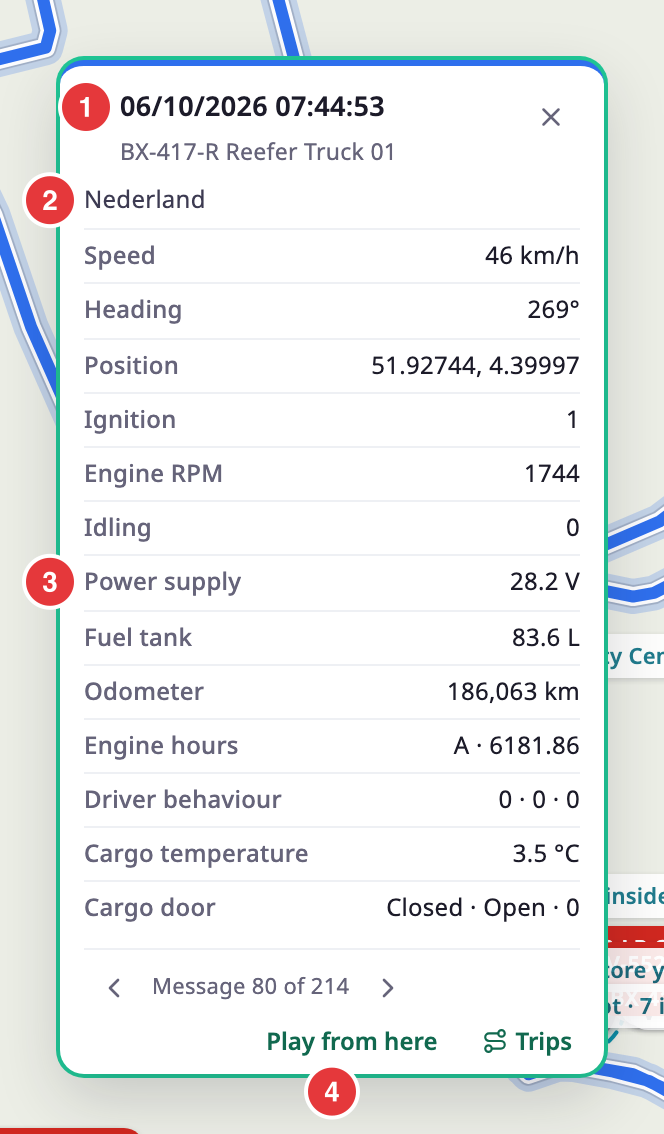
The card shows:
- The time of the message and the address, or "Finding the address…" while the address loads.
- Speed, heading and position.
- The sensor values the unit sent with that message. "Loading sensor values…" shows while they load.
- The message number, for example "Message 12 of 340", with buttons for Previous message and Next message.
- Play from here, which starts playback at that message.
- Trips, which opens the Trips tab for the unit on that day, with the trip of that moment selected. It shows only with Show Trips on Units.
¶ Progress and partial results
The app loads the range one day at a time. While it loads, the tab shows "Loading messages…" and the day it is on, with a Cancel link. If some days fail, the tab says how many days it could not load and shows the rest. If everything fails, it says "History could not be loaded." If the unit sent no messages, it says "No messages in this range". Try a longer range, or check that the unit is reporting. If the unit last reported before the range, the tab adds "Last data:" with the date and time, and Show that day. Select it to set the shared range to that day.
¶ Limits
- 31 days for a range.
- 200 stops in the list.
¶ Permissions
You need Show History on Units.