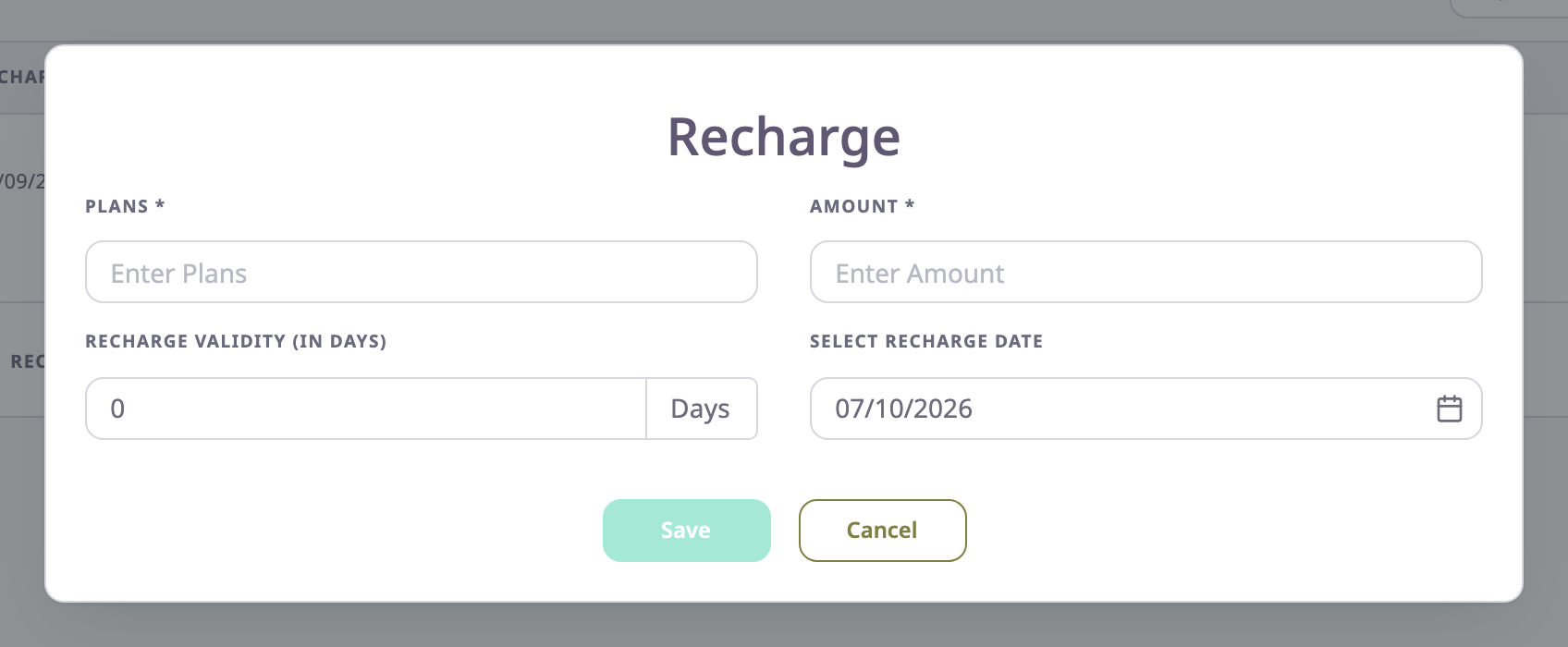
The Recharge dialog records a top-up on a SIM. The same dialog opens from three places, and a fourth, filled in, from the recharge history.
¶ Where the dialog opens
- On the SIM details screen, select Recharge. The recharge is for that SIM.
- In the SIM list, select the Recharge icon on a row. The recharge is for that SIM.
- In the SIM list, tick one or more rows and select Recharge in the batch bar. The dialog says "This recharge is added to all 3 selected items." After Save and a confirmation, every selected SIM gets the same recharge. The Result dialog shows the outcome.
- In the recharge history, select Edit on a recharge. The dialog opens with that recharge and saves over it.
¶ Fields
| Field | Required | What it does | Allowed values / example | Notes |
|---|---|---|---|---|
| Plans | Yes | The name of the plan. Shows in the Recharge column of the list and in the history. | 3 to 50 characters. Example: M2M 500 MB | The app removes spaces at the start and end. |
| Amount | Yes | What the recharge cost. | 0 or more, optional decimals. Example: 7.5 | The app stores a plain number. It shows no currency. |
| Recharge validity (In days) | Yes | How long the recharge lasts. | A whole number of days, 1 or more. Example: 30 | Starts at 0, which the form refuses. Has a Days suffix. |
| Select Recharge Date | Yes | The day you made the recharge. | A date from the picker | Starts at today when the SIM has no recharge yet. |
¶ How the due date is computed
The due date is the recharge date plus the validity in days. A recharge made on 12 September 2026 with a validity of 30 days is due on 12 October 2026.
Every save adds a new entry to the history. The SIM list and the Overdue filter use the entry with the latest due date, not the most recent one you typed. A recharge with an earlier due date than an existing one therefore changes nothing in the list.
When you edit a recharge, Recharge validity (In days) shows the days between its recharge date and due date.
¶ Buttons and actions
| Action | What happens |
|---|---|
| Save | Saves the recharge and closes the dialog. The app shows "Recharge Added Successfully". The button stays unavailable until every field is valid. |
| Cancel | Closes the dialog without saving. |
¶ Permissions
- To save you need SIMS > Recharge Manage. The list hides the Recharge icon and the batch Recharge button without it. The Recharge button on the SIM details still shows, and the server then refuses the save.
- The built-in Owner role of a dealer account has it.