The consumer account form creates a consumer account or changes one. A dealer uses it for its customers. The owner of a consumer account uses it for sub-consumers, such as a subsidiary.
- To create one, in the side menu, select Accounts > Consumers. Select Add Consumer. The Add New Consumer Account form opens.
- To change one, select Edit on its row in Consumers or in the Account Tree View. The form's title reads "Update Consumer Accounts".
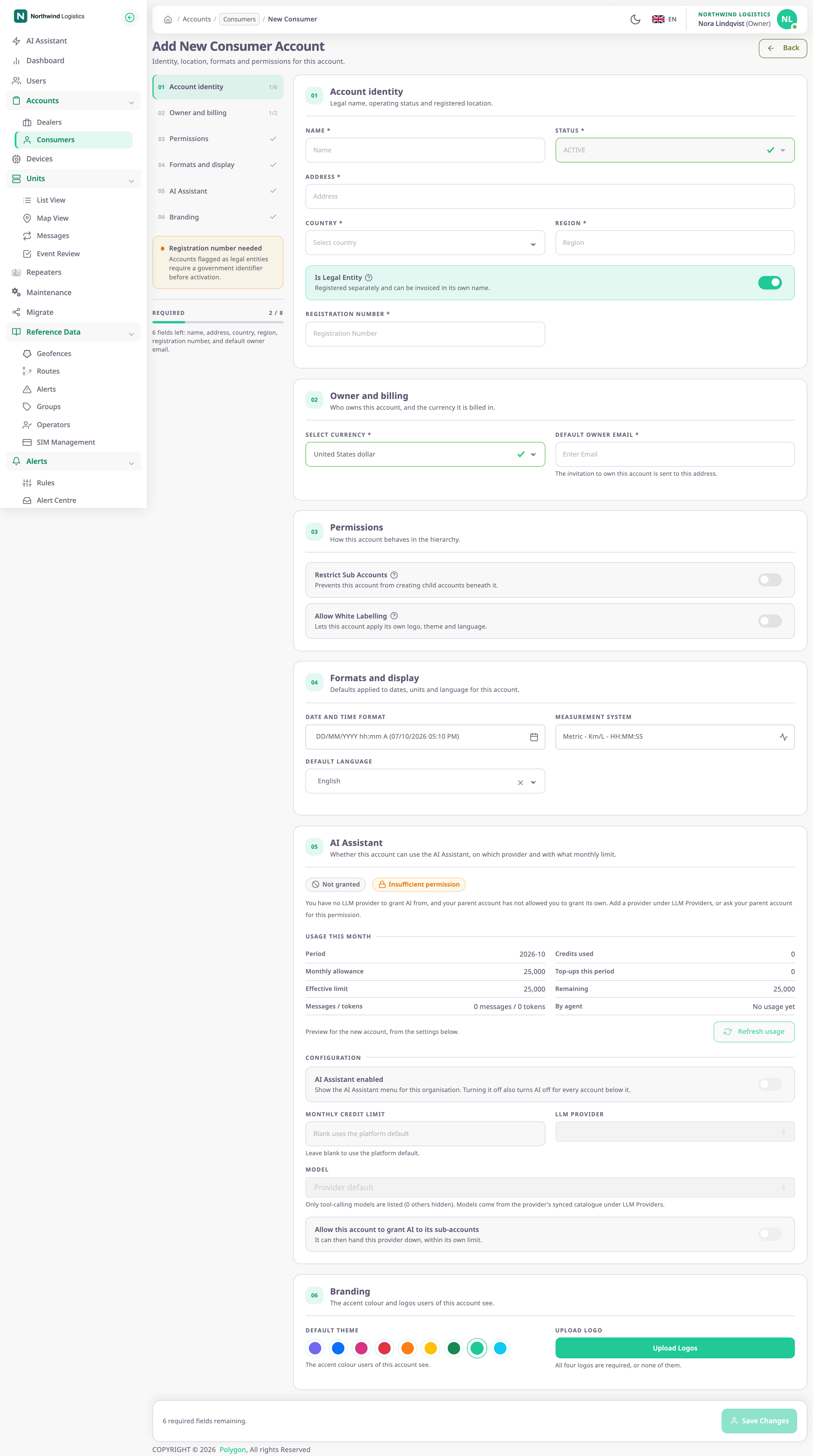
The rail on the left lists the sections and counts the required fields in each. Required below it names the fields still missing.
¶ Fields
| Field | Required | What it does | Allowed values / example | Notes |
|---|---|---|---|---|
| Name | Yes | The account's name in every list, the account tree and the account picker at sign-in. | Up to 50 characters; a new account needs at least 3. Example: Delfshaven Deliveries | A new account needs a name no other consumer account has, ignoring capitals. |
| Status | Yes | Whether the account's users can work. | ACTIVE, INACTIVE, BLOCKED | Locked to ACTIVE on create; editable on the edit form. |
| Address | Yes | The account's postal address. | Up to 80 characters; a new account needs at least 5. Example: Havenstraat 4, Rotterdam | — |
| Country | Yes | The country of the account's registered address. | A country from the list. Example: Netherlands | — |
| Region | Yes | The state, province or region. | Up to 30 characters; a new account needs at least 3. Example: Zuid-Holland | — |
| Registration Number | Conditional | The company registration number. | Up to 30 characters, no spaces. Example: NL13572468 | Required and editable only while Is Legal Entity is on. No other account may have the same number. |
| Select Currency | Yes | The currency of the account's bills. | A currency from the list | Create only. Starts as United States dollar. |
| Default Owner Email | Yes | Receives the invitation to become the new account's Owner. | A valid email address of 5 to 30 characters. Example: owner@delfshaven.example.com | Create only. Saving fails above 30 characters, although the form accepts more. |
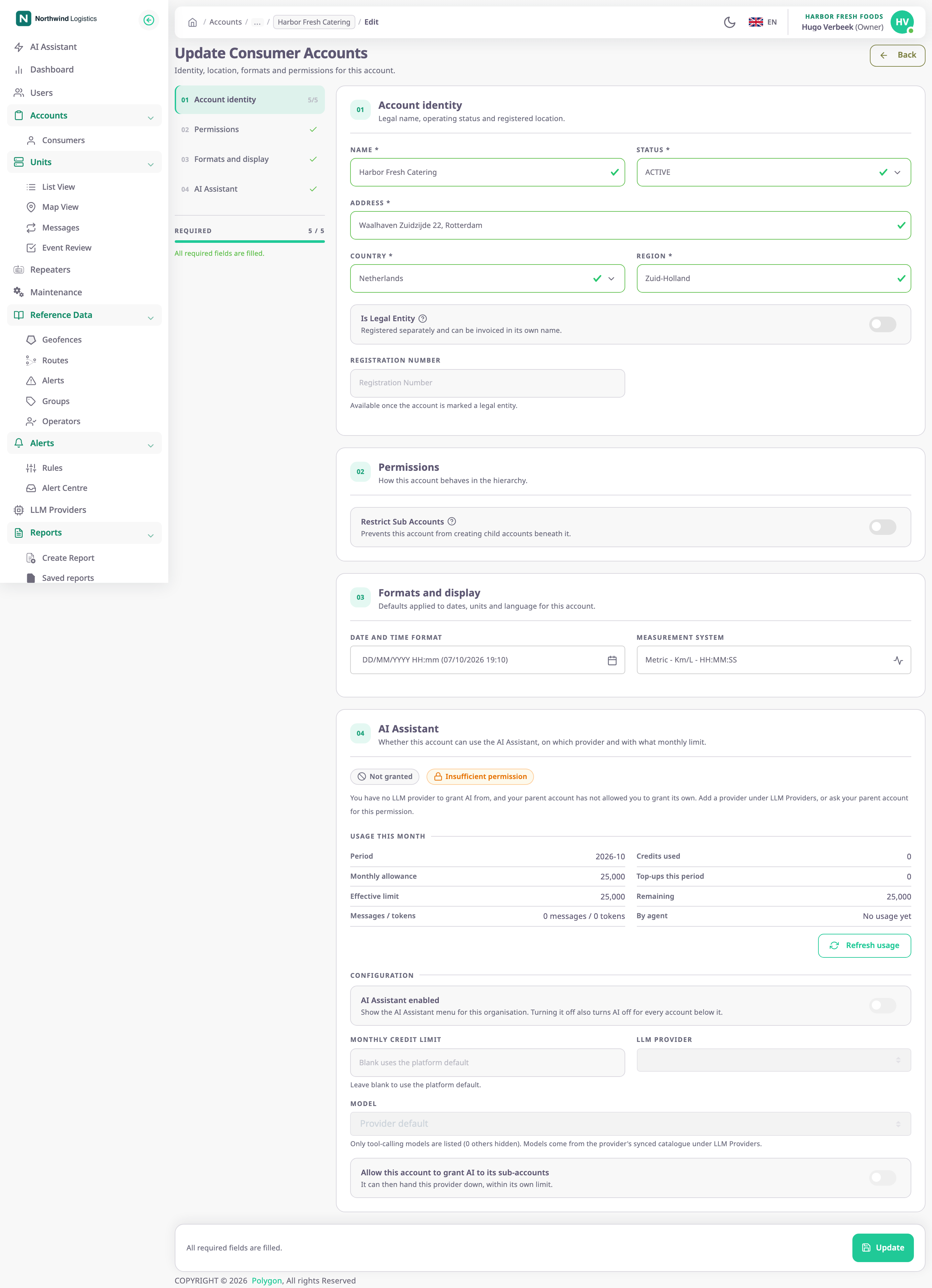
| Restrict Sub Accounts | No | Stops the account from creating sub-consumers, and hides Consumers from its users. | On or off | Off by default. Not shown on your own Account Settings. |
| Is Legal Entity | No | Marks the account as a registered business. Lists then show it as Business. | On or off | On by default for a new account. |
| Allow White Labelling | No | Lets the account set its own theme, logos and default language. | On or off | Shown only when your own account may white-label. |
| Date and Time Format | No | How dates and times show for the account's users, and its time zone. | A format from the list or a custom one, and a time zone | See Set the date, time and unit formats. |
| Measurement System | No | The units for distance, fuel, fuel economy and engine hours. | Metric, Imperial or US Customary | — |
| Default Language | Yes | The language the app uses for the account's users until they choose one. | A language the app offers | Shown only when your own account may white-label. |
| Default Theme | No | The accent colour the account's users see. | Purple, Blue, Pink, Red, Orange, Yellow, Green, Teal or Cyan | Shown only when your own account may white-label. |
| Upload Logo | No | The four side-menu logos. | Four PNG or JPG files under 2 MB each, or none | See Dealer account form for the logo dialog. |
¶ Create versus edit
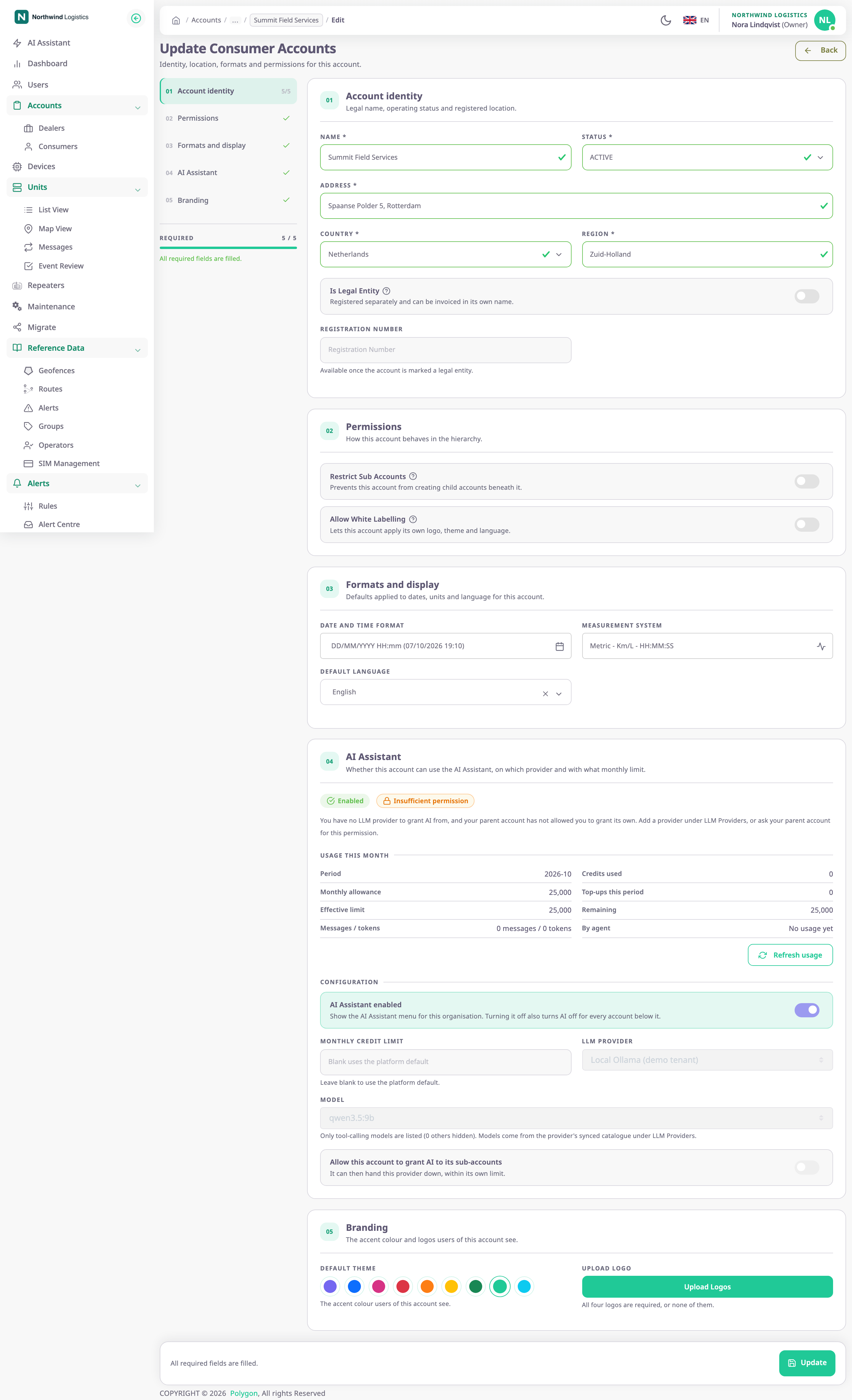
| Item | Add New Consumer Account | Update Consumer Accounts |
|---|---|---|
| Status | Locked to ACTIVE | Editable |
| Owner and billing section | Shown | Not shown |
| Map section | Shown: choose base maps and enter map provider keys | Shown as the Map tab |
| Unit Custom Fields | Not shown | Shown as a tab |
| Driver chat | Not shown | Shown as a tab, for dealers whose licence includes messaging |
| Layout | One long form with a rail of sections on the left | One section at a time, with a tab strip at the top |
| Save button | Save Changes | Update |
| After saving | The app shows "Consumer created successfully", opens the Consumers list and emails the owner invitation. | The app shows "Account Update Successfully" and returns to where you came from. |
The Map, Unit Custom Fields and Driver chat sections work as on Account Settings. See Account Settings and Set up driver chat for an account.
A consumer owner whose account may not white-label sees no Allow White Labelling, Default Language or Branding section.
¶ Buttons and actions
| Action | What happens |
|---|---|
| Save Changes | Creates the account. Unavailable until every required field is valid, the registration number is there when needed and the logos are all or none. |
| Update | Saves the changes to an existing account. |
| Back | Leaves the form without saving. |
If the account above yours restricted your account, saving a new consumer fails with the message "Consumer creation has been restricted".
¶ Permissions
- Add Consumer and this form need Add Consumer Accounts; below a child account, Add Consumer Sub Accounts.
- Edit needs Update Consumer Accounts, or Update Consumer Sub Accounts one level further down.
- The built-in Owner role has these permissions, in dealer and consumer accounts alike.