When you fit a device in a vehicle that has already driven, the app starts counting mileage and engine hours from zero. Enter the dashboard's figures once, and the unit's totals carry on from them.
¶ Before you start
- You need Devices > Edit. The built-in Owner role of a dealer account has it.
- The device must be on a unit. The counters belong to the unit, so a device in stock has none. For the difference, see Devices and units.
- Read the odometer and the engine-hours meter on the vehicle's dashboard.
- The source you want needs its sensor on the device, for example an IGNITION sensor for GPS + Ignition. The Counters reference lists which sensor each source needs.
¶ Open the counters
-
In the side menu, select Devices.
-
Select Edit on the device's row.
-
Select the Sensors tab.
-
Select Counters, marked 1.

The Counters dialog opens with the current sources and totals.
¶ Choose the source
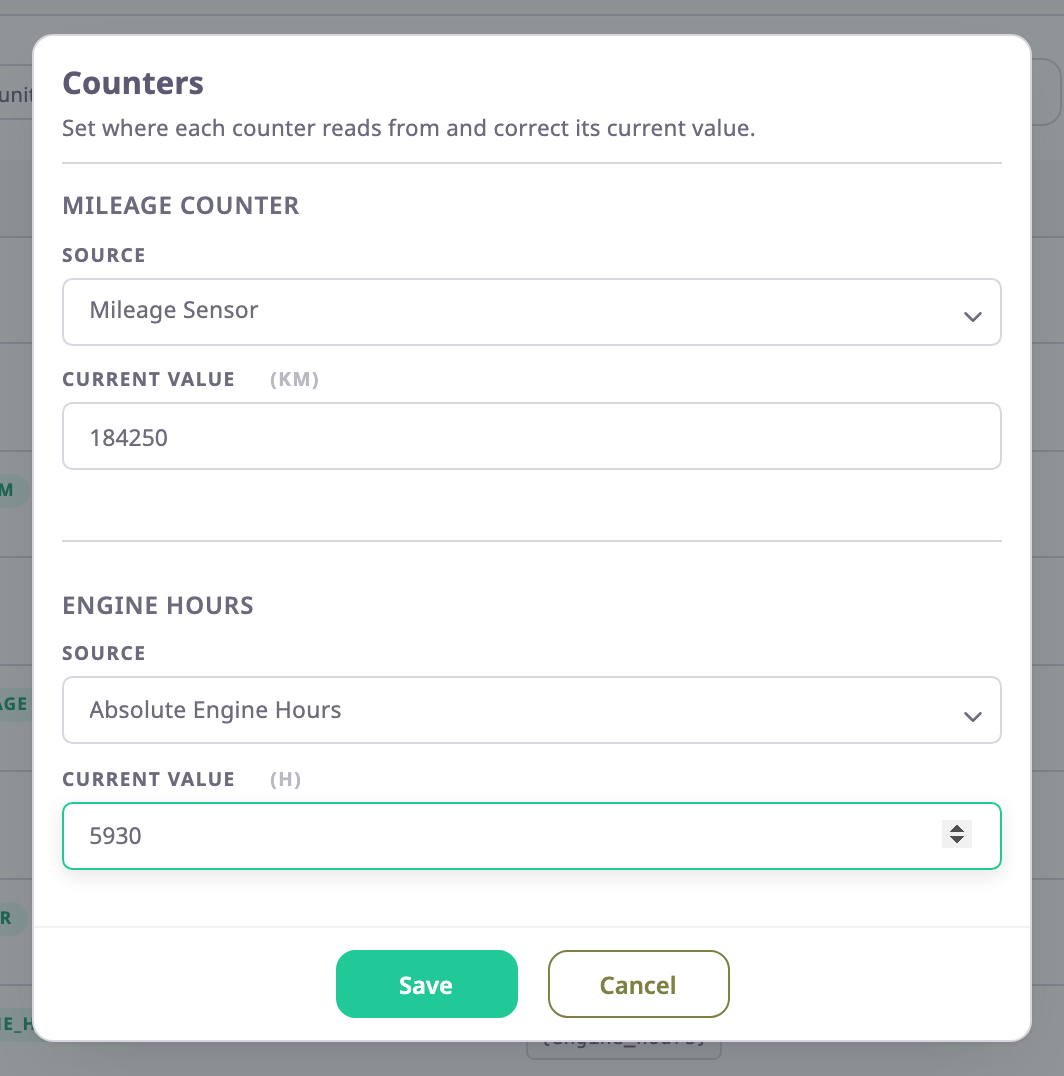
- Under Mileage Counter, in Source, choose where mileage comes from, for example GPS + Ignition.
- Under Engine Hours, in Source, choose where engine hours come from, for example Engine + Ignition.
Keep the sources that are already set unless you know they are wrong. A grey option needs a sensor the device does not have yet.
¶ Enter the current value
-
Under Mileage Counter, in Current Value, enter the dashboard's odometer in km, for example 184250.
-
Under Engine Hours, in Current Value, enter the engine hours, for example 5930.
-
Select Save.
The app shows "Counters saved successfully" and closes the dialog.
Leave a value you do not want to change as it is: an empty Current Value saves as 0.
¶ What happens next
The totals carry on from your values with the device's next message. With Mileage Sensor or Absolute Engine Hours as the source, the device's own reading soon replaces your value. Correct the meter in the vehicle or the device instead. See Counters for how each source counts.