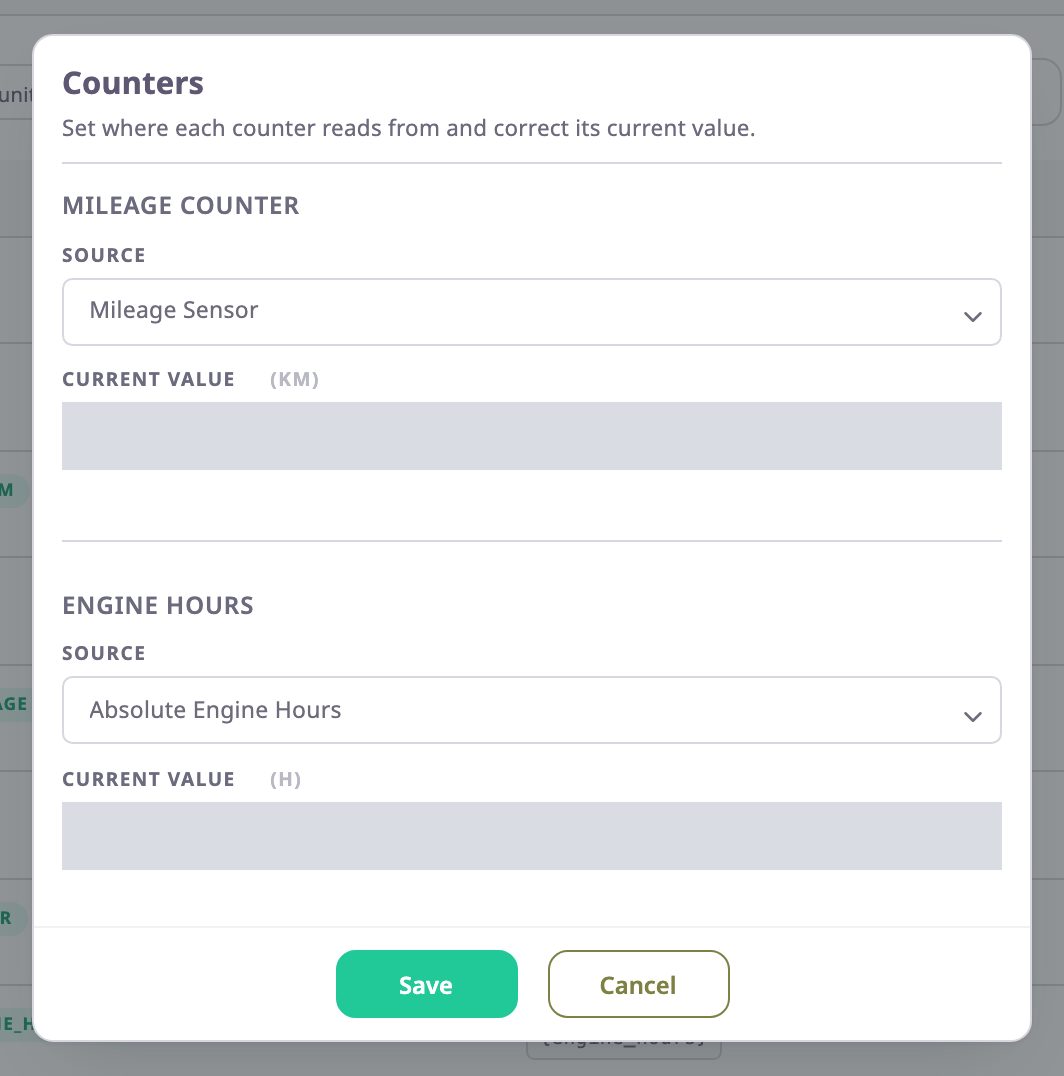
The app keeps two running totals for each unit: mileage and engine hours. The Counters dialog sets where each total comes from and lets you correct its current value, for example to match the vehicle's dashboard. To open it, go to the device's Sensors tab and select Counters. See Sensors tab.
¶ The dialog
The counters belong to the unit the device is on. The dialog works only for a device that is on a unit: for a device in stock it opens empty and saving fails.
| Field | Required | What it does | Allowed values / example | Notes |
|---|---|---|---|---|
| Mileage Counter > Source | No | Decides how the mileage total grows with each message. | GPS, Mileage Sensor, Relative Odometer or GPS + Ignition | An option stays grey until the device has the sensor it needs; see the table below. With no source saved, the app counts as GPS + Ignition. |
| Mileage Counter > Current Value | No | Sets the mileage total. | 0 or more, in km. Example: 184250 | Shows the total when the dialog opens. Accepts digits and a dot. An empty value saves as 0. |
| Engine Hours > Source | No | Decides how the engine-hours total grows with each message. | Engine + Ignition, Relative Engine Hours or Absolute Engine Hours | With no source saved, the app counts as Engine + Ignition. |
| Engine Hours > Current Value | No | Sets the engine-hours total. | 0 or more, in hours. Example: 5930 | Shows the total when the dialog opens. An empty value saves as 0. |
¶ Mileage sources
| Source | Needs a sensor of type | How it counts |
|---|---|---|
| GPS | GPS | Adds the straight-line distance between each position and the one before, whether or not the ignition is on. |
| GPS + Ignition | IGNITION | Adds the same distance, but only while the ignition was on at the previous message. |
| Mileage Sensor | ODOMETER | Takes the odometer reading the device sends as the total. If the reading drops below the total, the total stays where it is. |
| Relative Odometer | ODOMETER to make it available; it reads a RELATIVE_ODOMETER sensor | Takes the total from a meter the device can reset. |
The GPS sources skip a gap between two messages that is longer than Max. Interval In Messages on the Trip Detector tab. A device that was silent for a long time does not add a straight line across the map. Positions from cell or Wi-Fi positioning count only when the device allows them in trips. See Position filter tab.
Make sure a device that uses Relative Odometer has a sensor of type RELATIVE_ODOMETER. The option becomes available as soon as the device has an ODOMETER sensor, but it reads only a RELATIVE_ODOMETER sensor.
¶ Engine hours sources
| Source | Needs a sensor of type | How it counts |
|---|---|---|
| Engine + Ignition | IGNITION | Adds the time between each message and the one before, while the ignition was on at the previous message. Gaps longer than Max. Interval In Messages add nothing. |
| Absolute Engine Hours | ENGINE_HOURS | Takes the engine-hours reading the device sends as the total, as long as the reading rises. |
| Relative Engine Hours | ENGINE_HOURS | Takes the total from an engine-hours meter the device can reset. |
¶ Current value
The value you enter becomes the new total from the device's next message.
- With GPS, GPS + Ignition and Engine + Ignition, the app counts on from your value.
- With Mileage Sensor, the device's reading wins. The next reading replaces a lower value you enter. A higher value stays until the reading passes it.
- With Absolute Engine Hours, the next message with a rising reading replaces your value with the device's reading.
So with a sensor source, correct the meter in the vehicle or the device rather than the value here.
¶ Buttons and messages
| Action | What happens |
|---|---|
| Save | Saves both sources and both values. The app shows "Counters saved successfully" and closes the dialog. Save stays grey until you choose at least one source. A negative or invalid value shows "Please enter a valid positive number". |
| Cancel | Closes the dialog without saving. |
¶ Permissions
- You need Devices > Edit to open Counters. The built-in Owner role of a dealer account has it.
- In view-only mode the Sensors tab has no Counters button.