Sign out when you finish on a shared computer, and end sessions on browsers you no longer use. A session is one browser signed in as you.
¶ Before you start
- Anyone with a user can do this. You do not need a permission.
- Each installation limits how many sessions one user can have at the same time. The default is five. When you reach the limit, sign-in fails until you end a session.
¶ Sign out
- Select your name at the top right.
The user menu opens. - Select Logout.
The app ends this session and opens the sign-in screen.
Logout ends only the session in this browser. Other browsers stay signed in.
¶ See your sessions
- Select your name at the top right.
- Select Active Sessions.
The Active sessions dialog opens.
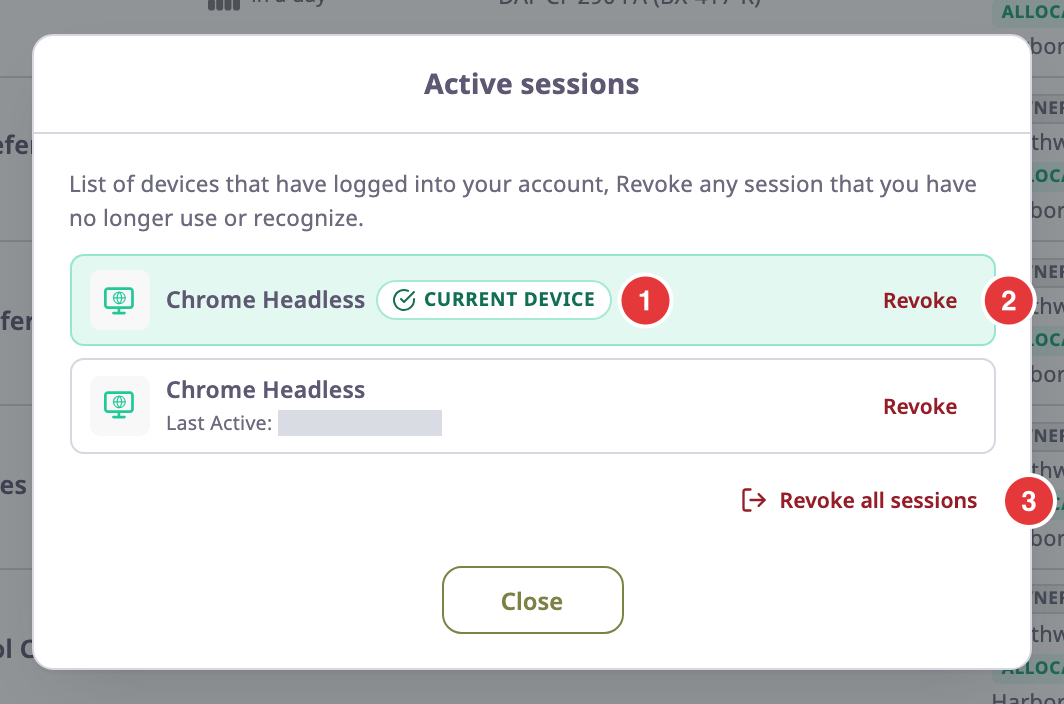
The first row, marked "Current Device" (1), is the browser you are using now. Other rows show the browser name and when each session was last active.
¶ Revoke one session
-
In the row of the session you want to end, select Revoke (2).
The Confirm Logout dialog opens.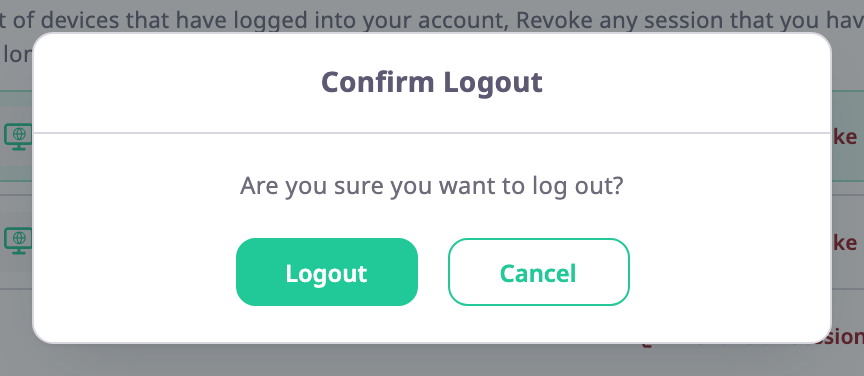
-
Select Logout.
The app signs that browser out, and the session disappears from the list.
If you revoke the "Current Device" row, the app signs you out here and opens the sign-in screen.
¶ Revoke all sessions
Use this if you think someone else has your password.
- In the Active sessions dialog, select Revoke all sessions (3).
The Confirm Logout dialog opens. - Select Logout.
The app ends every session, including this one, and opens the sign-in screen.
After you revoke all sessions, this browser also forgets your language and light or dark mode. Choose them again after you sign in.
To lock someone out for good, change your password as well.
See Change your password.
¶ The session limit
If you sign in on more browsers than your installation allows, sign-in shows the error "Allowed limit access" with the limit. To continue:
- On a browser where you are still signed in, open Active Sessions.
- Revoke a session you no longer use.
- Sign in again on the new browser.
If you have no signed-in browser left, wait until an old session expires.