Use a real trip as the template for a place or a path. A geofence built from a trip can trigger alerts when units enter or leave it. A route built from a trip can check that units follow it.
¶ Before you start
- You need Show Trips on Units to see trips.
- To create a geofence, you need Add on Geofences. To create a route, you need Add on Routes. The menu hides an item you cannot use.
- Add a set that has the trip. See Review a unit's trips.
¶ Open the trip menu
-
In the side menu, select Units > Tracking.
The map opens. -
In the dock, select Trips.
-
In the row of the trip, select the three-dot button.
The trip menu opens.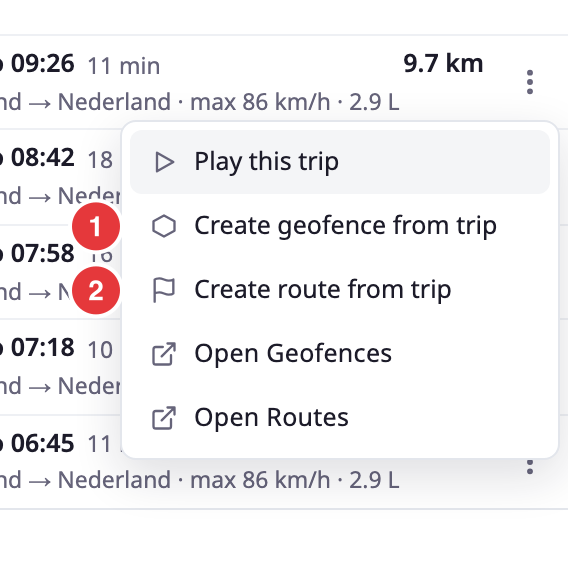
If the trip has no track points, the app shows "no track points" and does not open a dialog.
¶ Create a geofence
- In the trip menu, select Create geofence from trip.
The Create Geofence dialog opens. - In Name, enter a name, for example Waalhaven morning run.
- Optional: in Description, enter a note.
- In Geofence Type, choose Area or Path.
- Optional: in Colour, choose the colour the geofence has on the map.
- Select Save.
A message reads "Geofence created." Select it to open the new geofence.
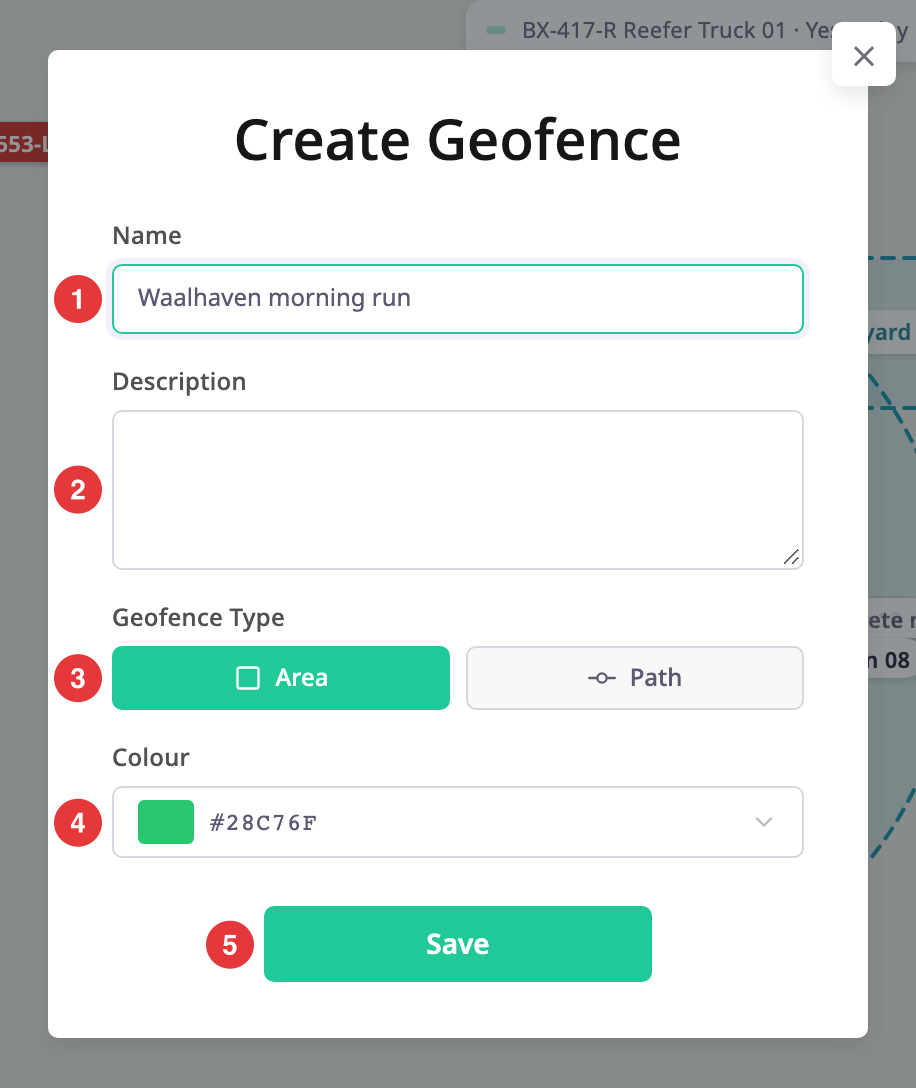
| Field | Required | What it does | Allowed values / example | Notes |
|---|---|---|---|---|
| Name | Yes | Names the geofence in lists, reports and alerts. | 3 to 30 characters, unique in your account. Example: Waalhaven morning run | The dialog accepts up to 255 characters, but the server refuses fewer than 3 or more than 30. It also refuses a name another geofence or route already uses. |
| Description | No | Adds a note that shows with the geofence. | Up to 400 characters | The dialog accepts 1000 characters, but the server refuses more than 400. |
| Geofence Type | No | Chooses the shape built from the track. | Area or Path | Area, the default, is the outline around the whole track. Path is a corridor 100 metres on each side of the track. The app saves both as a polygon geofence. You cannot change the width. |
| Colour | No | Sets the colour of the geofence on the map. | A colour from the picker | The default is green. |
¶ Create a route
- In the trip menu, select Create route from trip.
The Create Route dialog opens. - In Name, enter a name.
- Optional: in Description, enter a note.
- Select Save.
A message reads "Route created." Select it to open the new route.
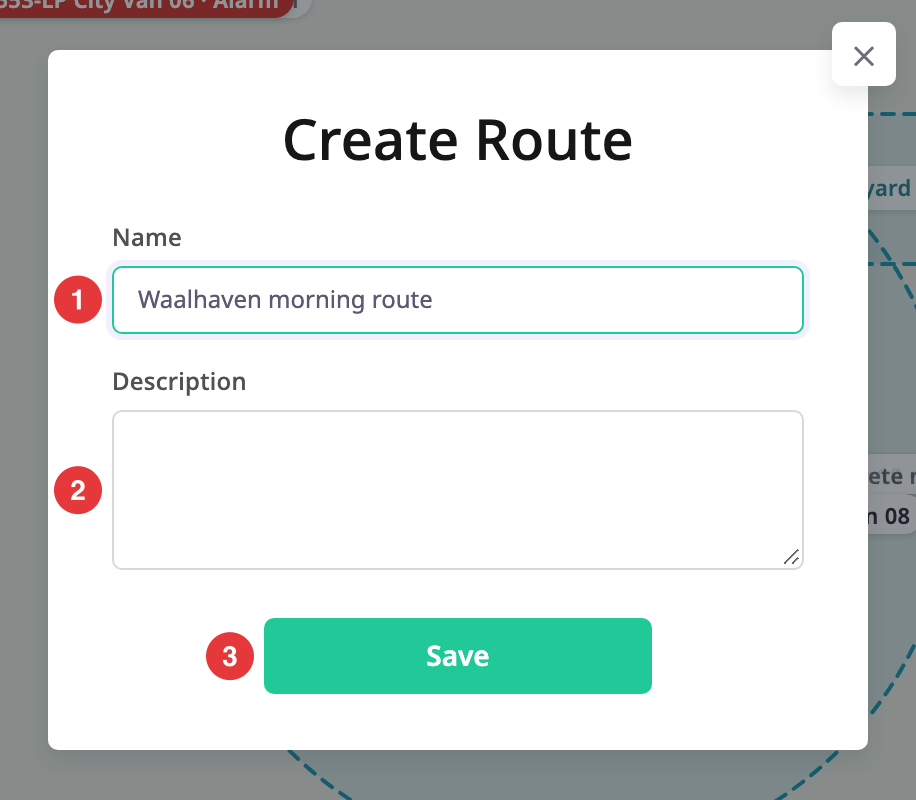
The dialog has the same Name and Description fields as the geofence dialog. It has no type or colour. The route follows the track with checkpoints at least 50 metres apart. Each checkpoint has a radius of 100 metres.
¶ What happens next
The app saves the new geofence or route in your account. Find it under Reference Data > Geofences or Reference Data > Routes. If the app cannot save it, a message reads "It could not be created." or gives the reason, for example a name that another geofence already uses. Choose another name and select Save again.
The new geofence shows on the map as an overlay. See Account scope, labels and layers.
For more on geofences and routes, see Geofences and routes.