The Share live location view makes and lists the links that show one unit's position to people outside your account. It replaces the unit list in the dock. To open it, in the side menu, select Units > Tracking. Point at a unit's row, select More, then choose Share live location under Actions. On the unit card, select Share.
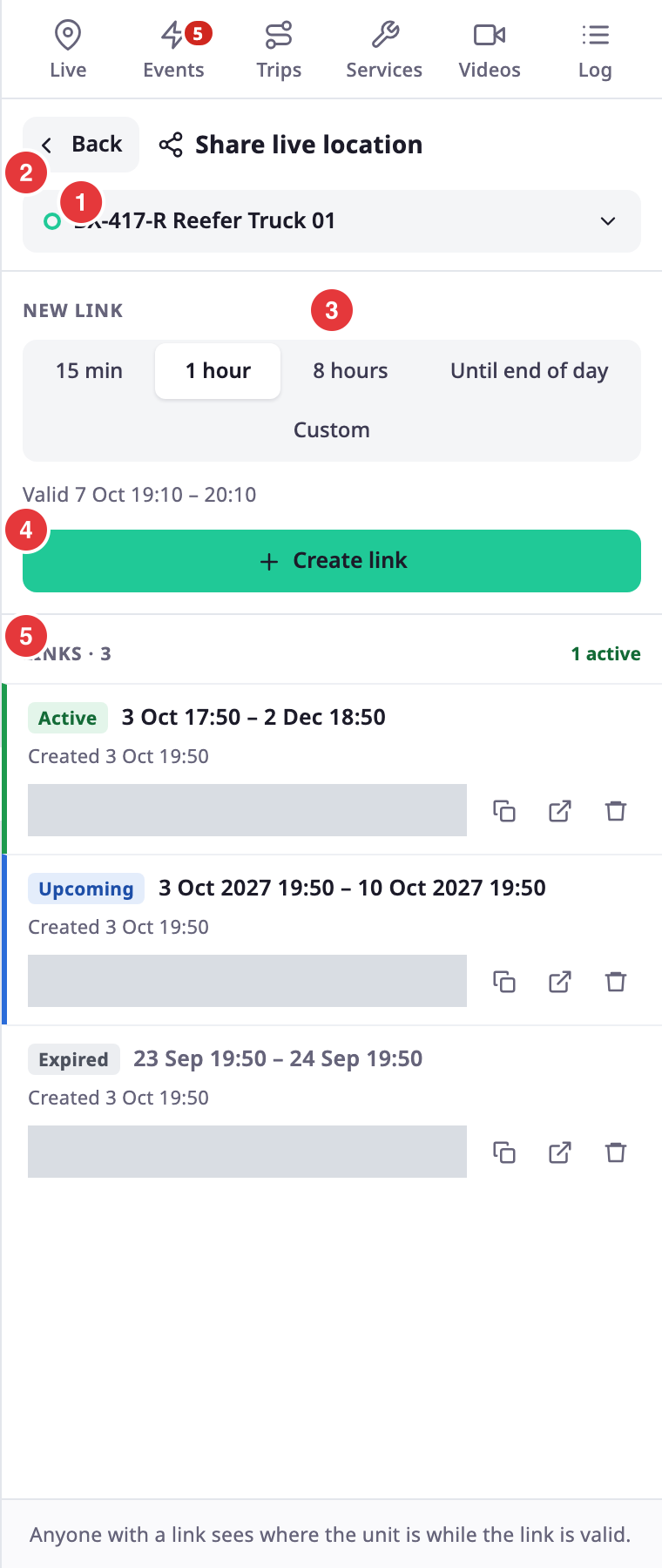
¶ Header
| Control | What it does |
|---|---|
| Back, marked 1 | Returns to the view you opened it from, for example the unit list or the unit card. If you opened the view from a bookmark or a pasted address, it returns to the unit list. |
| Unit picker, marked 2 | Shows the unit. Select it to search for another unit and switch the view to that unit's links. With no unit, the view reads "Choose a unit". |
On a desktop, the dock footer reads "Anyone with a link sees where the unit is while the link is valid."
¶ New link
The New link section, marked 3 and 4, creates a link for the unit.
¶ Fields
| Field | Required | What it does | Allowed values / example | Notes |
|---|---|---|---|---|
| New link, marked 3 | Yes | Sets how long the link works. | 15 min, 1 hour, 8 hours, Until end of day or Custom | The view opens with 1 hour chosen. The first four start when you select Create link. Until end of day ends at midnight in your account's time zone. |
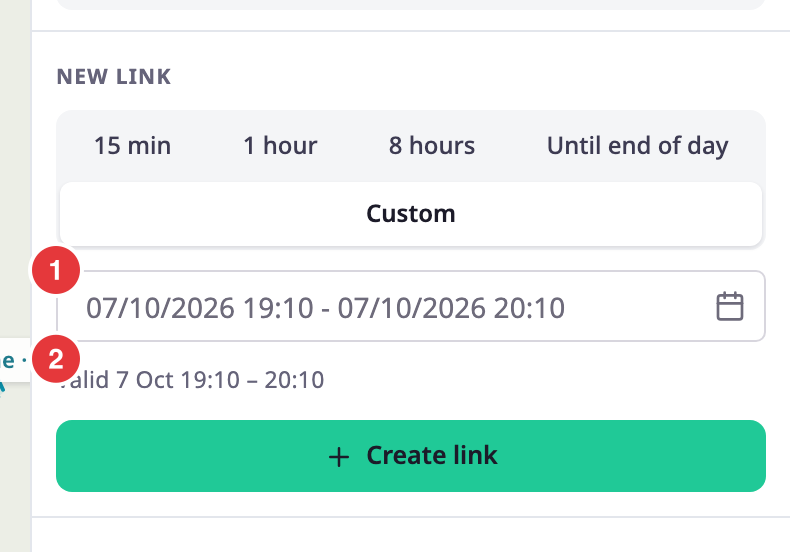
| Date and time range | Conditional | Sets the start and the end of the link. | A start now or later and an end after it, at most 30 days apart. Example: today 14:00 to Friday 18:00 | Shows only for Custom. It opens at now to one hour from now, in your account's time zone. The calendar opens on the current month, and days past the limit are unavailable. |
A line under the choices reads "Valid" and the period the link will cover, in your account's date and time format.
¶ Custom range checks
With Custom, the field notes "Up to 30 days, from now on." Your installation can set another limit; the note and the calendar show the one that applies. The view checks the range as you set it and shows an error under it. Create link stays unavailable until the range is valid.
| Message | When it shows |
|---|---|
| "Both start and end must be in the future." | The start is more than a minute ago, or the end has passed. |
| "The end must be after the start." | The end is not after the start. |
| "A link can last at most 30 days." | The range is longer than the limit. |
| "Choose a start and an end." | The start or the end is missing. |
The server checks the dates again. If the range is too long, the view shows the same "at most" message. If the server refuses the link for another reason, the view shows its message, or "Could not create the link."
¶ Create link
Create link, marked 4, makes the link. A message reads "Link created", and the link appears in the list with a tinted background.
¶ Link list
The heading, marked 5, reads "Links" and the number of links, with the number of active ones next to it.
| Part | What it shows |
|---|---|
| Badge | Active while the link works, Upcoming before its start, Expired after its end. The badges follow the clock while the view is open. |
| Period | The start and end of the link, in your account's time zone and date format. |
| Created | When someone created the link. |
| Address | The link to send. Select the field to select the whole address. |
Active links come first, then upcoming and expired ones; the newest come first in each group. The list loads 50 links at a time.
¶ Buttons and actions
| Action | What happens |
|---|---|
| Copy button (Copy link) | Copies the address and shows "Link copied". The button shows a tick for two seconds. If the browser blocks copying, a message reads "Could not copy. Select the address and copy it." |
| Open button (Open link) | Opens the link in a new browser tab. |
| Delete button (Delete link) | Asks "Delete this link? Anyone who has it loses access at once." in the row. Delete removes the link and shows "Link deleted"; Cancel keeps it. |
| Show older links | Loads the next 50 links. It shows only when the unit has more. |
¶ Empty and error states
| State | What the view shows |
|---|---|
| No links | "No shared links yet" and "Links you create for this unit are listed here until you delete them." |
| List cannot load | The server's message, or "Could not load the shared links.", with Retry. |
| Server refuses a change | Its message. Create link and the delete buttons disappear until you open the view again. |
¶ On a phone
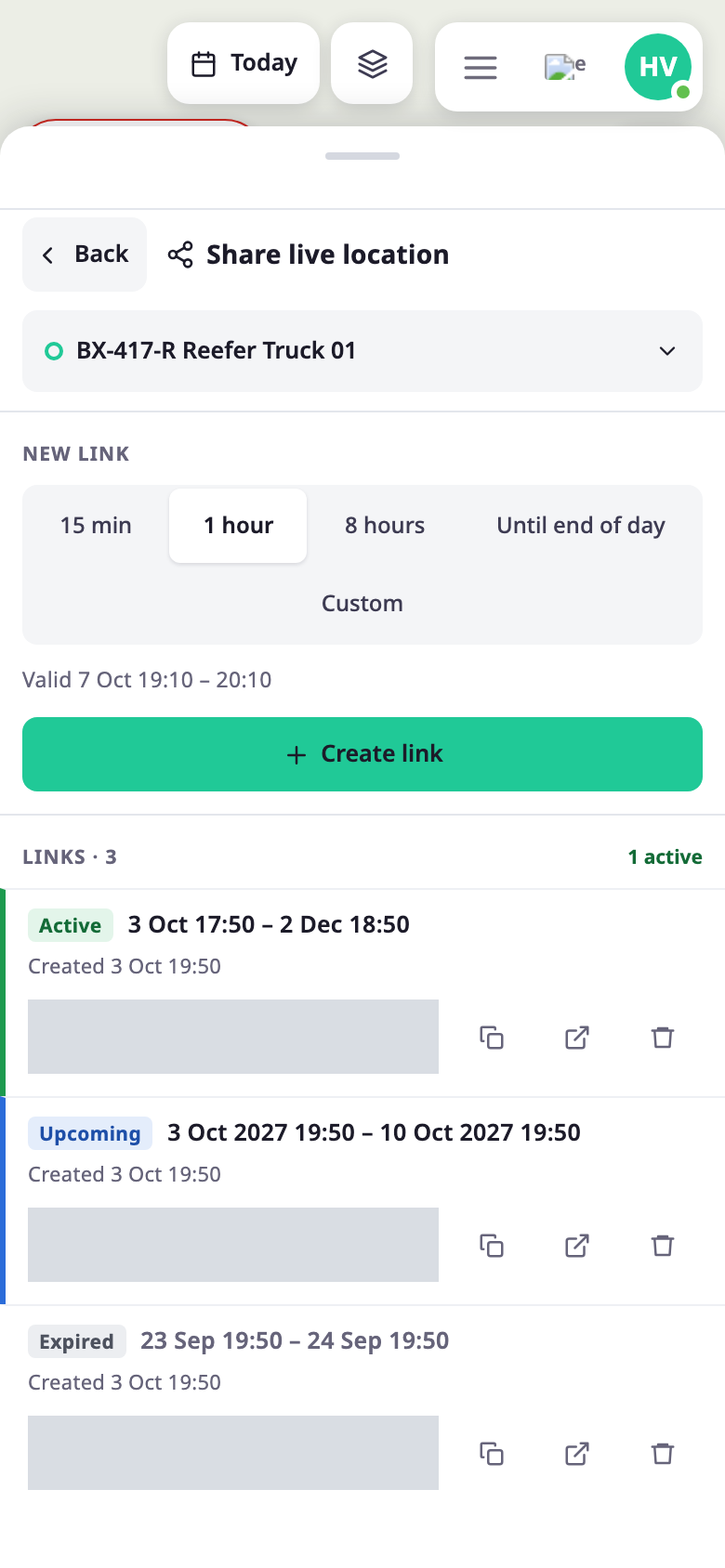
On a phone, select a unit, then select Share on the card. The view fills the screen.
¶ Permissions
- The view needs Read on Units, the same as the map. Creating, listing, copying and deleting links need nothing more.
- The unit must belong to your account or one of its sub-accounts right now.
- The app files links under the account the unit belongs to, so everyone who can see the unit sees the same list.