Share a live location when a customer, a driver's family or a client wants to follow one unit. You create a link for a period you choose and send it. The person who opens it needs no account.
¶ Before you start
- You need Read on Units. Every role that can open the map can share a unit it sees.
- The unit must belong to your account or one of its sub-accounts right now.
- Anyone who gets the link can see where the unit is until the link ends. Send it only to people you trust.
- The link shows the unit's name, position, heading and address, and the route it drives during the period. It does not show sensors, the driver or other units.
¶ Create a link
-
In the side menu, select Units > Tracking.
-
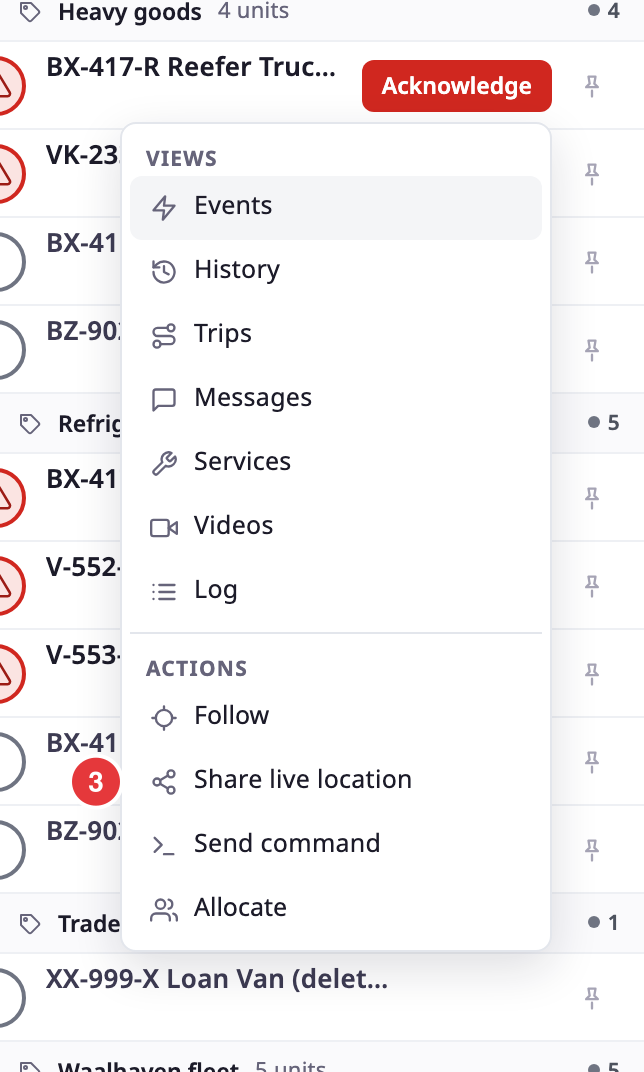
In the unit list, point at the row of the unit and select More.
The unit menu opens. On the unit card, you can select Share instead and skip step 3. -
Under Actions, choose Share live location, marked 3.
The Share live location view replaces the unit list. It lists the links already made for this unit. On a phone, it fills the screen.
-
Under New link, choose how long the link works: 15 min, 1 hour, 8 hours, Until end of day or Custom.
The view opens with 1 hour chosen. A line under the choices shows the period the link covers, in your account's time zone.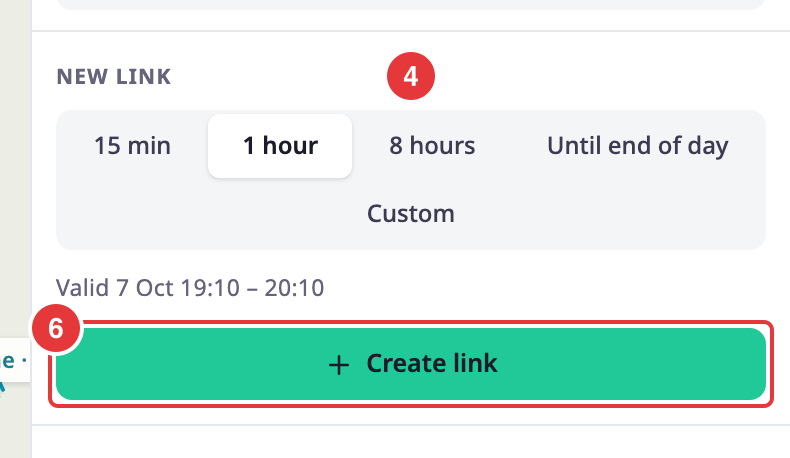
-
Optional: if you chose Custom, set the start and the end in the date and time field.
The link can start now or later and last up to 30 days. See Share live location view for the checks. -
Select Create link, marked 6.
A message reads "Link created". The link appears in the list with an Active badge, marked 6, and a tinted background that shows it is the one you made.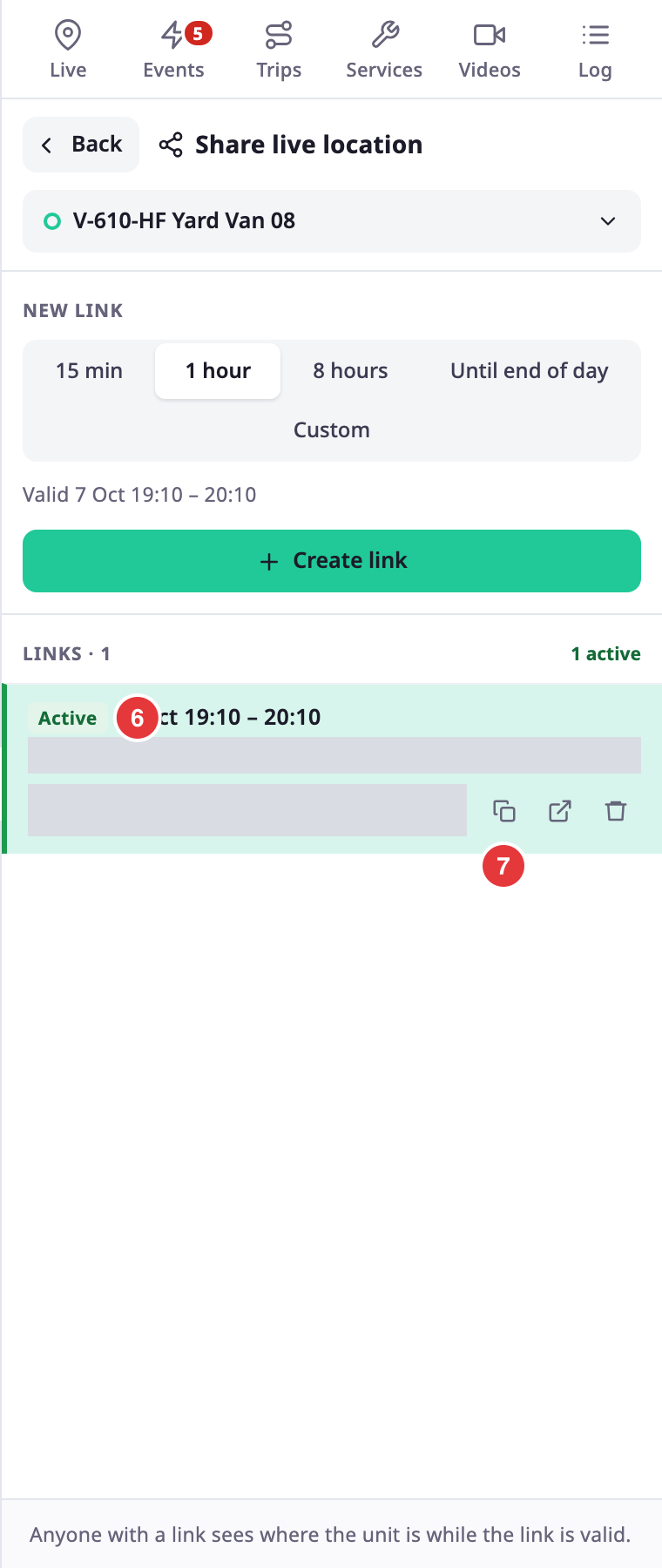
-
In the row of the link, select the copy button, marked 7.
A message reads "Link copied". The button shows a tick for two seconds. -
Paste the link into a message and send it.
The presets start when you select Create link, not when you open the view. Until end of day ends at midnight in your account's time zone.
To leave the view, select Back at its top left. You return to where you opened it.
¶ What the recipient sees
During the link's period, the recipient sees the unit's marker and name on a map. They also see its address, its heading and when it last reported. Before the start time, they see a countdown that opens the map by itself. After the end time, they see an "expired" message. After you delete the link, they see that the link is not valid. See Shared location page.
¶ What happens next
The link works until its end time. To stop it sooner, delete it. See Copy or delete a shared location link.
If the link does not open for the recipient, see A shared location link does not work.