A template you build is yours until you share it. You can publish it to your account, hand it to another account as a JSON file, or delete it.
¶ Before you start
- Sharing with the account, and changing or deleting an account template, needs the Owner role.
- Exporting needs only the Read template action of Reports. Importing needs Import template; deleting your own template needs Delete template.
¶ Share a template with the account
-
In Reports > Create Report, open the template's card menu and select Edit.
The builder opens. -
In the scope switch, select Account, marked 2.

-
Select Save template, marked 3.
The template moves to Account templates, where everyone in your account sees it.
To take it back, edit it, select My templates and save. Users without the Owner role cannot select Account.
¶ Export a template as JSON
-
On the template's card, select the menu (three dots).
-
Select Export as JSON, marked 2.
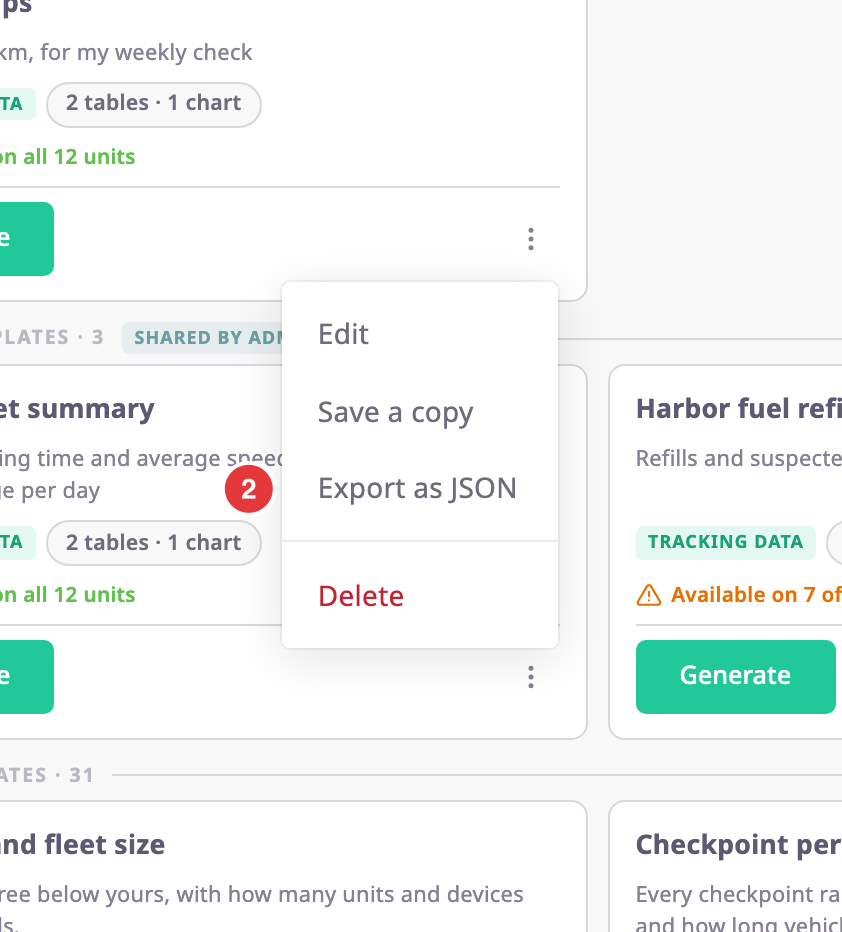
Your browser downloads a JSON file named after the template.
The file holds the template's name, description and design, and nothing about your account: no ids, no owner, no scope. Any account can import it. You can export system templates too.
¶ Import a template
-
In Reports > Create Report, select Import, marked 1.

-
Choose the JSON file.
The toast "Imported 1 template(s)." confirms it, and the template appears in My templates.
Imported templates always go to My templates. If you already have a template with the same name, the import gets the name "Name (2)". A file can hold up to 50 templates by default.
| Message | Meaning |
|---|---|
| "That file is not valid JSON, so nothing was imported." | The file is not JSON, or it is broken. |
| "That file is not a report template export, so nothing was imported." | The JSON is not a template export. |
| "That file is too large to be a template export." | The file is over 2 MB. |
| "Template is not valid" | A template in the file uses a source or column this installation does not have. The import stops. |
| "Access denied" | A template in the file reads data your role may not use. The import stops. |
¶ Delete a template
-
On the template's card, select the menu (three dots).
-
Select Delete.
The Are you sure? dialog names the template.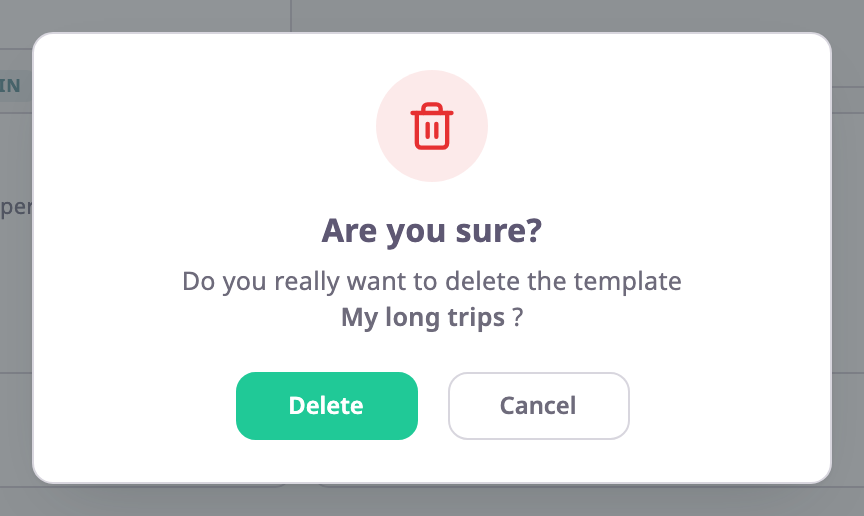
-
Select Delete.
The toast "Template deleted successfully" confirms it.
Reports you already exported keep working: each keeps its own copy of the template. A schedule that uses the deleted template stops working: its runs fail. Delete those schedules too. See Scheduled reports.
You cannot delete a system template.