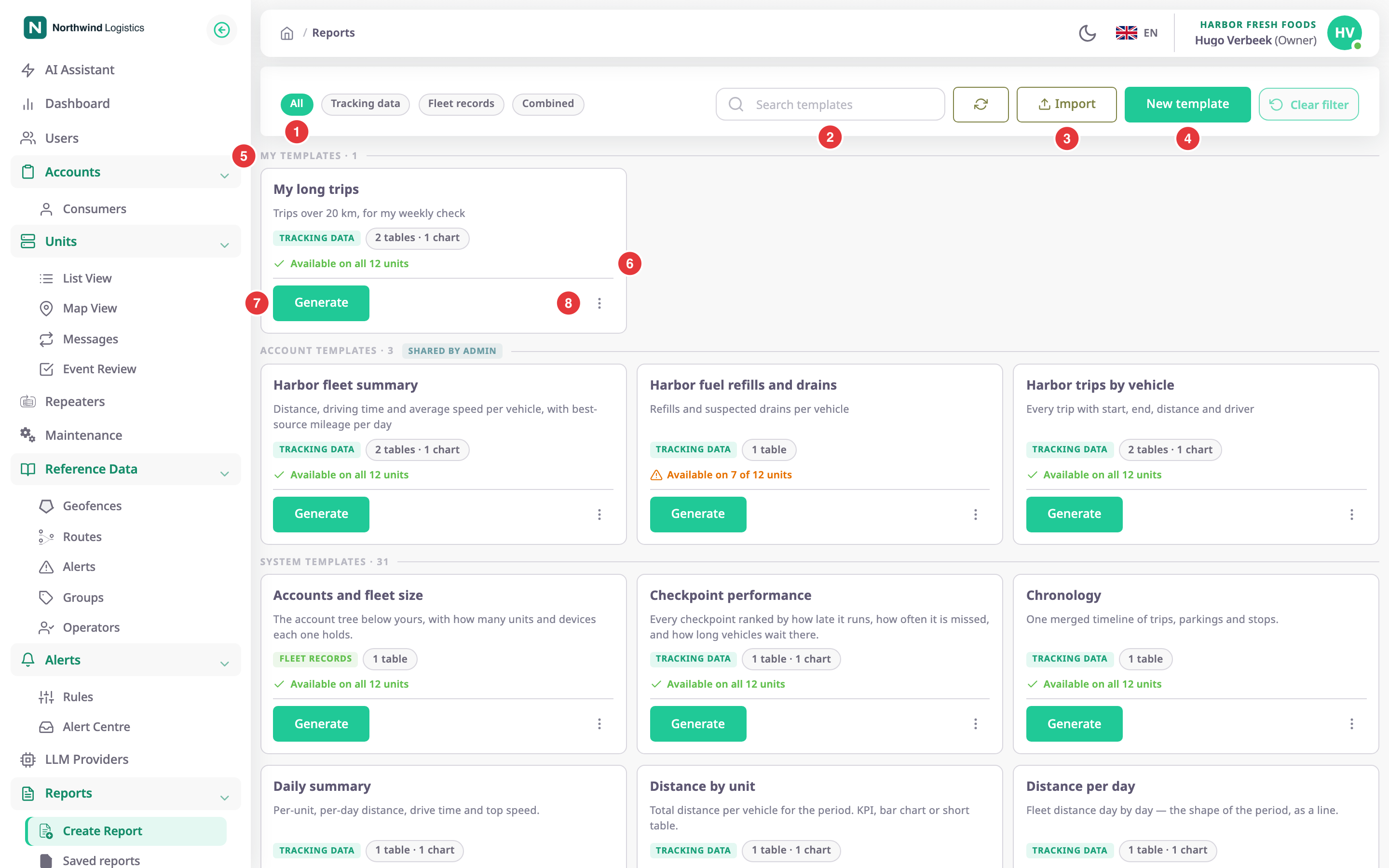
The template library is where every report starts. It lists the templates you can run, tells you which of your units can answer each one, and opens the builder. To open it, in the side menu select Reports > Create Report.
¶ Scope groups
The library groups templates by who owns them, in this order. It leaves out a group with no templates.
| Group | Who sees it | Who can change it |
|---|---|---|
| My templates | Only you. | You. |
| Account templates (tagged shared by admin) | Everyone in your account. | Users with the Owner role. |
| System templates | Everyone. | Nobody. Save a copy to change one. |
Each group header shows how many templates it holds.
¶ Filters and search
| Control | What it does |
|---|---|
| All (1) | Shows every template. |
| Tracking data | Shows templates that read tracking data, such as trips or fuel events. |
| Fleet records | Shows templates that read fleet records, such as units, SIM cards or maintenance. |
| AI Assistant | Shows templates that read AI Assistant sources, such as AI usage or AI credit top-ups. |
| Combined | Shows templates that read both kinds of data. |
| Search templates (2) | Filters by name, description and column. Searching for idle also finds a template that has an idling column. |
For the kinds of data, see Where report data comes from.
¶ Template card
Each card shows:
- The name and description. System templates appear in your language.
- A tag for each kind of data the template reads, and its shape, for example "2 tables · 1 chart".
- The availability line (6): "Available on all 12 units" or "Available on 7 of 12 units". Select a partial line to see which units lack which sensor.
- Generate (7), which opens the Generate screen with this template.
- When the template was last run, for example "used 9h ago". A system template you have not run says "System template — save a copy to customise it".
- The card menu (8).
¶ Card menu
| Action | What happens |
|---|---|
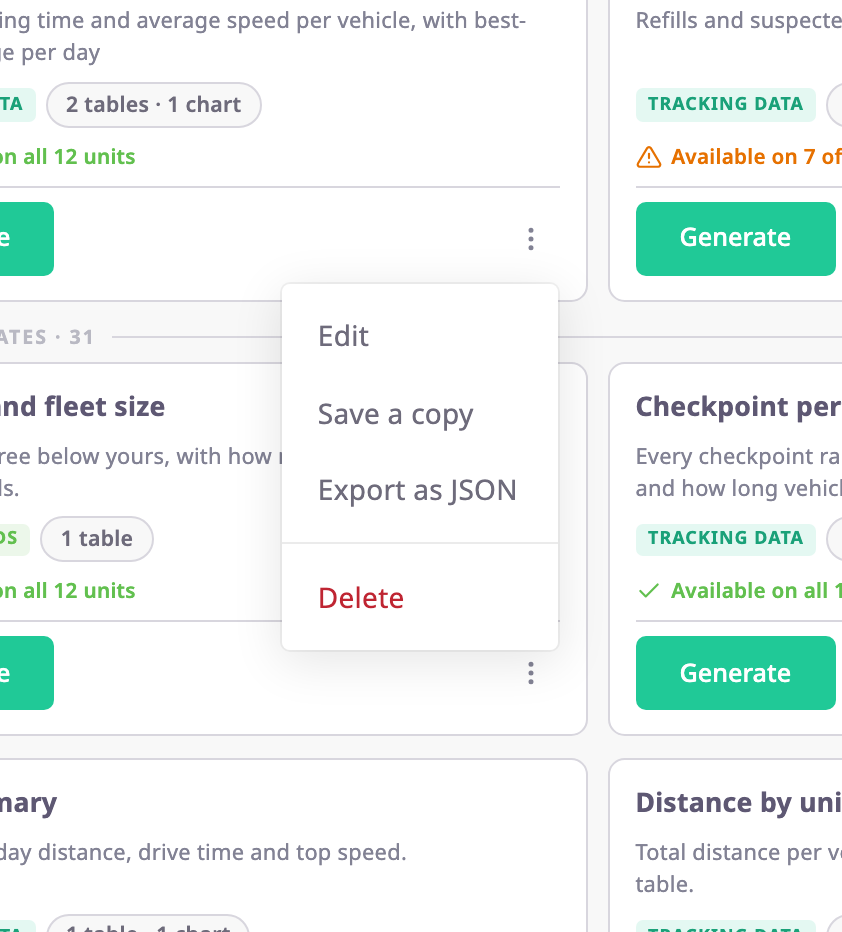
| Edit | Opens the template in the builder. Shown for your own templates and account templates, if your role may update templates. |
| Save a copy | Copies the template and opens the copy in the builder. The copy's name is "Name (copy)". A copy of an account template stays in the account if you have the Owner role. Other copies go to My templates. |
| Export as JSON | Downloads the template as a JSON file you can import elsewhere. |
| Delete | Asks for confirmation, then removes the template. Shown for your own templates and account templates, if your role may delete templates. |
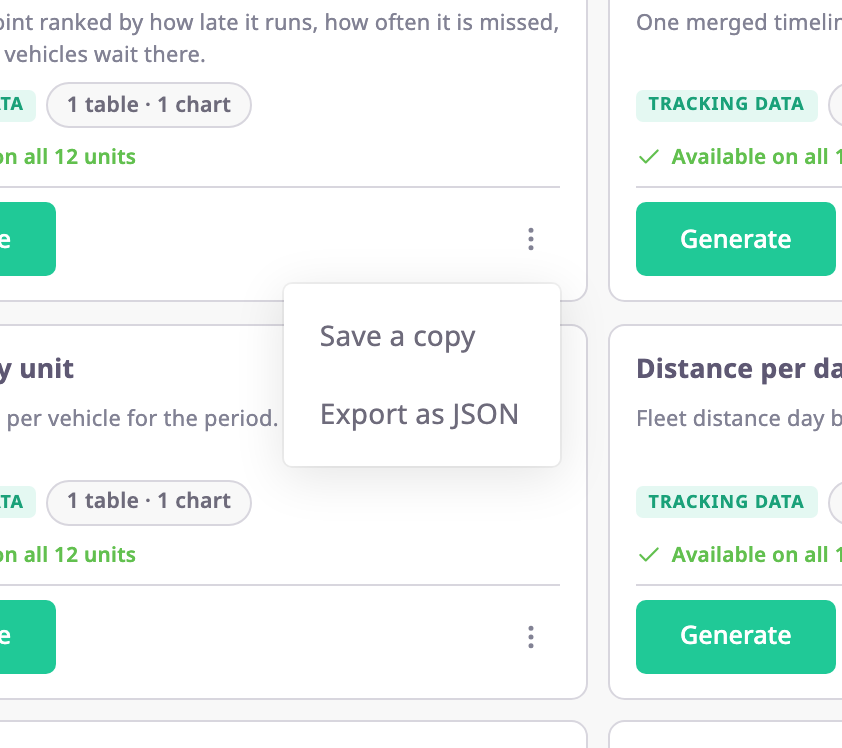
A system template's menu has only Save a copy and Export as JSON.
¶ Toolbar
| Control | What it does |
|---|---|
| Refresh (circular arrows) | Reloads the templates and the availability lines. |
| Import (3) | Opens a file picker for a template JSON file. See Share, import, export and delete templates. |
| New template (4) | Opens an empty builder. See Create a report template. |
¶ Permissions
- To open this screen you need the Read template action of Reports, and Show Menu for the menu item. The Owner role has every report permission.
- Import needs Import template, and New template needs Add template. Without them the buttons do not appear.
- Edit needs Update template, and Delete needs Delete template.
- Each data source needs its own permission, for example Trips & parkings. The library leaves out a template that reads a source you have no permission for. Another user may see fewer templates than you.
- Only a user with the Owner role can change or delete an account template. Other users can still open Edit, but saving fails.