Sometimes the app computes an event that did not happen, such as a fuel drain caused by a sensor glitch. Exclude it, and every report, chart, export, scheduled report and dashboard of the account stops counting it.
¶ Before you start
- You need Units with Edit, plus Read, Show Events and Show Messages, and Devices with Read. The Owner role has them.
- Check the event against the raw messages first. See Analyse an event against raw messages.
- Exclusion applies to the whole account. Other users stop seeing the event in their reports too.
¶ Find the event
- In the side menu, select Units > Event Review.
- In Unit, choose the unit.
- In Time range, choose a preset or set the period that holds the event, up to 92 days.
- Optional: in Event type, choose the type, for example Fuel drains.
- Select Show events.
The events of the period appear in the table.
¶ Mark it excluded
-
Clear the checkbox of the wrong event, marked 6.
Its row shows Excluded and Unsaved, and the summary bar counts it as unsaved.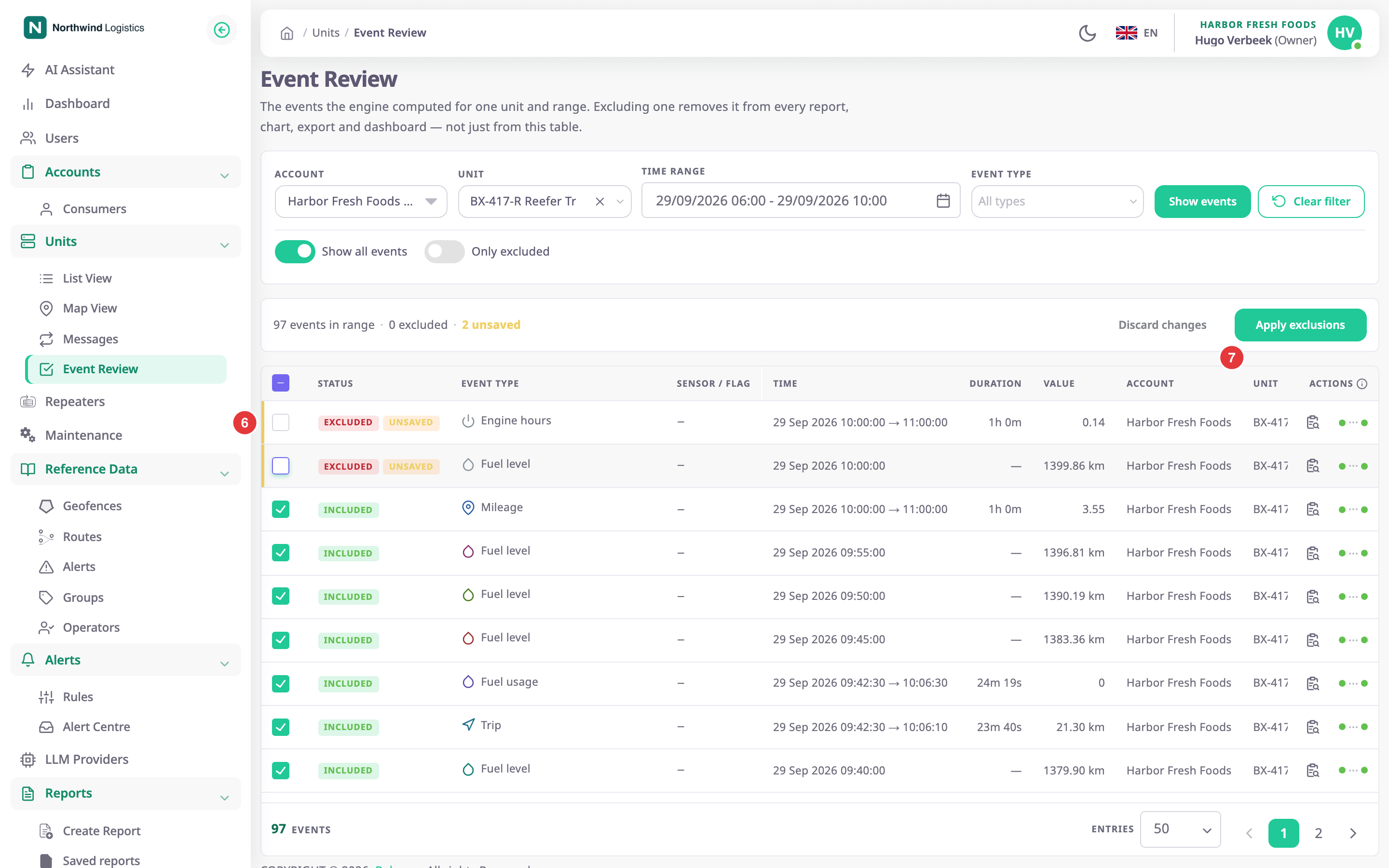
¶ Confirm
-
Select Apply exclusions, marked 7.
The Apply exclusions dialog opens with the number of events to exclude.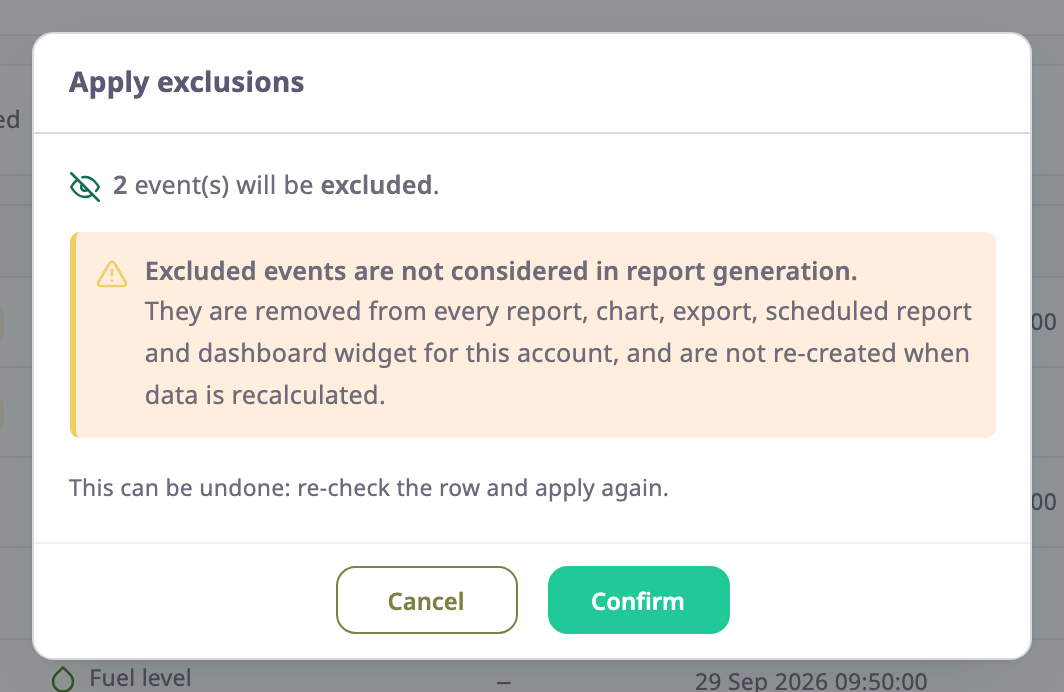
-
Select Confirm.
The message "Events updated. Reports are already correct; daily totals catch up within a minute or two." appears.
Apply before you move to another page of the table: changes on a page you leave are lost when you apply.
¶ Restore an excluded event
- On Event Review, turn on Only excluded.
- Select Show events.
- Tick the checkbox of the event.
Its row shows Included and Unsaved, and the apply button reads Apply restorations. - Select Apply restorations.
The Apply exclusions dialog opens with the number of events to restore. - Select Confirm.
If you exclude some events and restore others in one go, the button reads Apply changes.
¶ What happens next
- Reports, charts, exports and dashboards stop counting the event at once. Daily totals follow within a minute or two.
- Recalculating the unit's data does not bring the event back.
- The Excluded by column shows your name and the time. The unit's Log tab on the map records "Events Excluded" or "Events Restored". See Services and Log tabs.
- Raw messages do not change. The Messages screen still shows every message.