Two tabs of the dock answer questions without leaving the map. Services lists the service reminders that are due. Log lists the changes people made to a unit. Neither tab is available on a phone. To open them, in the side menu, select Units > Tracking. In the dock, select the tab.
¶ Open Services and choose the scope
Select Services in the dock. You need Show Services on Units and Read on Maintainance. Without Read on Maintainance, the tab says "You cannot view service reminders".
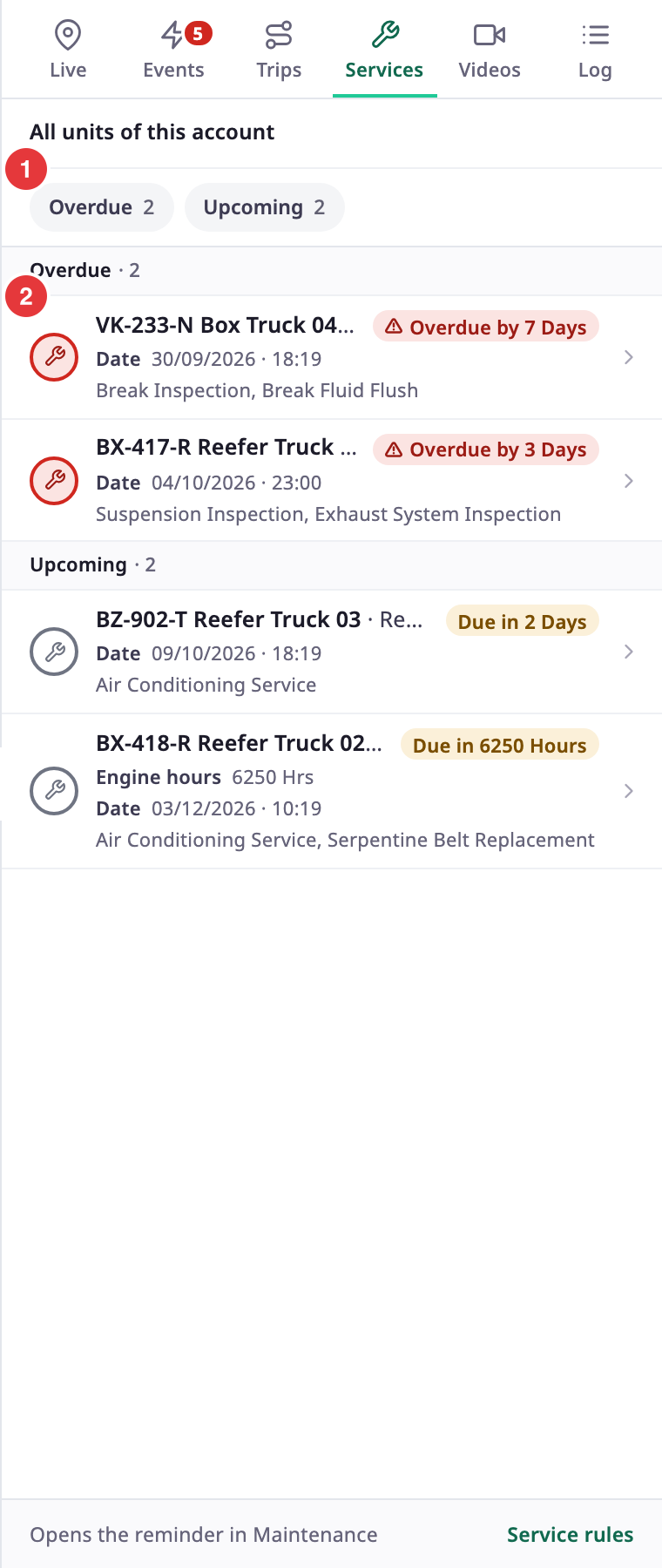
The tab works on one account at a time.
- With one account in scope, the tab shows "All units of this account", or one unit if a unit card is open. Select Show fleet to go back to all units.
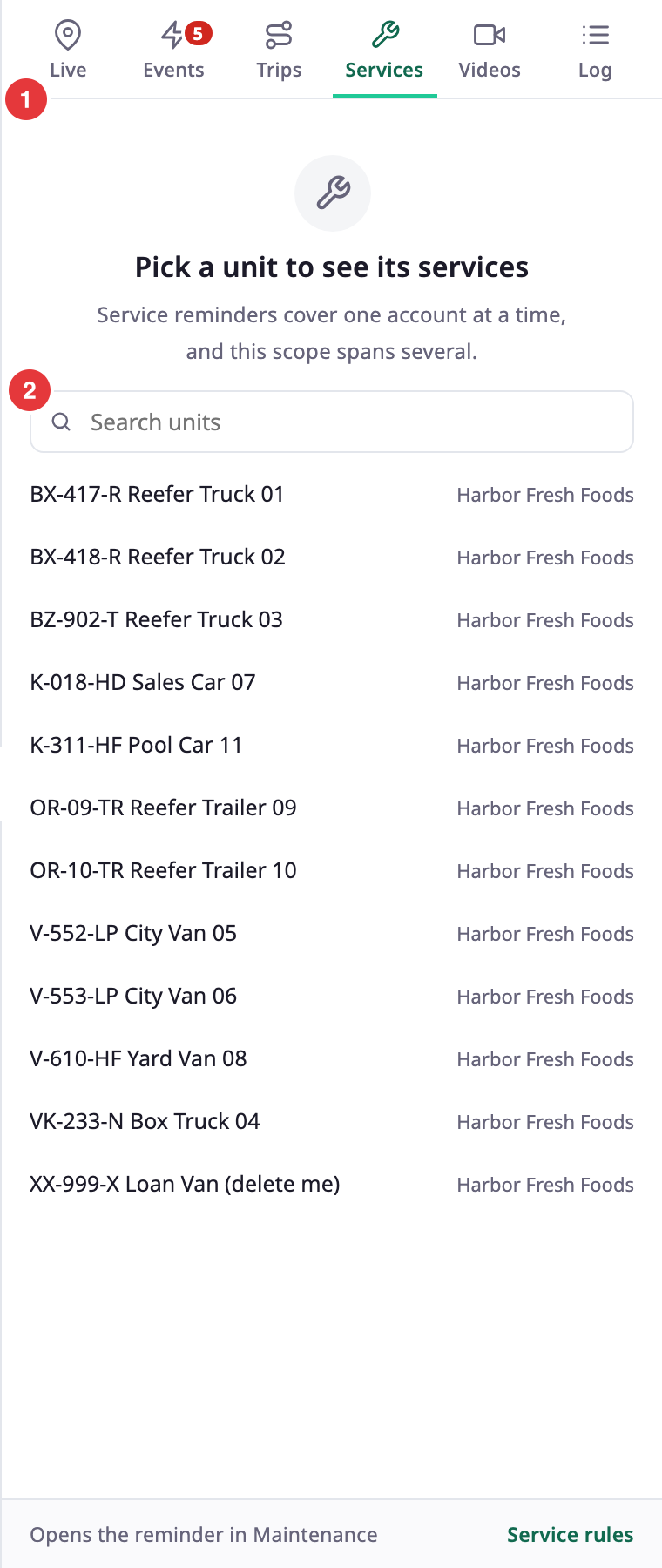
- With several accounts, or sub-accounts, in scope, the tab asks you to pick a unit. It reads "Pick a unit to see its services" and "Service reminders cover one account at a time, and this scope spans several." Search for a unit in the list and select it.
¶ Overdue and upcoming reminders
The tab has two groups, with a button for each and a count:
| Group | What it lists |
|---|---|
| Overdue | Reminders that are past their date or their reading. |
| Upcoming | Reminders that are coming due. |
Select a button to show only that group. Select it again to show both. There is no list of finished services here. For those, see Maintenance history.
Each row shows:
- The unit name and the reminder name, unless you are looking at one unit.
- A pill with the state, such as "Overdue by 4 Days" or "Due in 5 Days".
- The conditions of the reminder, such as a date, or engine hours, with their values.
- The service categories of the reminder.
Select a row to open the reminder in Maintenance. The link at the bottom, Service rules, opens the reminders list. A group with many rows has Load more. If nothing is due, the tab reads "Nothing is due". See Maintenance reminders.
¶ Open the log
In the dock, select Log. You need Show Activities on Units. The log belongs to one unit. Without a unit, the tab reads "Pick a unit to see its log". Search for a unit and select it. From a unit row or a unit card, the unit is already chosen.
¶ Log entries
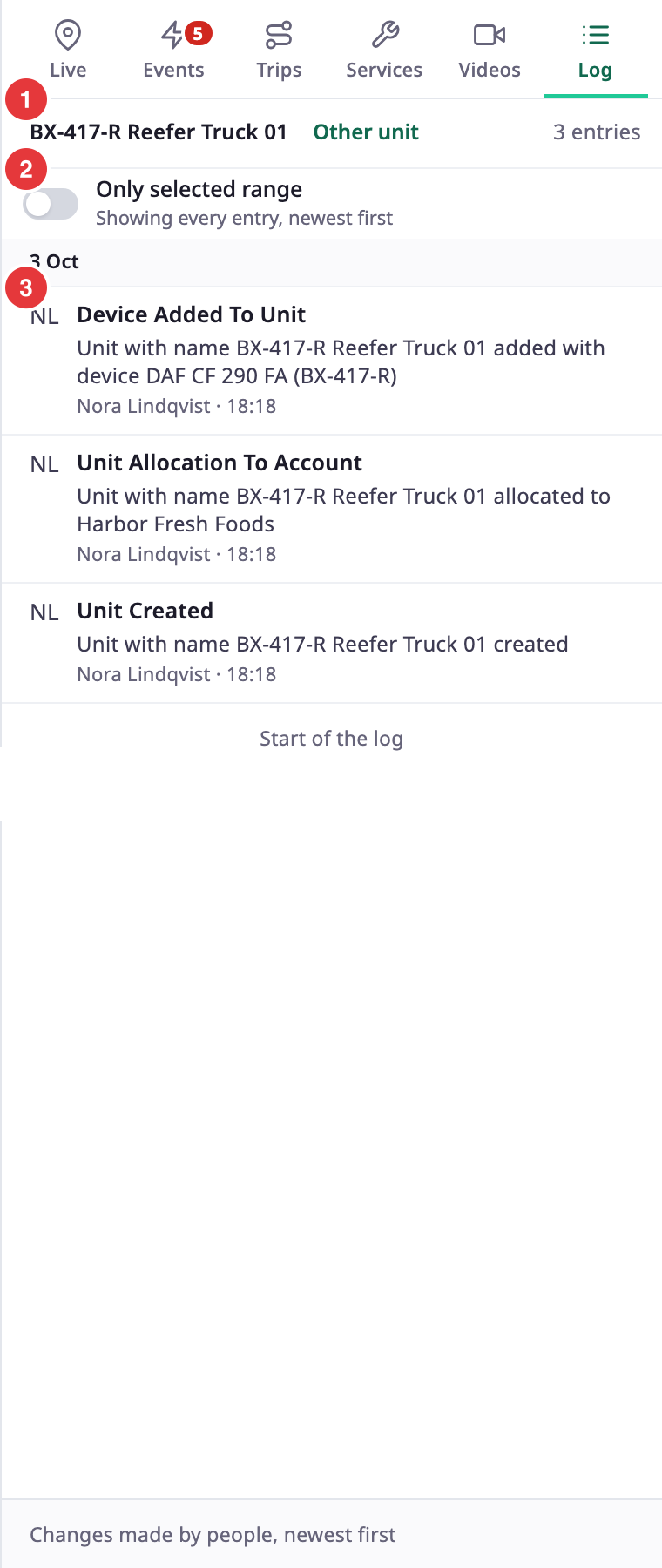
The header shows the unit name, Other unit to choose another, and the number of entries. The newest entries come first, grouped by day. Each entry shows:
- The initials or photo of the person.
- What changed, for example "Unit Created", "Unit Allocation To Account" or "Device Added To Unit".
- A description, such as the name of the device you added.
- The name of the user and the time.
The list loads more as you scroll. At the end it reads "Start of the log". A unit that nobody changed shows "Nothing has been changed on this unit yet". If the log cannot load, the tab says "The log could not be loaded" and shows Retry.
¶ Only the selected range
By default the log shows every entry. Turn on Only selected range to keep the entries of the shared range. The hint under the switch tells you which it is. If the range has no entries, select Show all entries. See Time range.
¶ Permissions
| Tab | You need |
|---|---|
| Services | Show Services on Units, and Read on Maintainance |
| Log | Show Activities on Units |