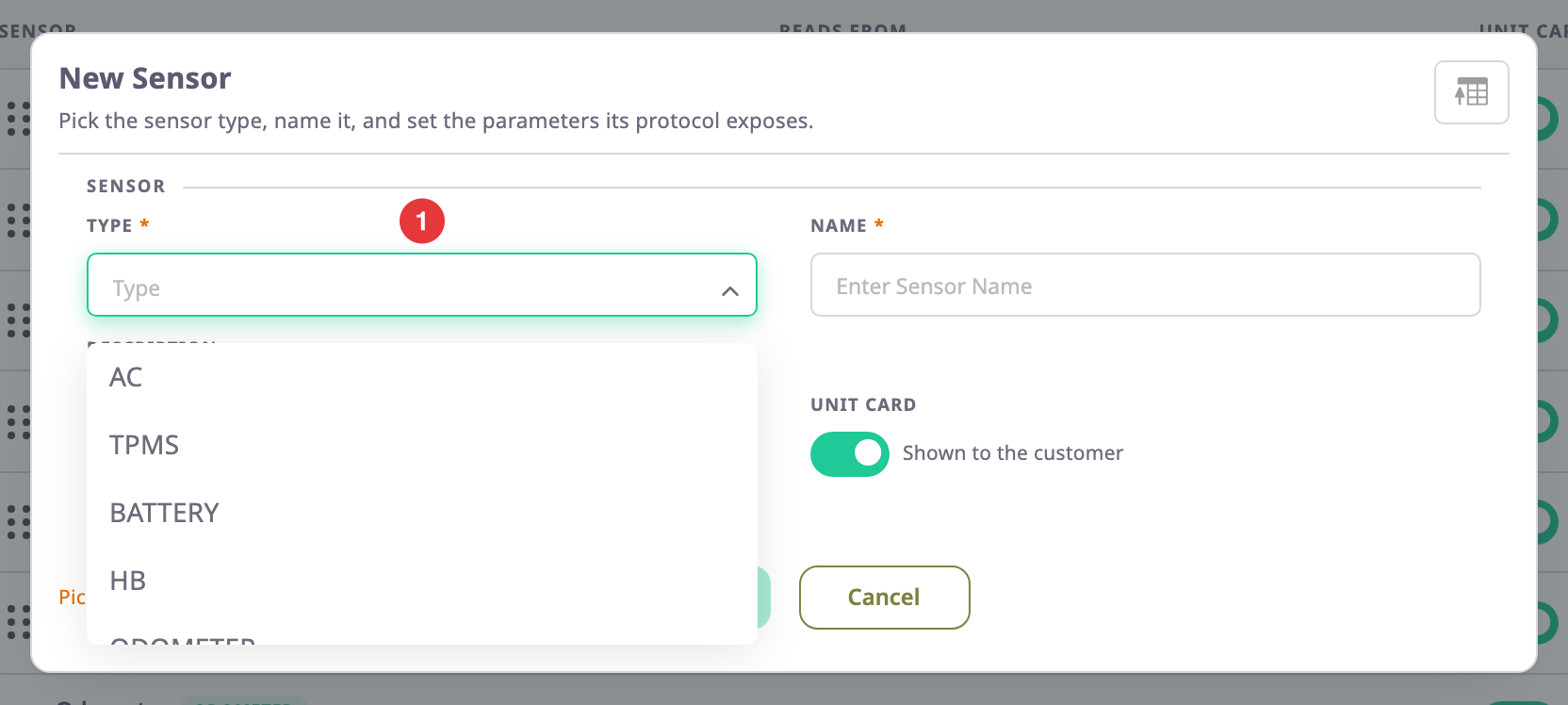
The type you choose in Type decides which fields a sensor has. This page lists every type with what it is for and the settings you fill in once. It also lists the telemetry fields you map to the device's parameters. To add a sensor, see Add a sensor.
¶ How to read this table
- Type is the code the type list shows, for example FUEL. The list of types comes from the server, so an installation can have more or fewer.
- Several says whether a device can have more than one sensor of the type. The app refuses a second sensor of a "No" type when you save.
- Settings are the fields in the dialog's Settings group: values you type or choose once.
- Telemetry fields are the rows in the Telemetry mapping group: values the app computes from each message, through the expression you enter.
- An asterisk (*) marks a required field.
- Some types also have values the app computes itself, such as fuel events. The dialog does not show them; Notes names them.
Field names appear as the English dialog shows them.
¶ Position and movement
| Type | What it is for | Several | Settings | Telemetry fields | Notes |
|---|---|---|---|---|---|
| GPS | The unit's position | Yes | — | Hdop, Pdop, Satellite Count, Longitude*, Latitude*, altitude*, GNSS fix valid | Unlocks the Trip Detector tab. The app computes the heading, the fix source and the accuracy. One of the mileage sources in Counters. |
| GSM | Mobile network and Wi-Fi data, used for cell and Wi-Fi positioning | No | — | Signal Strength (0-100)*, LAC / TAC, Cell ID (up to 64-bit), MCC, MNC, Radio, Signal (dBm), Wi-Fi access points | Wi-Fi access points is a list taken from one parameter as it arrives, with no expression or calibration. The app counts the access points. |
| SPEED | Speed reported by the device | Yes | — | Speed* | When the sensor shows on the unit card, its reading is the unit's speed on the Tracking screen, in place of the GPS speed. The card keeps the GPS heading and satellites. A reading of -1 shows as no value. Trips and reports also prefer this sensor. |
| ACCELEROMETER | Acceleration on three axes | No | — | Z-axix*, Y-axis*, X-axis* | The first field's name is misspelt in the catalogue. |
| ODOMETER | The vehicle's total distance, read from the device | No | Initial Value, Measurement Unit (KM or Miles) | Total Odometer | The Mileage Sensor source in Counters needs it. |
| RELATIVE_ODOMETER | A distance meter that the device can reset | No | Measurement Unit* (KM) | Odometer Value* | Read by the Relative Odometer source in Counters. |
¶ Engine, ignition and counters
| Type | What it is for | Several | Settings | Telemetry fields | Notes |
|---|---|---|---|---|---|
| IGNITION | Whether the ignition is on | No | — | Ignition Status* | Needed for the GPS + Ignition and Engine + Ignition sources in Counters. |
| ENG_RPM | Engine speed | No | — | RPM | — |
| ENGINE | Several engine readings in one sensor | Yes | — | Temperature (°C), Oil Pressure, Rotation Speed (RPM), Voltage | — |
| ENGINE_HOURS | Engine hours read from the device | Yes | Algorithm* (Ignition Sensor, Absolute Engine Hour or Relative Engine Hour) | Engine Hours Counter, Is Engine Loaded | Needed for the Absolute Engine Hours and Relative Engine Hours sources in Counters. |
| IDLE | Whether the unit is idling | No | — | Idle Status* | The demo devices compute it from two other sensors. |
| HB | Heartbeat: time since the last message | No | — | — | Its one setting, Time Since Last Message, never shows in the dialog. |
¶ Fuel
| Type | What it is for | Several | Settings | Telemetry fields | Notes |
|---|---|---|---|---|---|
| FUEL | Fuel level in a tank, with fillings and drains | Yes | Tank Capacity*, Fuel Unit* (Litre, Gallon (US), Gallon (Imperial)), Measurement System (km/l, l/100km and the mile and gallon pairs), Use sensor in reports | Fuel Tank Temperature, Fuel Level | Unlocks the Fuel Config tab. Only one FUEL sensor per device can have Use sensor in reports on. The app computes the fill and theft events, the level in percent and the raw level. See Set up a fuel level sensor. |
¶ Inputs, events and driver behaviour
| Type | What it is for | Several | Settings | Telemetry fields | Notes |
|---|---|---|---|---|---|
| DIGITAL | Any on/off input, such as a door contact | Yes | Off Display Value*, On Display Value* | Value* | The English dialog currently labels On Display Value "Вкл.", a catalogue error. |
| SOS | A panic button | Yes | Off Display Value*, On Display Value* | Value* | — |
| LOCK SEAL | An electronic lock or seal | No | OFF Display Value*, On Display Value* | Flag | — |
| EVENTS | An event code the device sends | No | Event | — | — |
| E.DRIVER_BEHAVIOUR | Harsh driving events | No | — | Harsh Turn Event, Harsh Braking, Harsh Acceleration, Over Speeding, Seat Belt | — |
| E.UNPLUG | The device's power being cut | No | — | Flag | — |
| OPERATOR_ASSIGNMENT | Identifies the driver from a card or key the device reads | No | Removal Codes, Mode* (Constantly Inserted or Tapping) | Associate Code | The app works out the operator's name, ID and the event code. |
¶ Environment and load
| Type | What it is for | Several | Settings | Telemetry fields | Notes |
|---|---|---|---|---|---|
| TEMPERATURE | A temperature probe, such as a cargo sensor | Yes | — | Temperature* | Its Temperature Unit setting never shows in the dialog. |
| VOLTAGE | A voltage, such as the vehicle's power supply | Yes | Voltage Unit* (Volt or Mili Volt) | Voltage* | — |
| BATTERY | The device's own battery | Yes | — | Voltage, Level* | — |
| WEIGHT | A load or axle weight | Yes | Weight Unit* | Weight* | — |
| TPMS | Tyre pressure | Yes | Pressure Unit* (Pascal, Bar or PSI) | Pressure* | — |
| AC | An air-conditioning unit | No | — | Is on, Fan speed, Room temp, Temp | — |
¶ Video and files
| Type | What it is for | Several | Settings | Telemetry fields | Notes |
|---|---|---|---|---|---|
| VIDEO_STREAM | A camera that streams or records video | Yes | Camera Source (Front Camera or Back Camera), Camera Type (Manual or Auto), Clipping Time(Hr) | — | The app computes whether the stream is live and its poster image. |
| FILE | Files or photos the device sends | No | Is Image (Yes or No) | File Id* | — |
¶ Custom sensors
| Type | What it is for | Several | Settings | Telemetry fields | Notes |
|---|---|---|---|---|---|
| CUSTOM | Any reading no other type covers | Yes | — | None until you add them | You add each field yourself with Add New Custom Sensor Field, choosing its key, label, data type and expression. See Sensor dialog. |