Every device has two accounts: the account that owns it and the account that holds it now, its allocated account. The owner is the account that registered the device. The allocated account is where the device works now. A device in your stock has your account in both roles.
¶ Owner account and allocated account
- Owner: when you add or import a device, your account becomes its owner. The owner stays the same while the device moves to accounts below the owner.
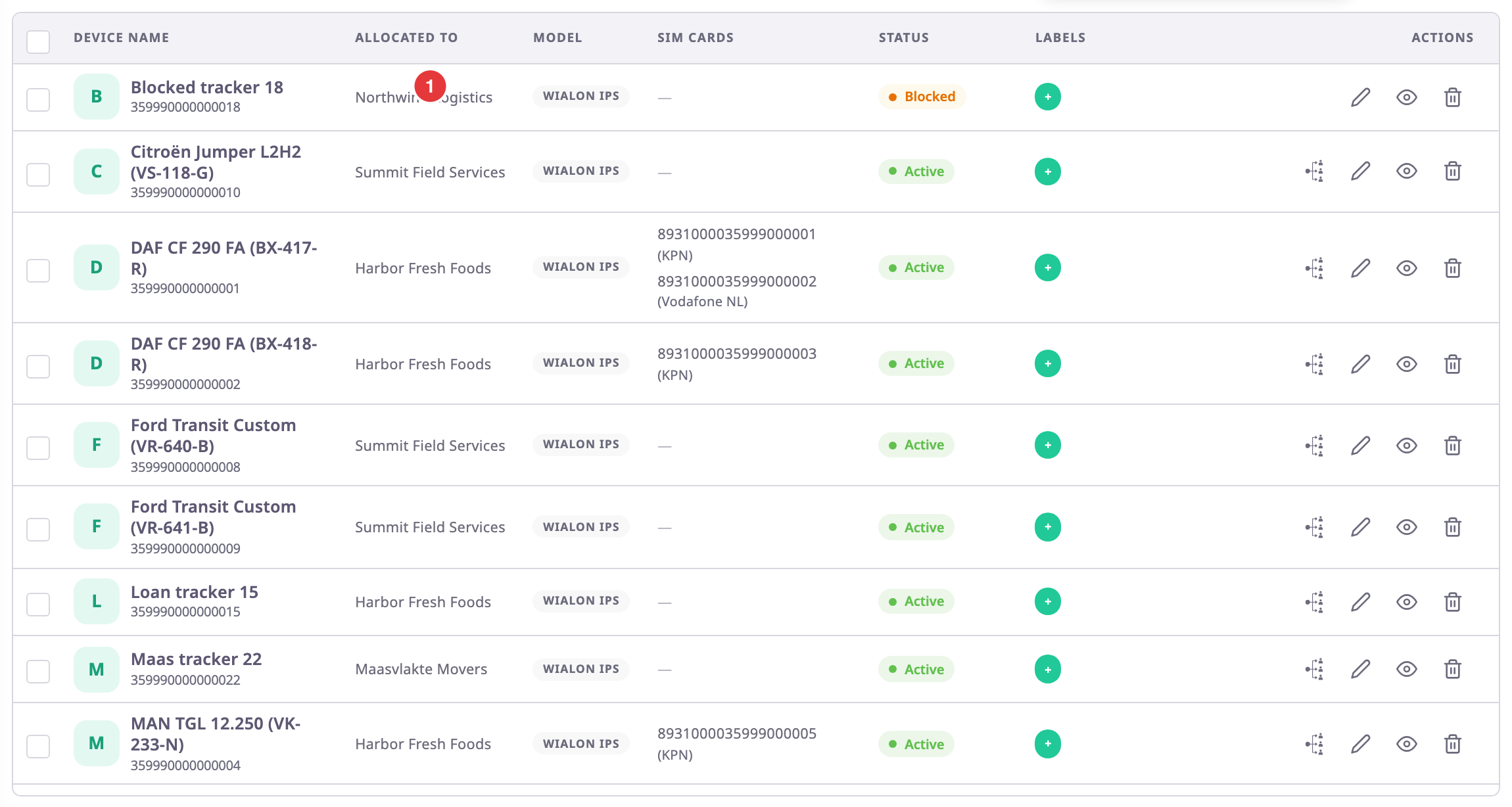
- Allocated account: a device has one allocated account at a time. The allocated to column of the devices list shows it, marked 1.
- Who sees the device: it shows in the devices list of the allocated account and of every account between it and the owner. A dealer above a sub-dealer therefore sees the devices it gave to that sub-dealer.
You allocate a device to a dealer account below yours, such as a sub-dealer. Customer accounts show greyed out in the device dialogs, and you cannot choose them. A customer gets its devices with its units: when you allocate a unit to a customer, the devices on the unit go with it. See Allocate a unit to an account or operator.
For the account hierarchy itself, see The account hierarchy.
¶ Why a device opens view-only
Who may change a device depends on the owner. The device page lets you change a device that your account owns, or that an account above yours owns. A device that an account below yours registered opens read-only for you: the fields are unavailable and there is no Save.
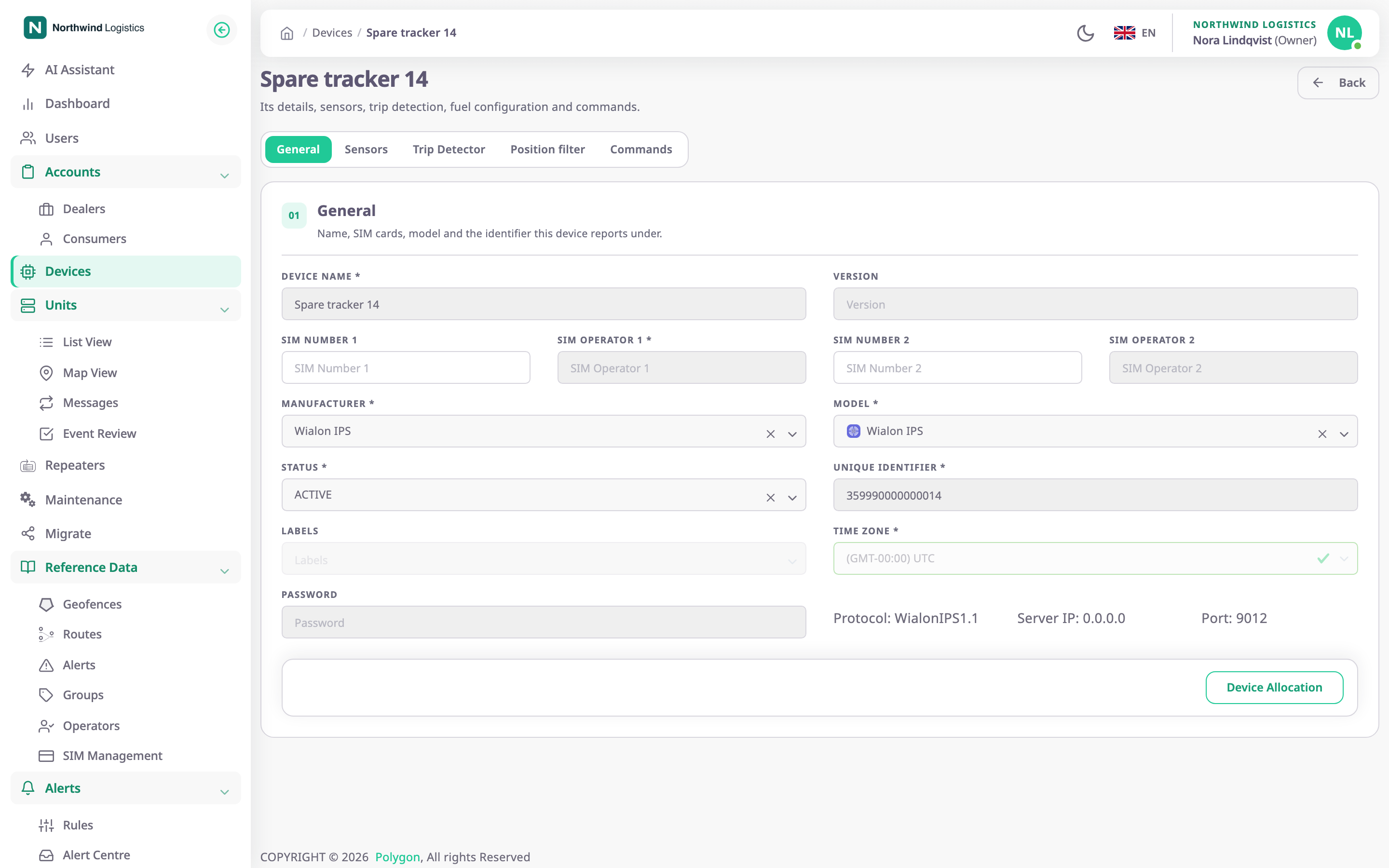
The devices list decides differently, so what you see there can promise more than the device page allows:
| You look at | The list shows | The device page |
|---|---|---|
| A device your account owns | Edit and Delete | Editable |
| A device an account above yours owns and allocated to you | Edit and Delete | Editable; deleting fails |
| A device a sub-dealer below you registered | Edit and Delete | Read-only; deleting fails |
Only the owner can delete a device. For anyone else the server answers "Device not found".
View always opens the device read-only, whoever owns it.
¶ What reallocation changes
When you allocate a device to another account:
- The device leaves the lists of the accounts it no longer belongs to, and appears in the new account's list.
- If the device is on a unit, the app first asks whether to move it anyway. Moving it takes the device off the unit. The unit stays, with its history, and the app recalculates the unit's report data.
- If the new account is not below the owner, the new account becomes the owner, and the device leaves its groups.
- The allocation history records the move with its start date, and closes the previous allocation with an end date.
¶ SIM cards during reallocation
The allocation dialogs have a checkbox for the SIM cards in the device:
- On: the SIM cards move to the new account with the device.
- Off, the default: the app takes the SIM cards off the device. They stay in your account's SIM list, and the device arrives without them.
¶ Allocation history
The History table in the allocation dialog lists where the device has been: the account, the Start Date and the End Date. An allocation without an end date is the current one. You see the allocations to your account and to accounts below it. See Device allocation dialogs.