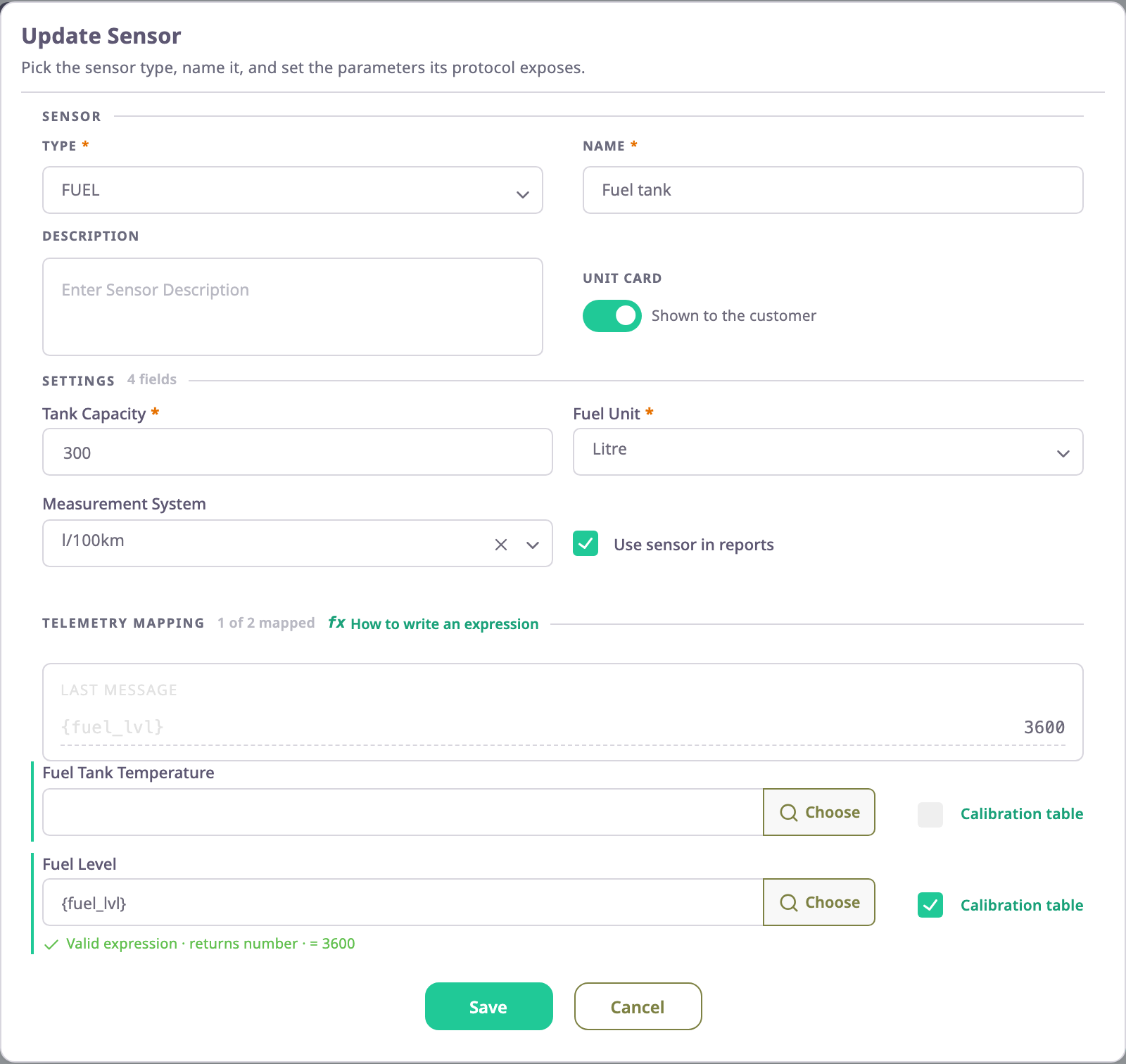
A device sends raw parameters with every message: in4 = 1, fuel_lvl = 2000, ext_volt = 12.6. A sensor gives those numbers a meaning. It has a type, such as Ignition or Fuel, and a name your customers read, such as "Fuel tank". Its fields say which parameters to read and how to convert them. The app works out every sensor again for each message. The unit card, charts, alerts and reports then use the sensor values, never the raw parameters.
¶ Sensors, parameters and values
| Term | What it is | Example |
|---|---|---|
| Parameter | A raw value in a message, named by the device's protocol | fuel_lvl = 2000 |
| Sensor | A named, typed reading defined on the device | Fuel tank (type FUEL) |
| Field | One value a sensor produces, defined by its type | the Fuel tank's level |
| Expression | The formula that computes a field from parameters or other sensors | {fuel_lvl} |
| Sensor value | What the field gives for one message | 148 l |
Sensors belong to the device, not to the unit. When a unit gets its data from a device, it shows that device's sensors. See Devices and units.
¶ Settings and telemetry mapping
The sensor dialog splits a sensor's fields into two groups:
- Settings hold values you type once, such as a unit of measure, a tank capacity or the text to show for "on" and "off".
- Telemetry mapping holds the fields the app computes from each message. Each has an expression, and fields that hold numbers can also have a calibration table and a condition.
The heading of each group counts its fields, and Telemetry mapping counts how many have an expression. A sensor with an empty mapped field shows "Not mapped" in the list.
¶ How the app computes a sensor value
For every message and every mapped field, the app:
- Reads the parameters and other sensor values that the expression names.
- Works out the expression, including any condition. See Sensor expressions and Sensor conditions.
- Converts the result with the calibration table, if there is one. See Calibration tables.
- Discards the result if it falls outside the field's bounds.
If a step cannot finish, for example because the message lacks a parameter, the field has no value for that message. The app shows nothing for it rather than a wrong number.
¶ Sensor types and how many you can add
The type decides which fields a sensor has and how the rest of the app uses it. GPS gives the position, Ignition tells when the engine runs, and Fuel feeds the fuel reports. The list of types comes from the server and can differ between installations. Some types allow only one sensor per device; adding a second shows "Multiple sensors are not allowed for this type of …". See Sensor types.
¶ Sensors that unlock other tabs
Some settings tabs of the device appear only when the device has a sensor of a certain type:
| Sensor type | Tab it unlocks |
|---|---|
| GPS | Trip Detector |
| Fuel | Fuel Config |
¶ Sensors that read other sensors
An expression can read another sensor's field, written [Ignition#v]. The Idling sensor of the demo devices does this: [Ignition#v]==1 ? ([Engine RPM#rpm]<900 ? 1 : 0) : 0. The app computes the sensors it depends on first. Two sensors cannot read each other.
¶ What the customer sees
Shown to the customer decides whether a sensor appears on the unit card. A hidden sensor still works: alerts, reports and the sensors that read it use its value. The Sensors tab marks each sensor Shown or Hidden, and its preview shows the unit card as the customer will see it.