One time range serves the Events, Trips, History, Services, Videos and Log tabs and the Messages screen. You set it once on the scope bar and every tab uses it. To open the picker, in the side menu, select Units > Tracking, then select the time button on the scope bar. It reads Today until you change it.
¶ Open the time range
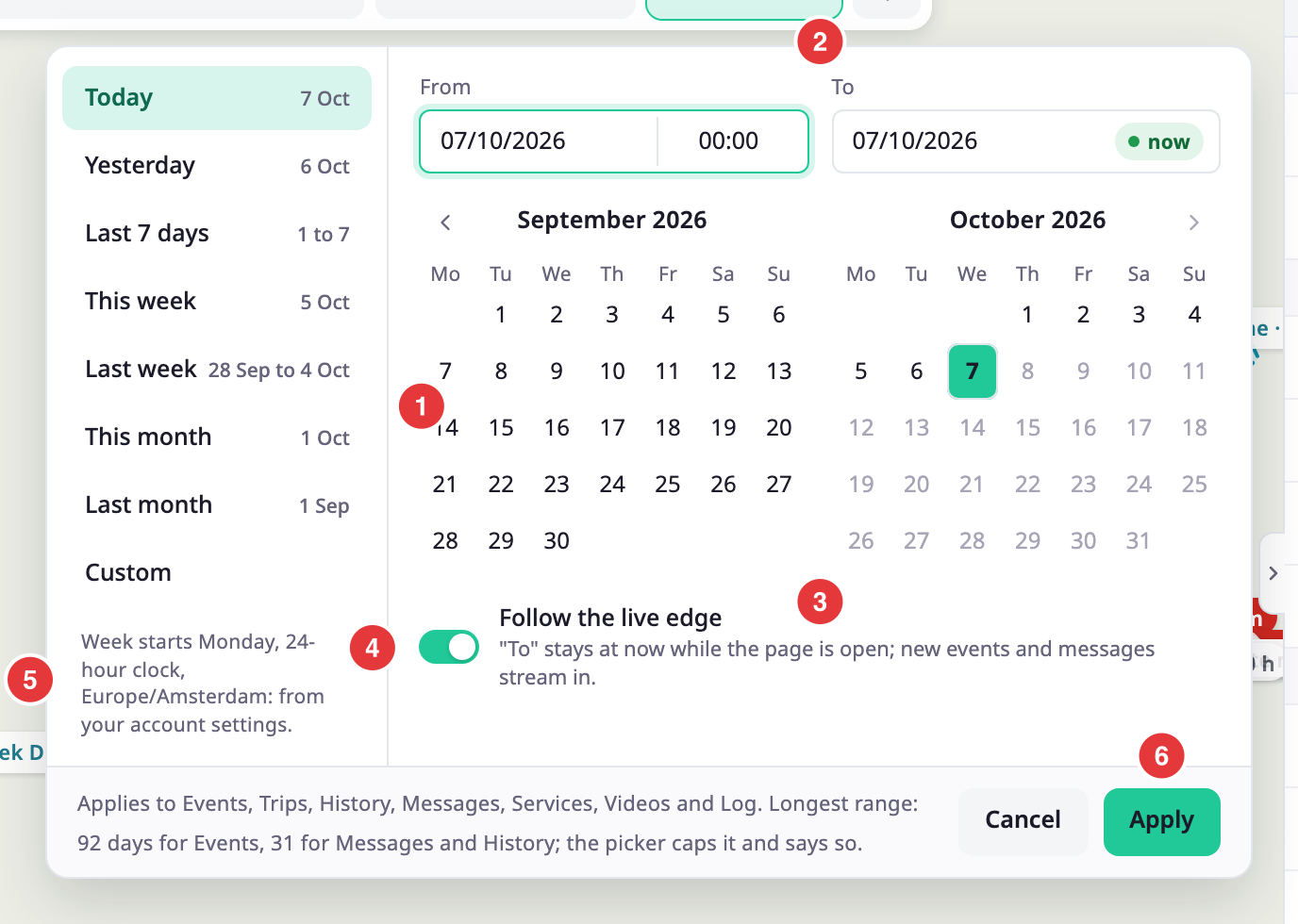
The picker has the presets on the left. The From and To fields sit above a calendar, and the Follow the live edge switch sits below it. Cancel closes the picker and keeps the range. Apply sets a custom range.
The History tab has its own range button that opens the same picker. On the Trips and Events tabs, the range button next to Add sets the range of the next set you add, and the shared range stays as it is. It starts from the shared range. See Trips tab.
¶ Presets
| Preset | Period |
|---|---|
| Today | From midnight to now. This is the default. |
| Yesterday | The previous day. |
| Last 7 days | The seven days up to now. |
| This week | From the first day of the week to now. |
| Last week | The previous week. |
| This month | From the first day of the month to now. |
| Last month | The previous month. |
| Custom | Any start and end you pick. |
Each preset shows its dates next to its name. Select a preset. The range applies at once and the picker closes.
¶ Custom range
-
Select Custom, or select a day in the calendar.
From shows the first day you select. -
Select the last day.
To shows that day, and the picker selects Custom.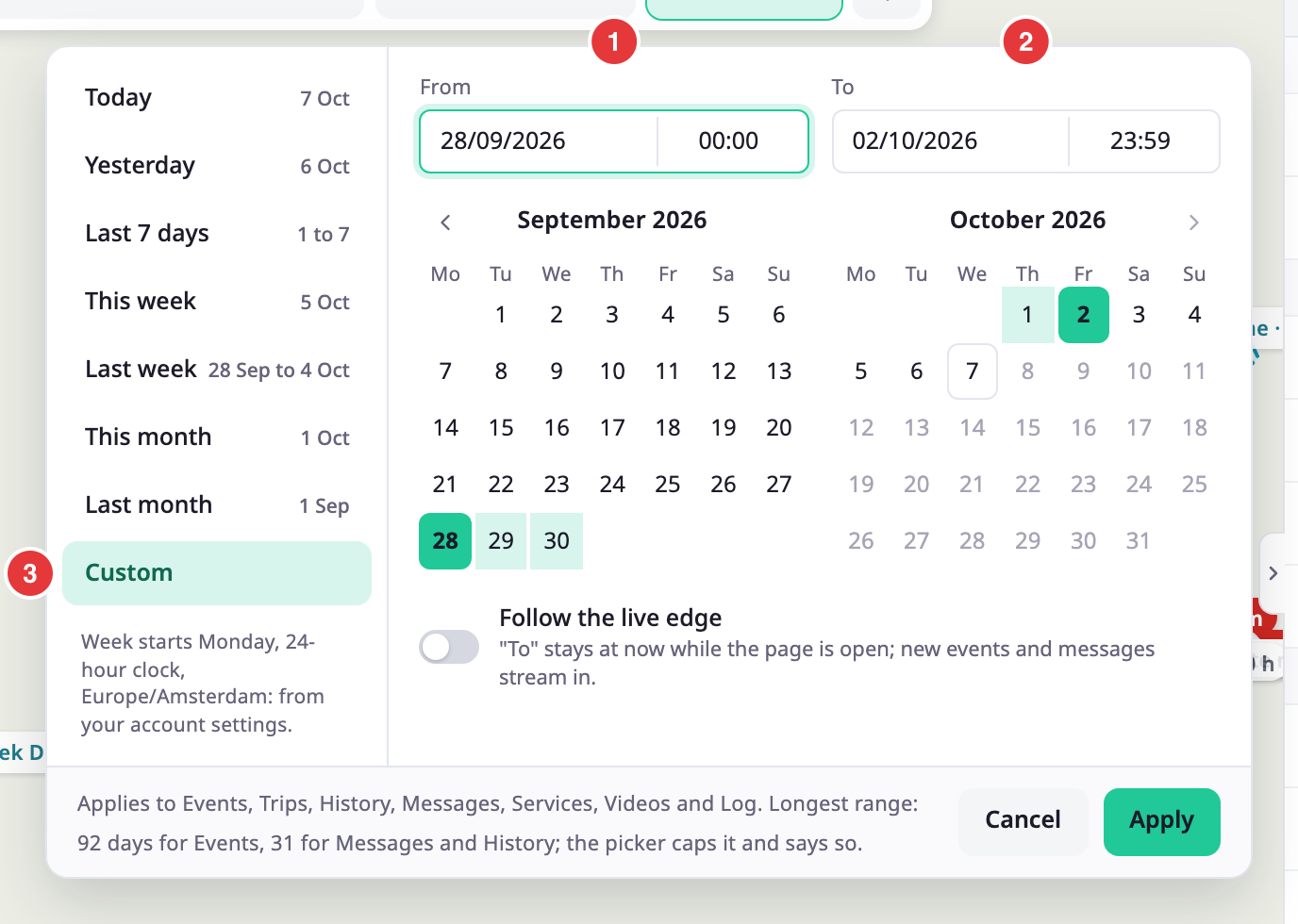
-
Optional: to start or end at another time, change the time next to the date, for example 08:30.
-
Select Apply.
The scope bar shows the range, and the open tab reloads.
You can also type the dates and times by hand. Enter a date in your account's date format, for example 06.10.2026 when the account writes dates as day, month and year. A date the picker cannot read shows "Enter dates as" and the format, and a time it cannot read turns the field red. Days after today are not available. If the start is not before the end, the picker says "The start must be before the end." and Apply stays off.
¶ Follow the live edge
The Follow the live edge switch keeps To at the present moment while the page is open. Its hint reads: "To" stays at now while the page is open; new events and messages stream in. With the switch on, To shows now instead of a time. Picking an end day before today turns the switch off.
¶ Longest range per tab
Some tabs read a lot of data, so they accept a longest range.
| Tab or screen | Longest range |
|---|---|
| Events | 92 days |
| Trips | 92 days |
| History | 31 days |
| Messages | 31 days |
| Services, Videos, Log | No limit from the picker |
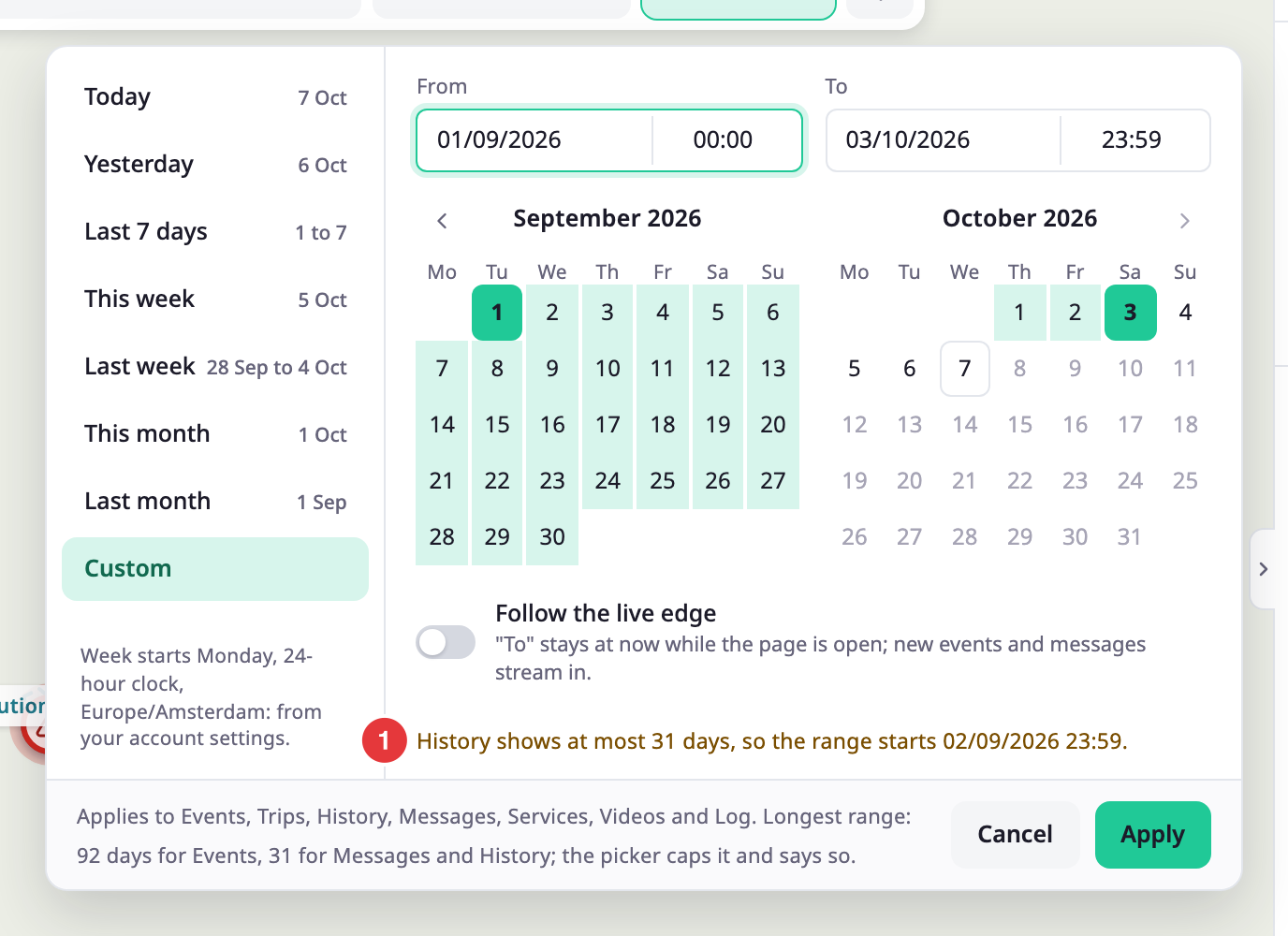
If you pick a longer range, the app shortens it and tells you where it now starts. The picker shows a note such as "History shows at most 31 days, so the range starts" and a date. The tab shows the same note at the top.
¶ Settings that change how times read
The note at the bottom of the presets starts with "Week starts" and a weekday. It names the 12-hour or 24-hour clock and a time zone. These come from your account settings, not from your browser. The first day of the week, Monday, Sunday or Saturday, also sets where This week and Last week start and how the calendar lays out its rows. Dates, times, distances, speeds, volumes and temperatures on the map follow the same settings. Two accounts in other countries can see the same trip in different units. See Set date and unit formats.
¶ Permissions
The picker needs no permission of its own. Each tab that uses the range needs its own, listed in Tracking screen.