Devices or units? This page is about devices, the tracking hardware. A device carries up to two SIM cards in its SIM Number 1 and SIM Number 2 fields. You fit a SIM on the device, not in the SIM list.
¶ Before you start
- You need Devices > Edit, and SIMS > Read to see the SIM list in the field. The built-in Owner role of a dealer account has both.
- Add the SIM to your inventory first if you want its status and recharges tracked. See Add a SIM.
¶ Choose the SIM on the device
-
In the side menu, select Devices.
The Devices list opens. -
Select Edit on the device's row.
The General tab opens. -
Select SIM Number 1.
A list of your SIMs opens under the field. Each row shows the MSISDN and the operator.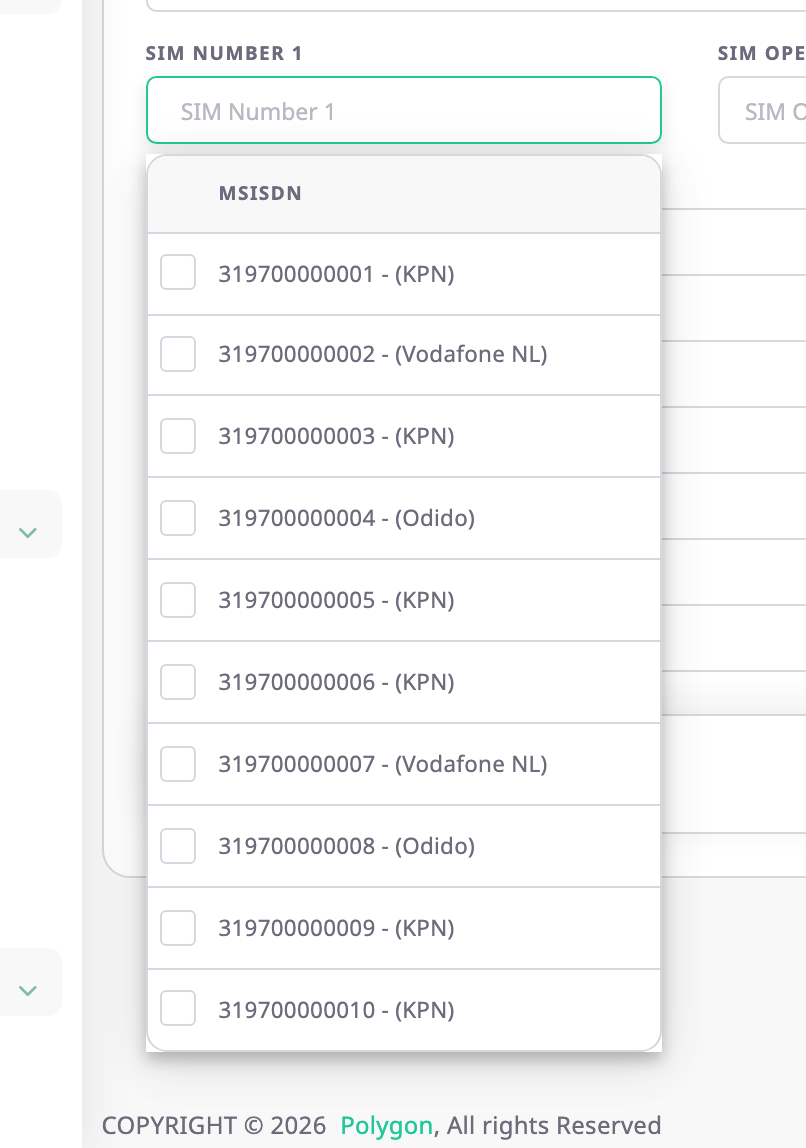
-
Optional: type a few digits to narrow the list.
-
Choose a SIM.
SIM Number 1 and SIM Operator 1 fill in. -
Optional: repeat steps 3 to 5 in SIM Number 2 for a second SIM.
-
Select Save.
The app shows "Device updated successfully". The SIM is now fitted: it leaves the Available count of the SIM list.
The list also offers SIMs that another device already uses. Saving one of them fails with "SIM number already exist".
¶ Add a SIM that is not in inventory
- In SIM Number 1, type the MSISDN of the SIM, for example 319700000099.
The list shows the number with "(Add New)". - In SIM Operator 1, enter the operator.
- Select Save.
The app creates a SIM record with that number as both its MSISDN and its SIM number, status Active and today as its activation date, and fits it.
You can correct the record later in the SIM form. See SIM form.
¶ Move a SIM to another device
A SIM sits on one device at a time, so first take it out of the old one.
- Open the old device, as above.
- Clear SIM Number 1 or SIM Number 2, whichever holds the SIM.
- Select Save.
The SIM is free again and counts under Available. - Open the new device and choose the SIM, as above.
¶ What happens next
- A fitted SIM cannot be deleted or allocated to another account until you take it out of the device.
- Changing the MSISDN or the operator in the SIM form also changes the number on the device.