Create a dealer account for a reseller who sells tracking to their own customers. The new account becomes a sub-dealer below yours, and its owner gets an invitation by email.
¶ Before you start
- You work in a dealer account. Consumer accounts cannot create dealer accounts.
- You need the Add Dealer Accounts permission. The built-in Owner role has it.
- Restrict Sub Accounts must be off for your own account.
- Have the company's name, address and, for a registered business, its registration number.
- Have the email address of the account's future owner.
¶ Open the new dealer form
-
In the side menu, select Accounts > Dealers.
The Dealers list opens. -
Select Add Dealer, marked 1.
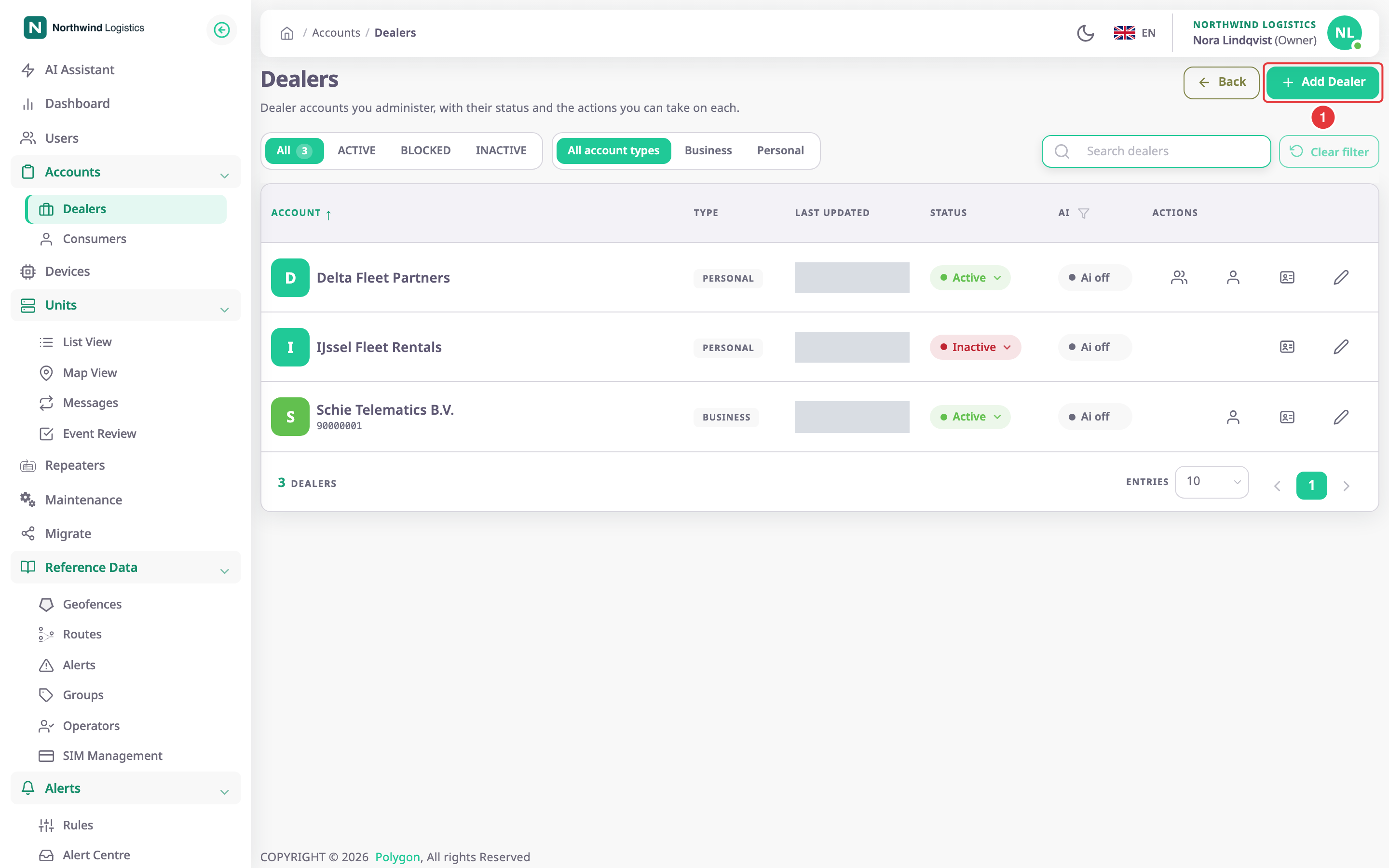
The Add New Dealer Account form opens.
¶ Fill in identity and owner
-
In Name, enter the company name, for example Waalhaven Haulage.
-
In Address, enter the postal address.
-
In Country, choose the country.
-
In Region, enter the state, province or region.
-
If the company is a registered business, in Registration Number, enter its number. Otherwise turn off Is Legal Entity above it.
-
In Select Currency, choose the billing currency.
-
In Default Owner Email, marked 1, enter the owner's email address, at most 30 characters.
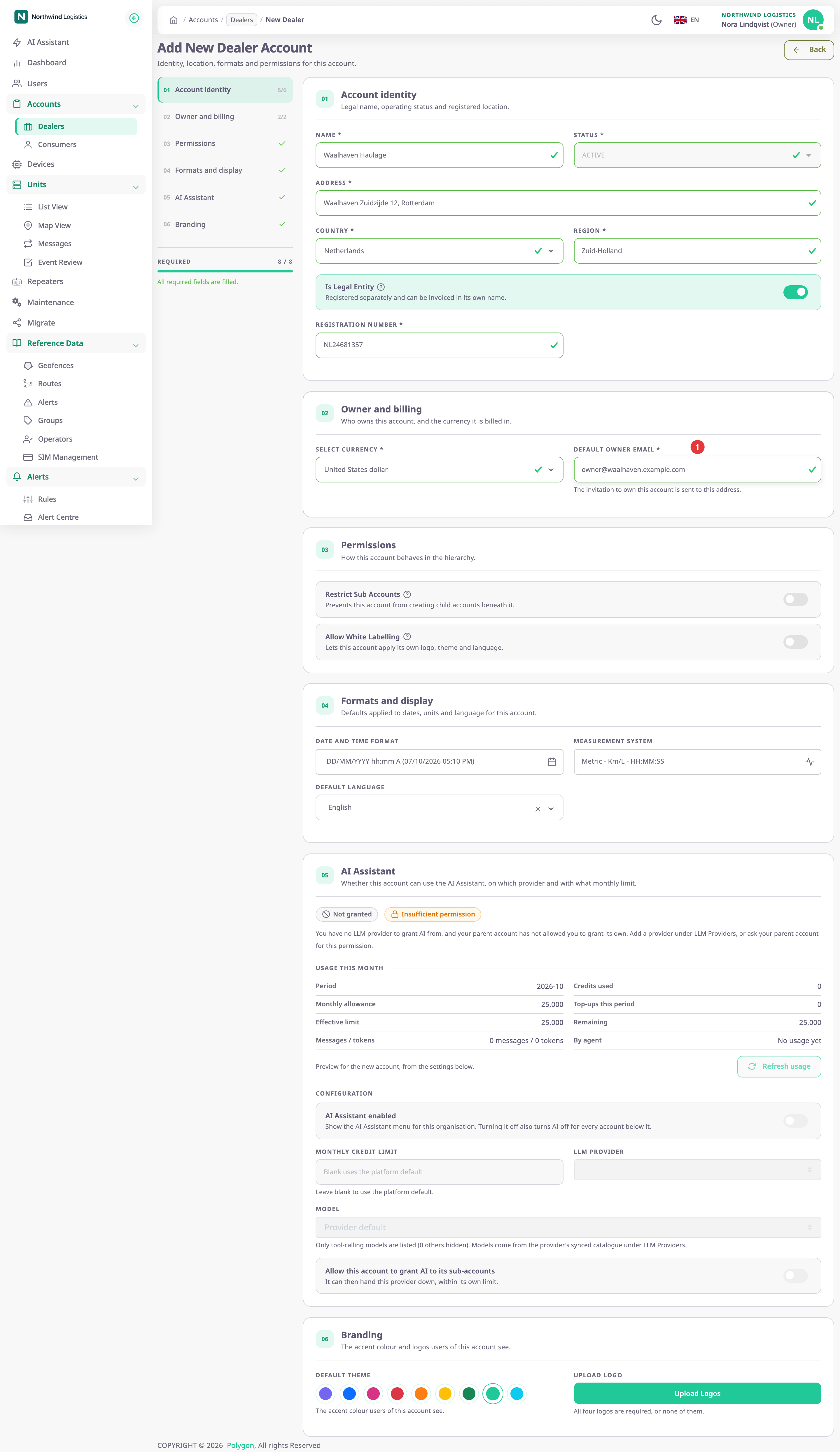
When nothing is missing, the Required counter on the left turns green.
¶ Choose permissions
- Optional: turn on Restrict Sub Accounts if this dealer must not create accounts of its own.
- Optional: turn on Allow White Labelling if this dealer may use its own branding. It shows only if your account may white-label.
- Optional: change Date and Time Format and Measurement System. See Set the date, time and unit formats.
Optional: in the Map section, tick the base maps the account offers, and enter a map provider key if a map needs one. See Account Settings.
The Dealer account form reference describes every field.
¶ Save and what the owner receives
- Select Save Changes.
The app shows "Dealer created successfully" and opens the Dealers list with the new account in it.
The app emails an invitation to the owner address. The person who accepts it becomes the account's Owner. Until then, the account has no users.
¶ What happens next
- Follow the invitation on the account's Invitations tab. You can send it again from there. See Manage the users of a customer account.
- Give the dealer devices to sell. See Allocate a device.
- If the server refuses the account, a message names the reason, for example "This account already exists." when another dealer account has that name.