People join an account by invitation. You send an email invitation with a role, and the person accepts it to get access. Someone who already uses the app for another account joins with the user they have.
¶ Before you start
- You need User Invite > Send. The built-in Owner role has it.
- Decide the role first. You can only give a built-in role or a role below yours. To make a new one, see Create a role.
- One invitation can go to up to 20 addresses, all with the same role.
¶ Send an invitation
-
In the side menu, select Users.
-
Select Send Invitation, marked 1.

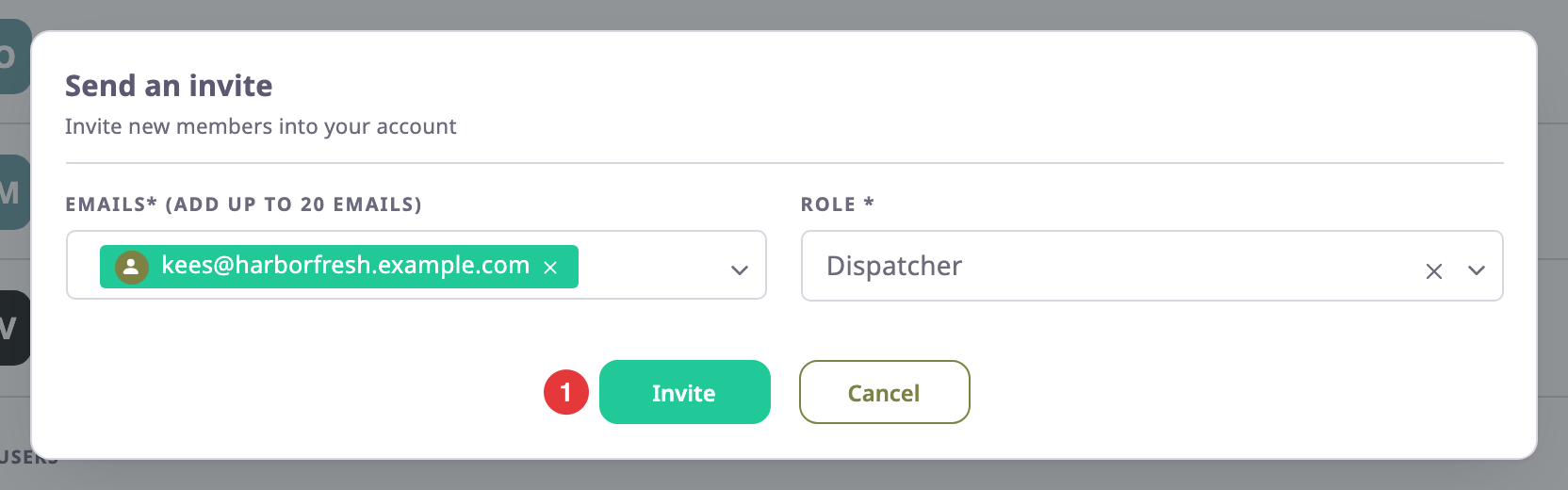
The Send an invite dialog opens.
-
In Emails (Add up to 20 emails)*, enter the address, for example kees@harborfresh.example.com, and press Enter.
The address becomes a tag. Repeat for more people. -
In Role, choose the role they get, for example Dispatcher.
-
Select Invite, marked 1.
The app shows "Invitation sent successfully". The dialog lists each address with its invitation link.
-
Optional: to send the link yourself, for example in a chat, select the copy icon next to it.
-
Select Close.
¶ Track the invitation
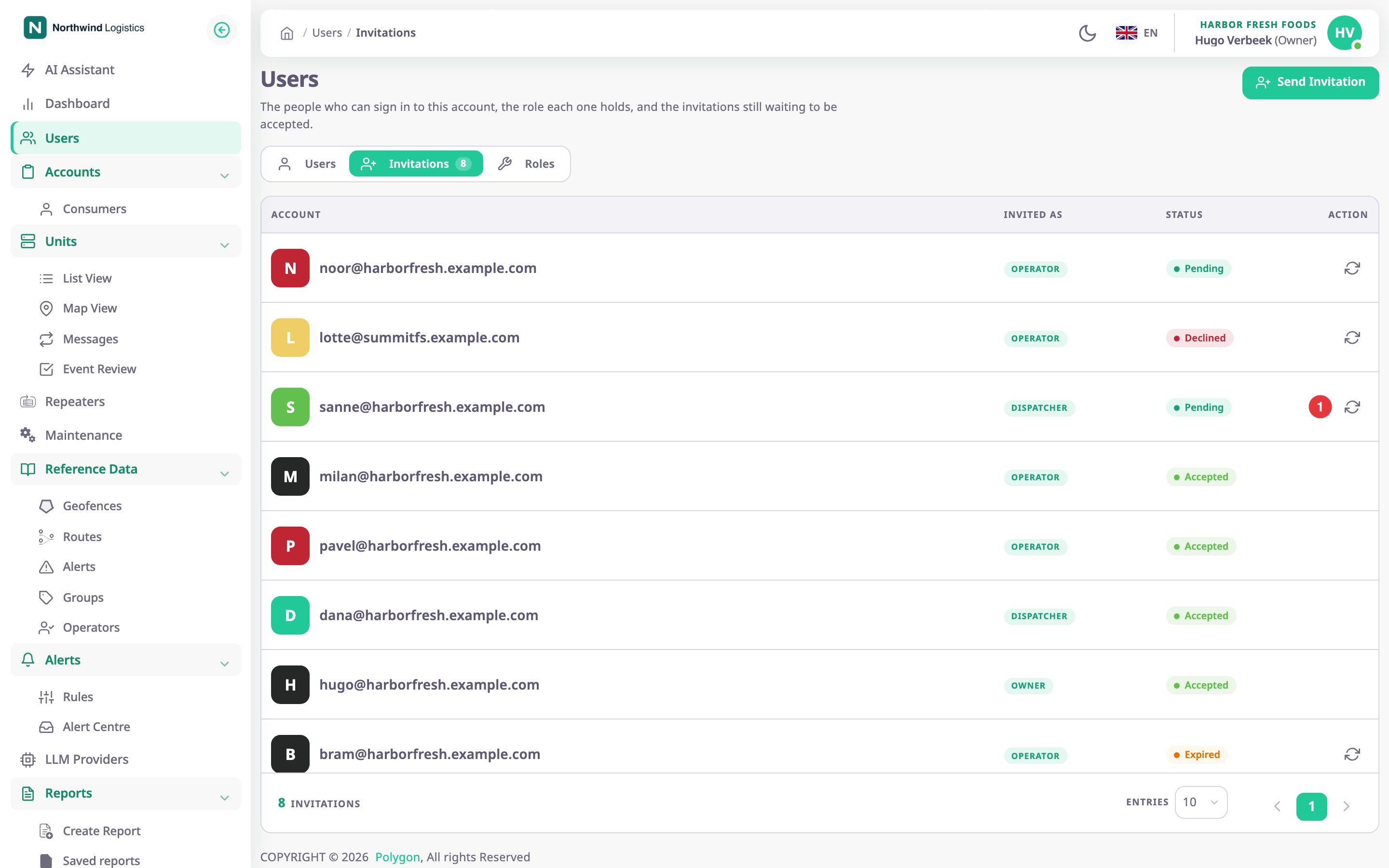
Open the Invitations tab on the Users screen. Each invitation shows its status:
- Pending: sent, not answered yet;
- Accepted: the person joined, and now shows on the Users tab;
- Declined: the person turned it down;
- Expired: nobody answered within 30 days.
¶ Resend an invitation
-
On the Invitations tab, find the pending, declined or expired invitation.
-
Select Resend, marked 1.
The app shows "Invitation resent successfully" and emails the same link again. An expired or declined invitation is valid for another 30 days.
¶ What the invited person does
The person receives an email with a button. If they have no user yet, the link opens a sign-up form, and they join once they create their user. If they already have a user, they sign in and accept the invitation. Either way they arrive in your account with the role you chose.
See Accept an invitation and create your user and Accept or decline an invitation to another account.