A service type names a kind of work, such as an oil change. You choose types in two places. One is Select services on the reminder form. The other is Service name in the Services and cost dialog of the bill.
¶ The fixed list
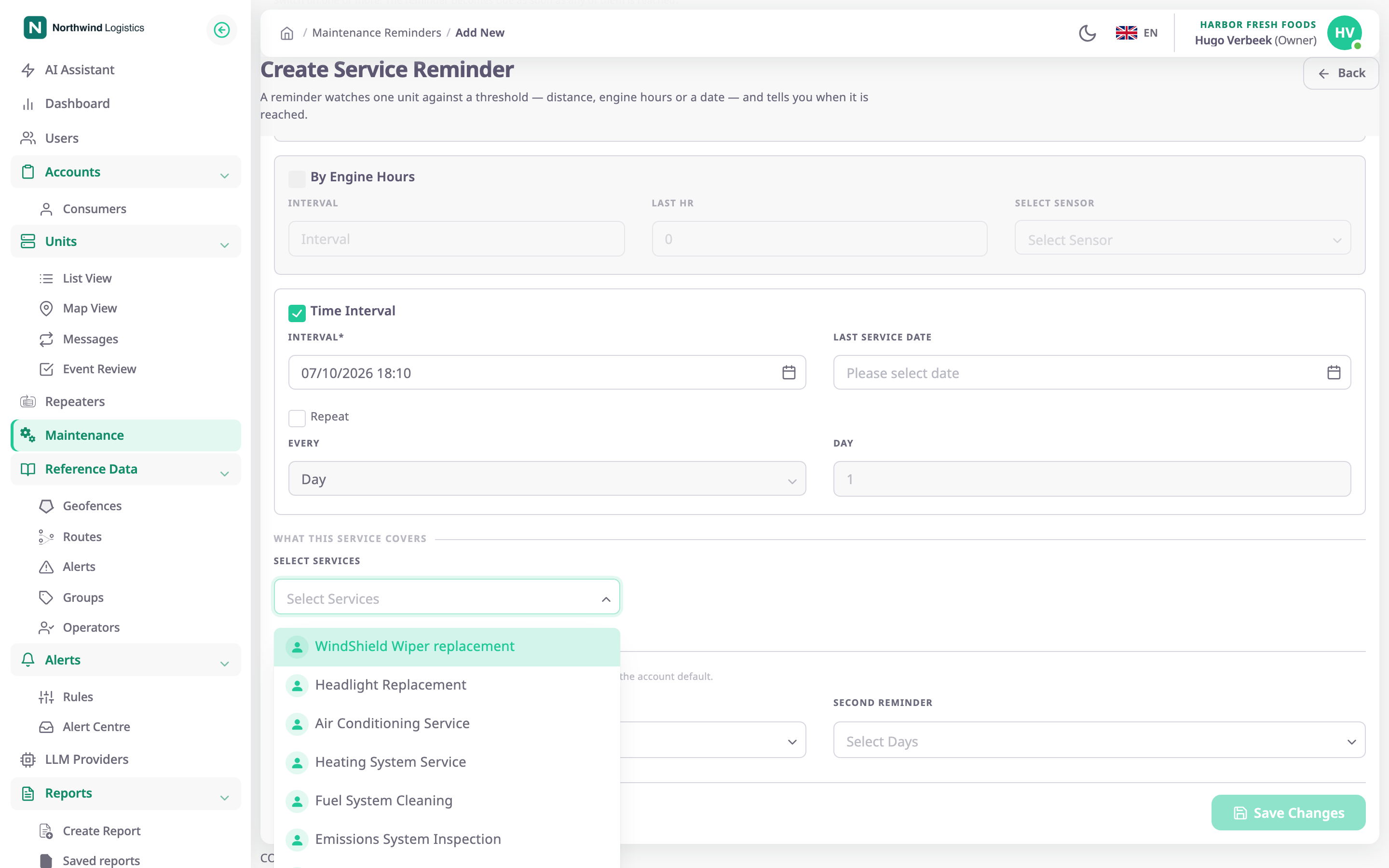
The list is the same for every account. The web app has no screen to add, rename or remove a type, because the platform supplies the list. In this version it holds 24 types:
| Group | Types |
|---|---|
| Engine and fuel | Oil Change, Engine Tune Up, Spark Plug Replacement, Timing Belt Replacement, Serpentine Belt Replacement, Fuel Filter Replacement, Fuel System Cleaning, Air Filter Replacement |
| Brakes, wheels and suspension | Break Inspection, Break Fluid Flush, Tyre Change, Wheel Alignment, Suspension Inspection, Power Steering Fluid Flush |
| Climate and cabin | Air Conditioning Service, Heating System Service, Cabin Air Filter Replacement, Coolant Flush |
| Electrical, exhaust and body | Battery Replacement, Headlight Replacement, WindShield Wiper replacement, Emissions System Inspection, Exhaust System Inspection, Transmission Fluid Change |
The app shows the names as the platform spells them. "Break Inspection" and "Break Fluid Flush" use that spelling in the app and in the catalogue.
¶ Types with extra fields
Only Tyre Change asks for more details when you add it to a bill. It asks for the tyre model, size, pressure and tread depth, two dates, a visual inspection, three yes-or-no questions and a note. See Add bill form.
¶ Where types appear
- On a reminder, the types you choose in Select services show in the Service Types column of the list. See Maintenance reminders list.
- On a bill, each type is a line with a cost. See Record a completed service.
- In the history and the service record, each completed service lists its types. See Service history.