When an alert rule fires for one of your units, the map tells you at once. You can see which unit it is, where it was, and acknowledge the alert without leaving the map.
¶ Before you start
- You need Read on Alert Incidents to see alerts on the map. The Owner role has it, and so does a typical dispatcher role.
- To acknowledge an alert, you also need Edit on Alert Incidents. Without it, you see alerts but not the Acknowledge button.
- Alerts come from your alert rules. See Alert rules.
- The map shows alerts for the units in your scope. See Account scope, labels and layers.
¶ Read a toast
A new alert appears as a small card at the bottom left of the map. On a phone it appears at the top. A toast never takes focus and makes no sound.
- It shows the alert title and the unit, with the time.
- It stays for 10 seconds. A critical alert stays until you handle it.
- When several alerts arrive together, the toasts collapse into one card that reads "N more new alerts" and Show all open alerts.
- Select the cross, which is Dismiss, to close a toast.
¶ Open the open alerts panel
The chip at the bottom left of the map counts the alerts that need you. It reads "6 open alerts" or "1 open alert", and "recent alerts" when none is open but some fired in the last hour.
-
Select the chip.
The panel opens above it. It lists the alerts with their title, the unit and the time.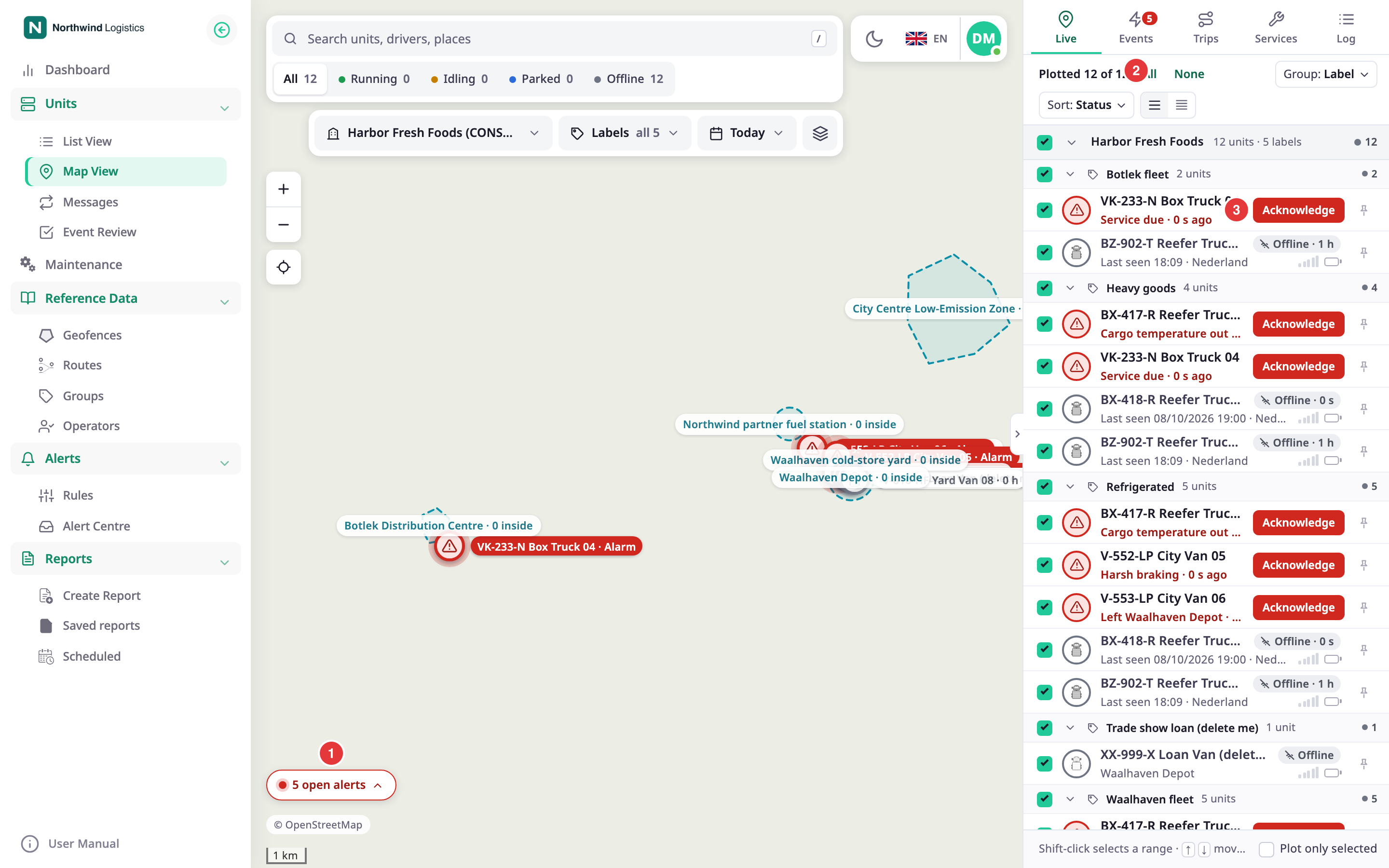
-
Optional: select Alert centre in the panel header to open the Alert Centre.
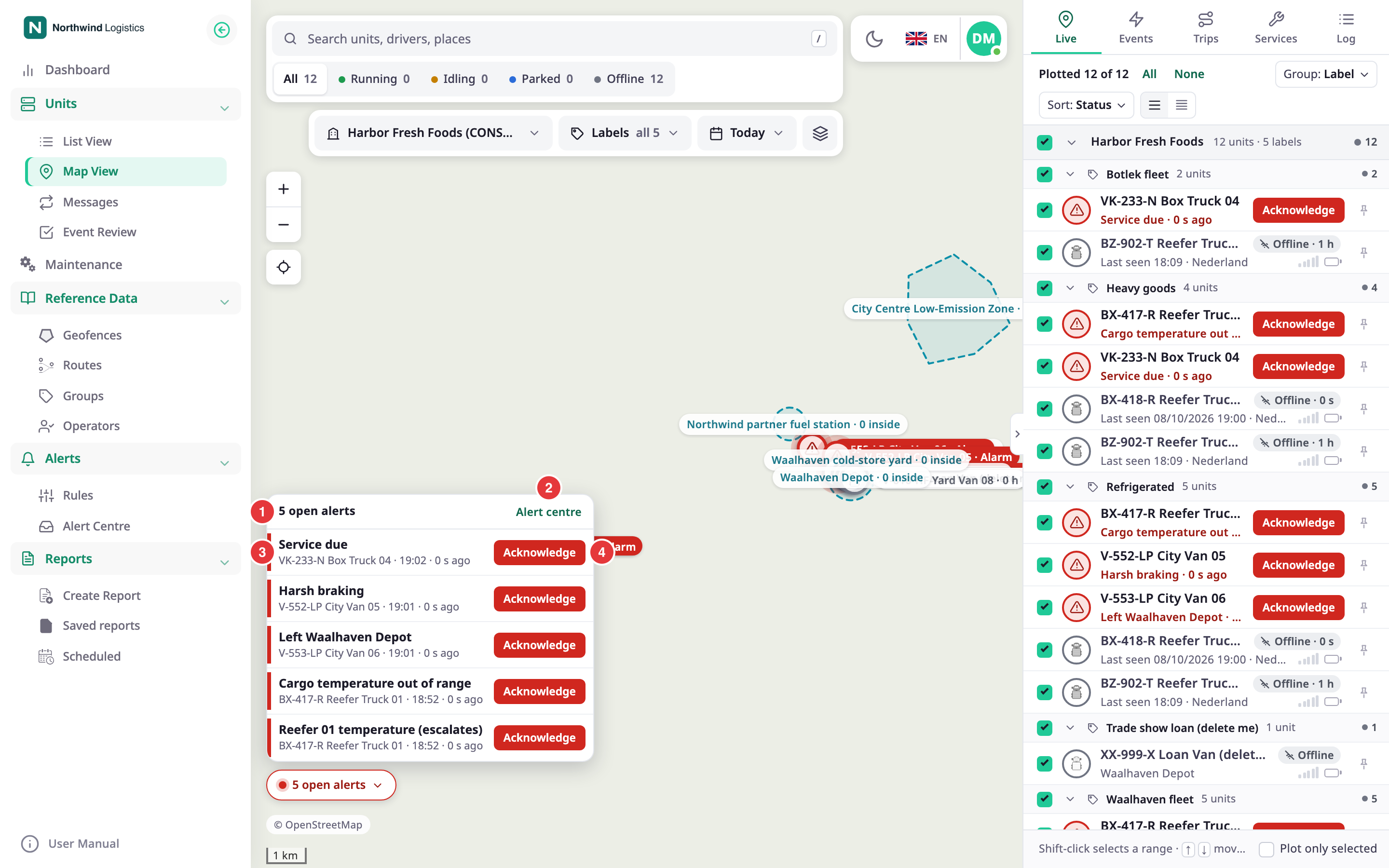
The unit with an open alert shows Alarm in its row, with a ring on its marker.
¶ Open the unit and see where it fired
- In the panel, or in a toast, select the alert.
The unit card opens, the map follows the unit, and a ring marks the place where the alert fired. The ring stays for 30 seconds. - Read the card. See Unit card on the map.
- To stop following, select Stop, or press
Esc.
¶ Acknowledge
-
Select Acknowledge on the toast, in the panel, on the unit row, or on the event card.
The alert leaves the open alerts, and the unit's row loses Alarm.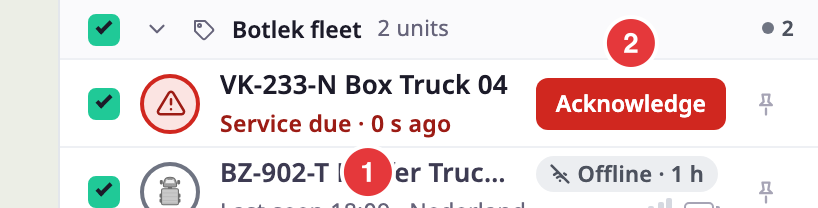
If it fails, a message reads "Could not acknowledge the alarm". Select Acknowledge again.
Acknowledging records that you saw the alert. It does not resolve what caused it. For what happens to an incident next, see Alert Centre and Incident.
¶ Find an alert later
- The Events tab lists alerts with the other events of your units, and a badge counts the new ones you have not looked at. See Events tab.
- The Alert Centre lists every incident, with filters. Select Alert centre in the panel.
¶ What happens next
The map keeps its list of open alerts in step with the server. It checks again every 60 seconds, and the panel refreshes every 2 minutes, so a change made by a colleague shows up soon.