The Unit Allocation dialog hands a unit to an account and, optionally, an operator for a period. It opens from:
- the Allocation action on a row of the units list;
- Allocate in the unit menu on the map, which opens from More on a row of the unit list or on the unit card;
- the Unit Allocation button on a unit's edit screen, in dealer accounts;
- Allocation in the bar above the units list, for several selected units. See Allocate several units at once.
The dialog moves units, the vehicles and assets on the map. With Transfer Including Sim Cards, the SIM cards in their devices move too.
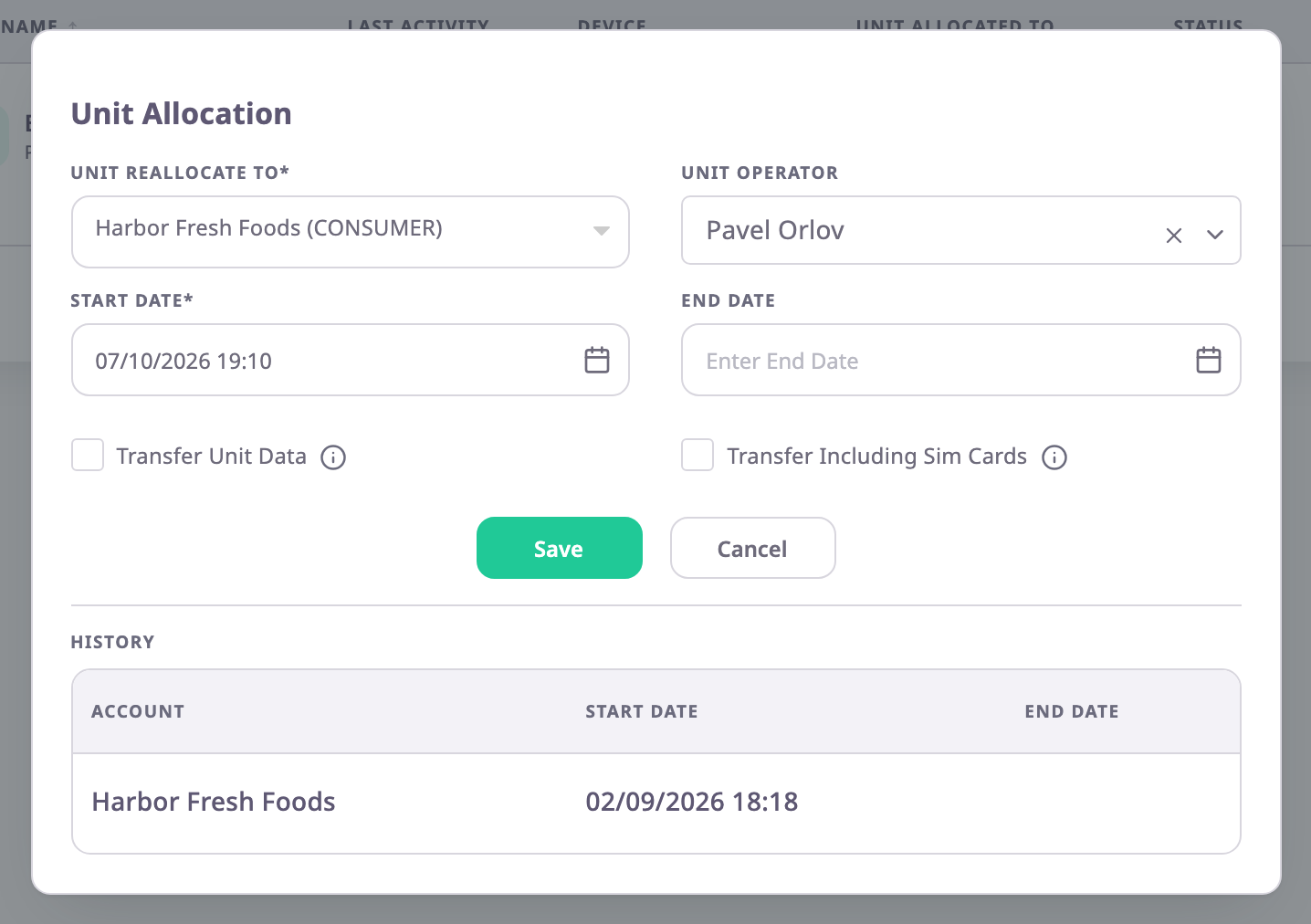
¶ Fields
| Field | Required | What it does | Allowed values / example | Notes |
|---|---|---|---|---|
| Unit Reallocate To | Yes | Chooses the account that uses the unit from the start date. | Your account or an account below yours, dealer or consumer. Example: Harbor Fresh Catering (CONSUMER) | Shows the current account when the dialog opens. A plus sign next to an account opens the accounts below it. |
| Unit Operator | No | Assigns an operator (driver) to the unit. | Operators of the chosen account. | Reloads when you change the account. |
| Start Date | Yes | Sets when the new allocation starts. | Now or later. | Default: now. It does not show the start of the current allocation. |
| End Date | No | Ends the allocation at this time. | Later than Start Date. | Empty means no end. An earlier date gives "End time must be greater than start time". |
| Transfer Unit Data | No | Moves the unit's message history to the new account with the unit. | Selected or cleared. Default: cleared | See Transfer options. |
| Transfer Including Sim Cards | No | Moves the SIM cards in the unit's devices to the new account too. | Selected or cleared. Default: cleared | — |
¶ Transfer options
What the new account sees depends on Transfer Unit Data:
| Transfer Unit Data | Result |
|---|---|
| Cleared | The new account gets its own copy of the unit, with the same name, devices and groups. Messages from before the start date stay with the previous account. The new account's trips and reports start at the start date. |
| Selected | The same unit moves, with its message history. The new account sees past trips and reports too. |
Select the information icon next to each option for a short reminder.
¶ Allocation history
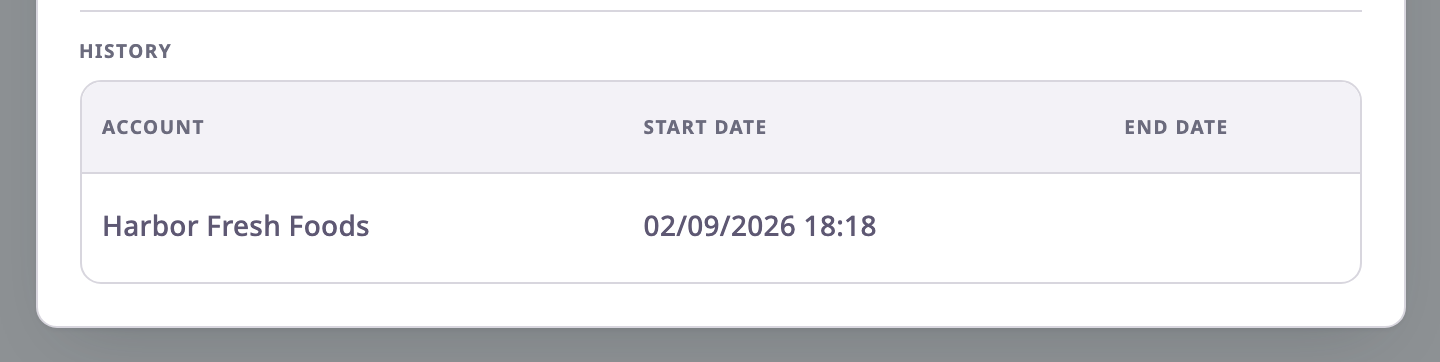
History at the bottom of the dialog shows the latest allocation of the unit: the account, its Start Date and its End Date. An empty End Date means the allocation is still running. The table shows one row only, even when the unit had earlier allocations.
¶ Allocate several units at once
When you select units in the units list and then Allocation in the bar above it, the same dialog opens in a shorter form. See Act on many units at once.
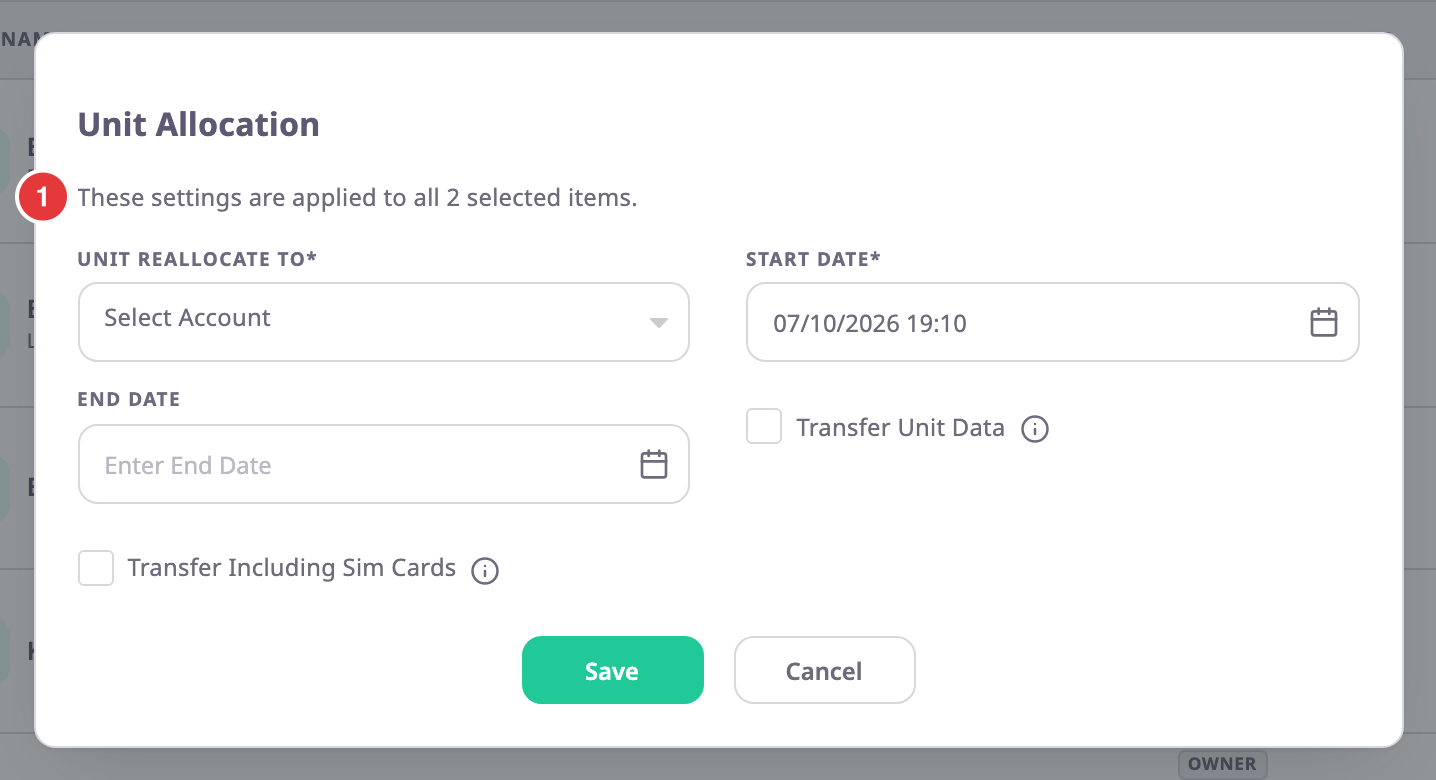
- A note, marked 1, reads "These settings are applied to all" and the number of selected units.
- Unit Reallocate To starts empty. Save without an account gives "Please select account for allocation".
- Without a Start Date, Save gives the message "The Start Date* is required."
- Unit Operator and History are not shown, because an operator belongs to one unit.
- Save does not allocate yet. It closes the dialog and asks "Allocate 2 selected items to the chosen account?", with the number of units. Select Yes to run it.
- The app does not ask about units that are in use by another account. Confirming moves those units too.
- The Result dialog lists how many units moved, and names each unit that failed, with the reason.
¶ Confirmation messages
| Message | When |
|---|---|
| "Unit reallocated sucessfully" | The allocation is saved. |
| "This unit is already allocated to …, do you really want to reallocate this unit to …" | The unit is in use by another account now. Select Yes to end that allocation and start yours, or No to cancel. |
| "End date should be greater than start date" | The server refused the dates. |
¶ Buttons and actions
| Action | What happens |
|---|---|
| Save | Saves the allocation, asking first if the unit is in use by another account. |
| Cancel | Closes the dialog without saving. |
¶ Permissions
- Allocation, Allocate and Unit Allocation appear for roles with Units > Edit. The Owner role has it.
- Allocating several units at once also needs Devices > Read on the server.
- When your account has restricted sub-accounts, the app hides Allocation, in the row and in the bar, and Allocate. See Account hierarchy.
- The unit menu on the map also hides Allocate on an archived unit, that is a unit whose allocation to your account has ended.