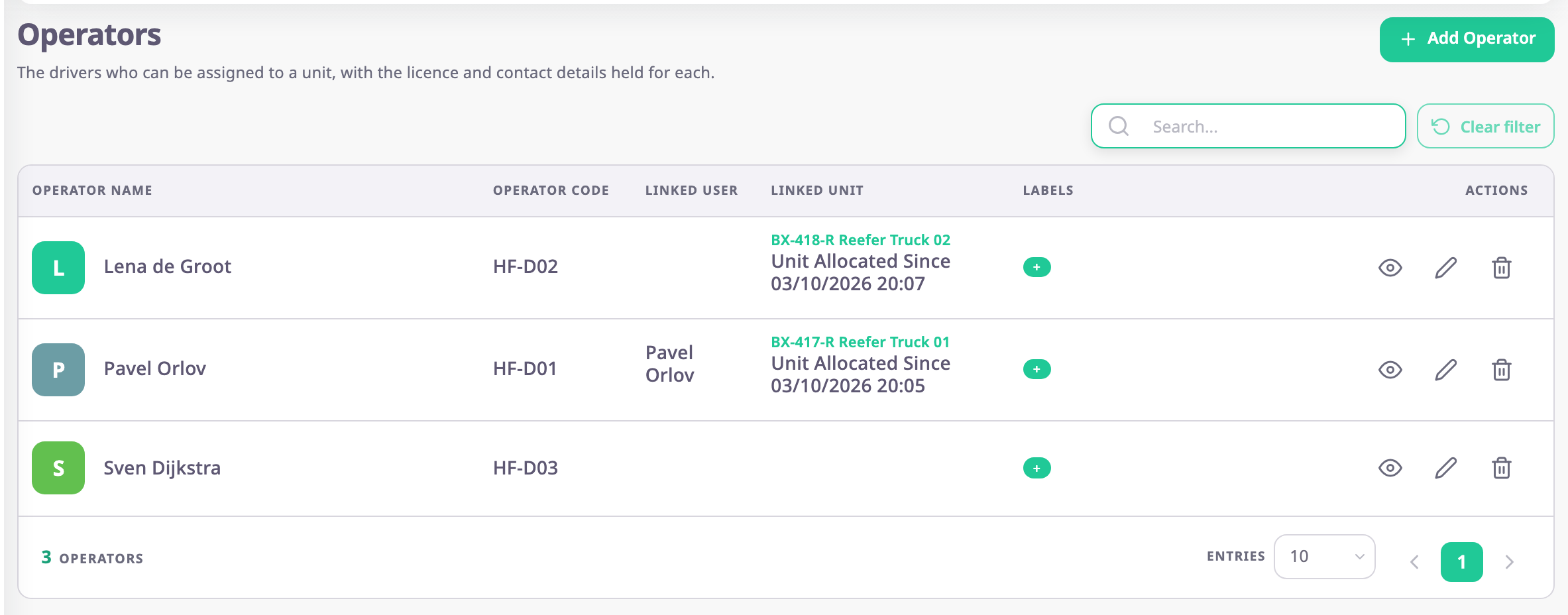
An operator is the record of a driver: a name, a code, a phone number and, optionally, a login. You assign operators to units, and Polygon then shows who drives which unit in lists, reports and alerts. To open the list, in the side menu, select Reference Data > Operators.
¶ Operators, users and the driver role
An operator is not a user. Most drivers never sign in: the record exists so that trips, reports and alerts can name them. If you want a driver to sign in, turn on Create login account in the operator's form. Polygon then invites that email address as a user with the built-in Operator role, and the two records are linked. See Give a driver a login.
¶ Manual and automatic assignment
| Way | How it works | Page |
|---|---|---|
| By hand | You choose the unit, a start date and an optional end date in the operator's form, in the unit form or in the unit allocation dialog. | Assign a driver to a unit |
| By card or tag | The device reports the code of a driver card. The unit's Operator Assignment sensor matches it to the Operator Code of an operator. | Identify drivers automatically |
An operator can be on one unit at a time, and a unit has one driver at a time.
¶ Where the driver shows up
- In the operators list, under Linked Unit.
- Under the unit's name in the units list, and in the driver panel of the unit card on the map. See Unit card.
- In reports such as Driver assignments and Eco driving, and in the Driver assigned and Driver unassigned alert templates.
¶ Driver behaviour
Harsh braking, harsh acceleration, cornering, overspeeding and seat belt events come from a device sensor, not from the operator record. See Monitor driver behaviour.
¶ What you can do
- Add an operator
- Assign a driver to a unit
- Give a driver a login
- Identify drivers automatically with a driver card or tag
- Monitor driver behaviour
- Set up driver chat for an account
¶ Next steps
Start with Add an operator.