Navigate to Dashoard:
- From the main menu, click on Dashboard and then click on the below icon

- Then you will appear this screen
¶ Key Features
-
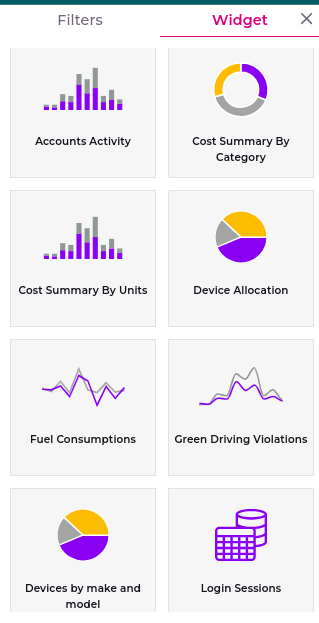
Chart Accessibility:
- Dealers can view all available charts.
- Consumers may experience restrictions on specific charts.
-
Chart Types:
-
Dealers
-
Consumers
-
-
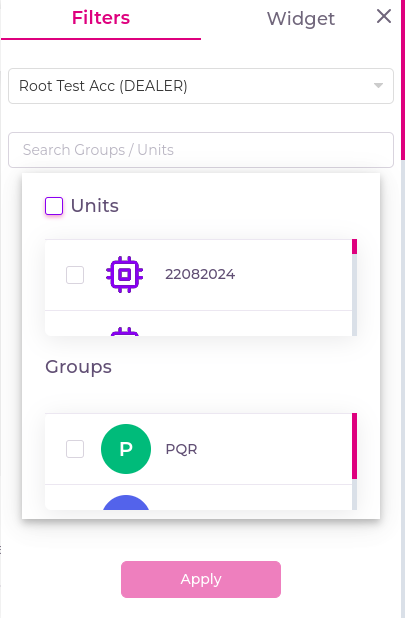
Global Filter:
- A global filter allows users to set the account-level units and groups that will be visible across all charts. This ensures that users can focus on specific data relevant to their needs.
¶ Troubleshooting
- Missing Charts for Consumers: If a chart is not visible, it may be due to the restrictions in place for consumer accounts.
- Error in Data Display: Ensure that the correct data fields are selected when configuring charts. Refer to the Data Configuration Guide for more details.