A report answers a question about your fleet for a period, such as how far each truck drove last week. Every report starts from a template. The template fixes the tables, columns and charts; you choose the period and the units each time you run it.
¶ Templates and reports
- A template is the design of a report: its data sources, columns, grouping, totals and charts. It holds no data.
- A report is one run of a template for chosen units and dates. You read it on screen, export it as a file, or pin it to a dashboard.
Editing a template never changes a report you already exported. Each saved report keeps its own copy of the template.
¶ The three screens
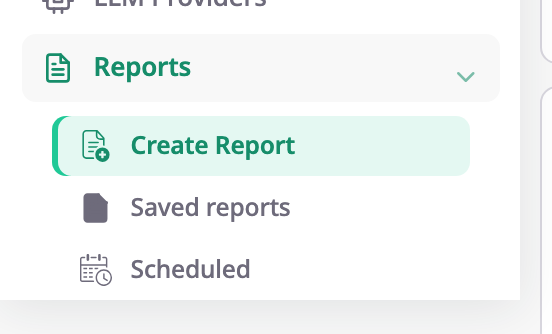
| Menu item | What you do there |
|---|---|
| Reports > Create Report | Browse templates, run one, and open the template builder. |
| Reports > Saved reports | Download exported files and follow exports that are still running. |
| Reports > Scheduled | See the reports that run on a timer, pause them or delete them. |
You create a schedule on the screen where you run the report, not on Scheduled.
¶ System, account and personal templates
The template library groups templates by who owns them:
- My templates are yours. Nobody else sees them.
- Account templates belong to the account, and everyone in it sees them. Only a user with the Owner role can publish, edit or delete them.
- System templates come with Polygon. You cannot change them, but you can save a copy and change the copy.
¶ Who can do what
All report screens need the Reports permission of your role. The Owner role has every report permission.
- Read template lets you open the library and run reports.
- Add template, Update template and Delete template let you build and change your own templates.
- Import template lets you import templates from a file.
- One permission per kind of data decides which sources you can use, such as Trips & parkings or Fuel events. A template that reads data you have no permission for does not appear in your library.
See Permissions reference for the full list.
¶ What you can do
- Run a report
- Download a report as Excel, PDF or CSV
- Send a report on a schedule
- Create a report template
- Share, import, export and delete templates
- Pin a report to a dashboard