Devices or units? This page is about units, the vehicles and assets on the map. To change the tracking hardware and its settings, see Edit a device. For the difference, see Devices and units.
Edit a unit to rename it, mark it as damaged or blocked, change its icon or move it between groups.
¶ Before you start
- You need Units with Edit. The Owner role has it.
- Your account must own the unit, or be above the owning account. If your dealer created the unit and allocated it to you, the row has no Edit action and the unit opens read-only. Ask the dealer to make the change.
- You cannot change a unit's starting location after it exists.
¶ Open the unit in edit mode
-
In the side menu, select Units > List View.
-
On the unit's row, select Edit.
The unit opens with the chip "Editing" at the top.
¶ Change the details
-
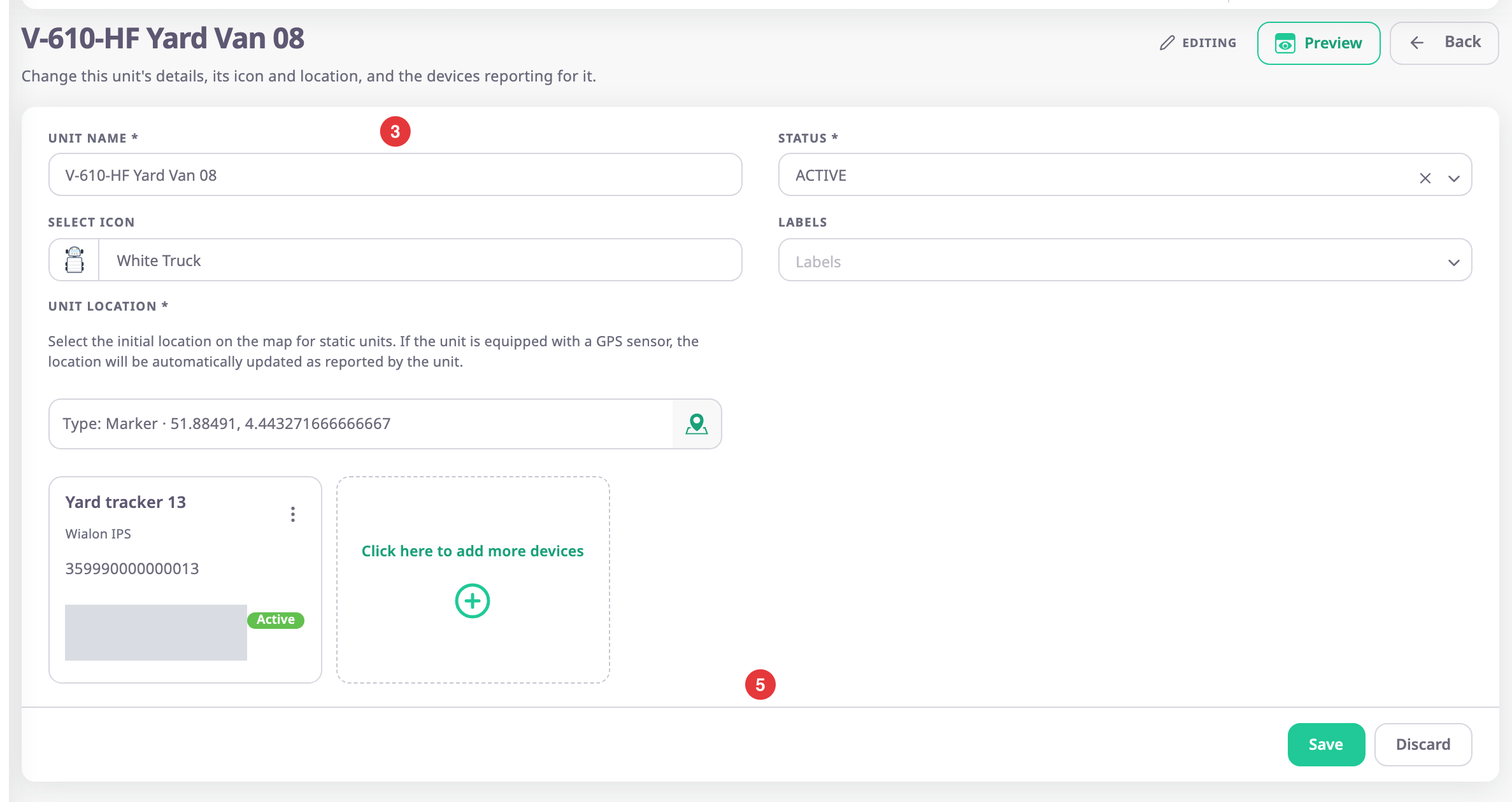
In Unit Name, enter the new name, for example V-610-HF Yard Van 08.
-
Optional: in Status, Select Icon or Labels, choose new values.
-
Select Save.
The units list opens with the message "Unit updated sucessfully".
To undo your changes before you save, select Discard. Back leaves without saving.
If you select Save without changing anything, the screen stays open and nothing happens.
¶ What happens next
The new name and status show at once in the units list, on the map and in new reports. The unit's Log tab on the map records the previous and new values. See Services and Log tabs.
To change the devices on the unit, see Add or remove a unit's devices. To move the unit to another account, see Allocate a unit to an account or operator.